
How to Start
-
Import SVP Files option of the Source menu in the Main Menu bar
What it Does
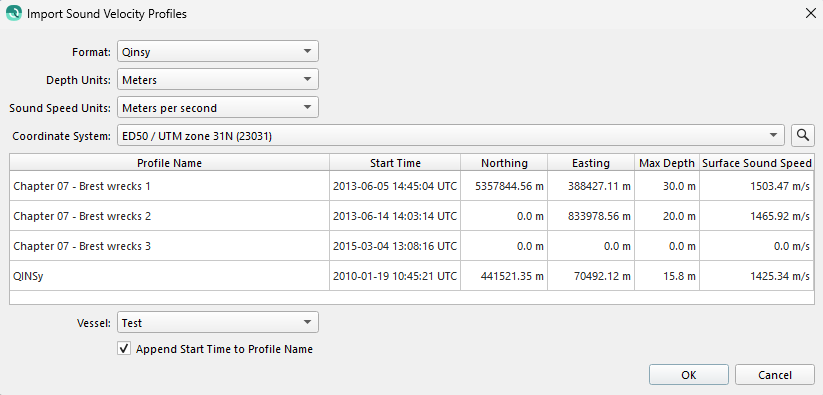
This dialog is used to batch import all types of SVP files.
General Description
This dialog handles the import of Kongsberg, Qinsy, Reason, Hypack, Caris and ASCII SVP files.
The dialog has several sections, these are explained below.
Format
The type of SVP file. This type should be automatically detected based on the selected files.
Depth Units
The depth units. Can be set to feet or meters. This should be automatically detected.
Sound Speed Units
The sound speed units. Can be set to feet per second or meters per second. This should be automatically detected.
Coordinate System
If you are specifying position of the SVP, you will need to provide the coordinate frame that the position is referenced to.
SVP Table
Profile names can be updated here. For certain file type the position and start times can be set here. Alternately, you can configure this at a later stage in the SVP Editor.
Vessel
The SVP will need to be assigned to a specific vessel, choose the vessel from the combo box in this section of the dialog.
Appending Start Time
If this box is checked, the imported profile names will be appended with their start time.
Return to: Qimera Interface
Return to: Wizards and Dialogs