
📋 Content
S-100 layers Qastor
A first iteration of the S-100 layer implementation is now available in Qastor.
-
S-101 ENC chart
-
S-102 Bathymetric layer
-
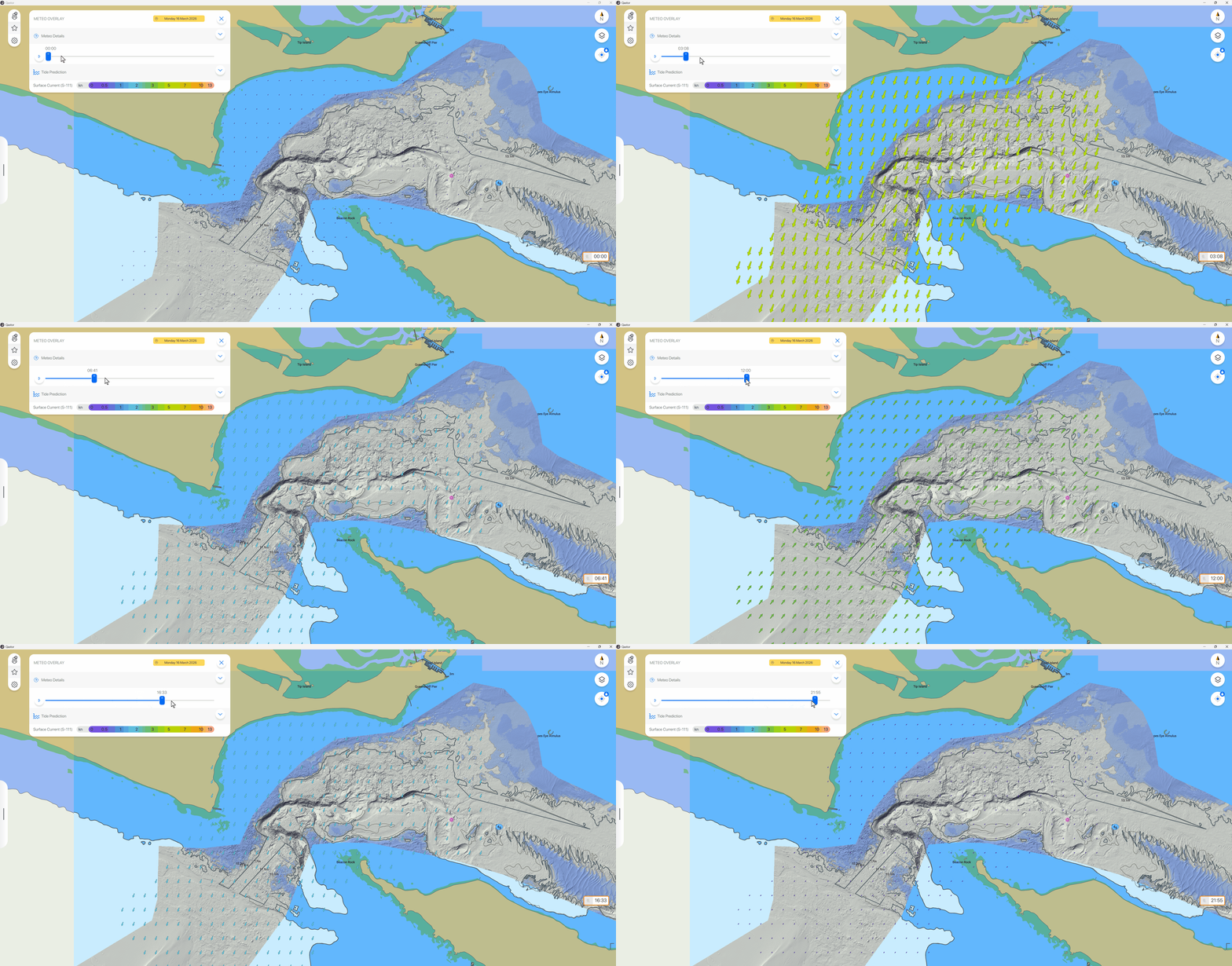
S-111 Current overlay
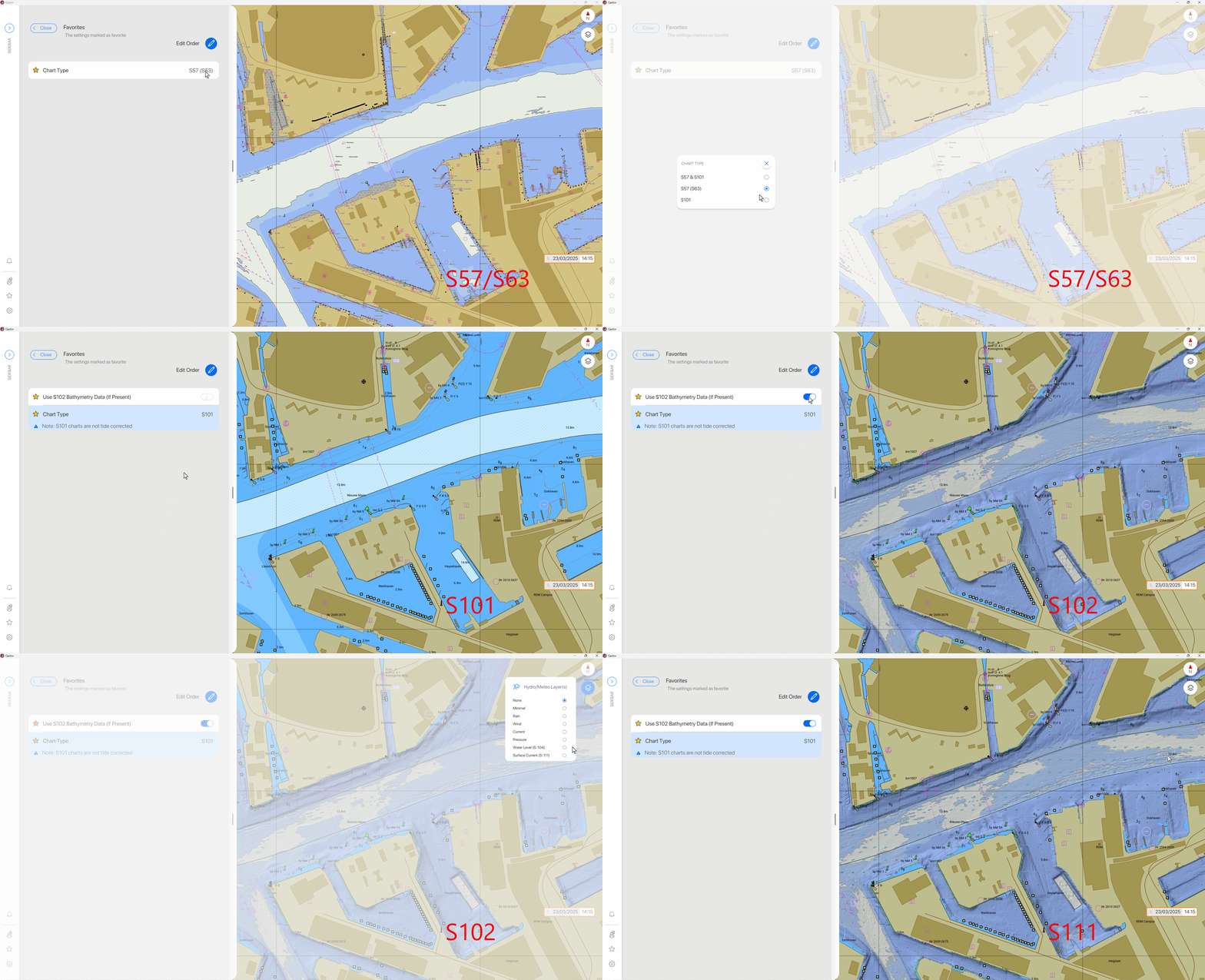
S-111 example (Melbourne approach)
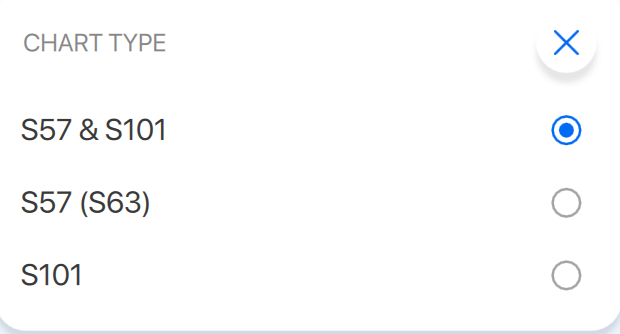
S-57 and S-101 can be displayed together or only S-57 or S-101, if both are available in the same area S-101 will be displayed on top of S-57.
These settings can be found in Chart Preferences > Mariner Settings > Chart type.
S-101 charts are not (yet) tide corrected.
Although displayed in the Meteo layer menu gridded S-104 (Water level) is not displayed or used in Qastor yet.
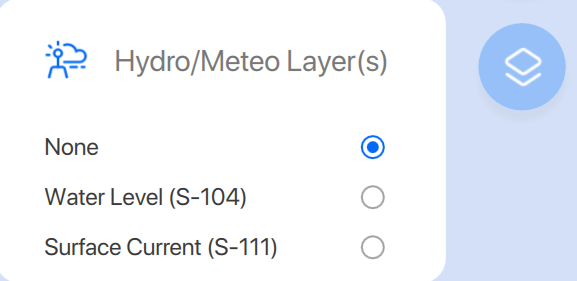
S-100 chart pick reports are not available yet in this Qastor version.
Changed CPA along route
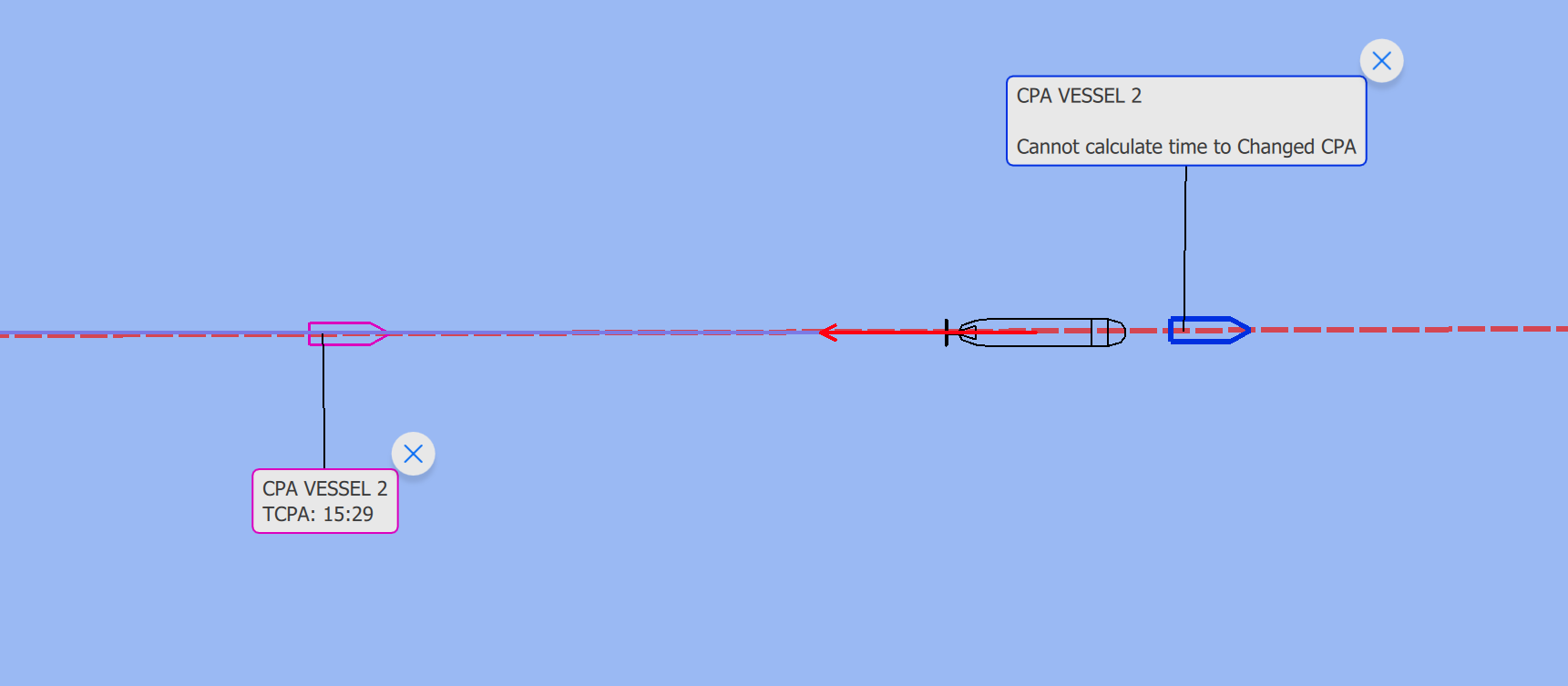
Qastor is now able to simulate a different meeting point and calculate the required speed and time required for that point. This is done along a route.
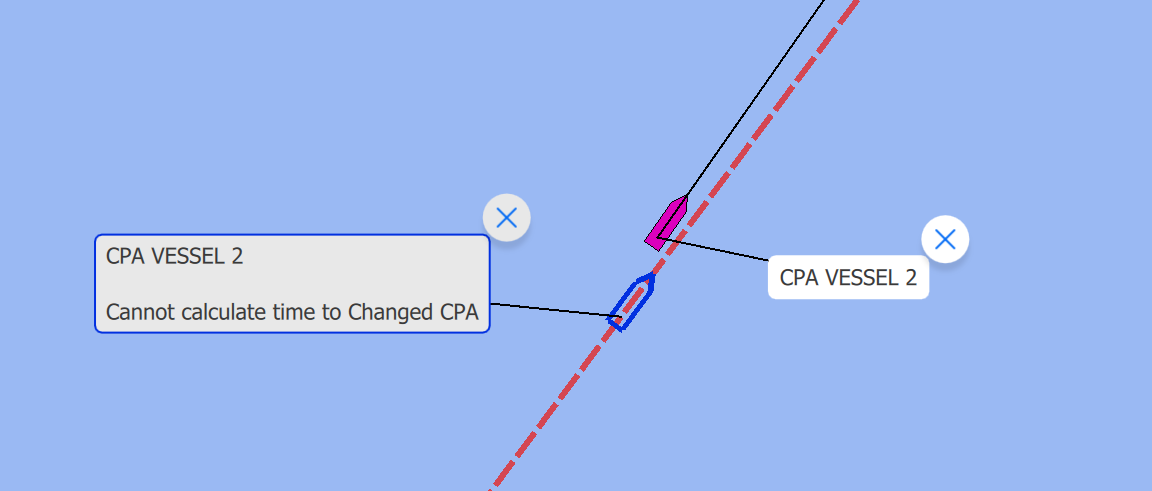
A new option is available in the CPA target “Show Changed CPA” and if selected will also add a blue colored CPA target which can be dragged along the active route.
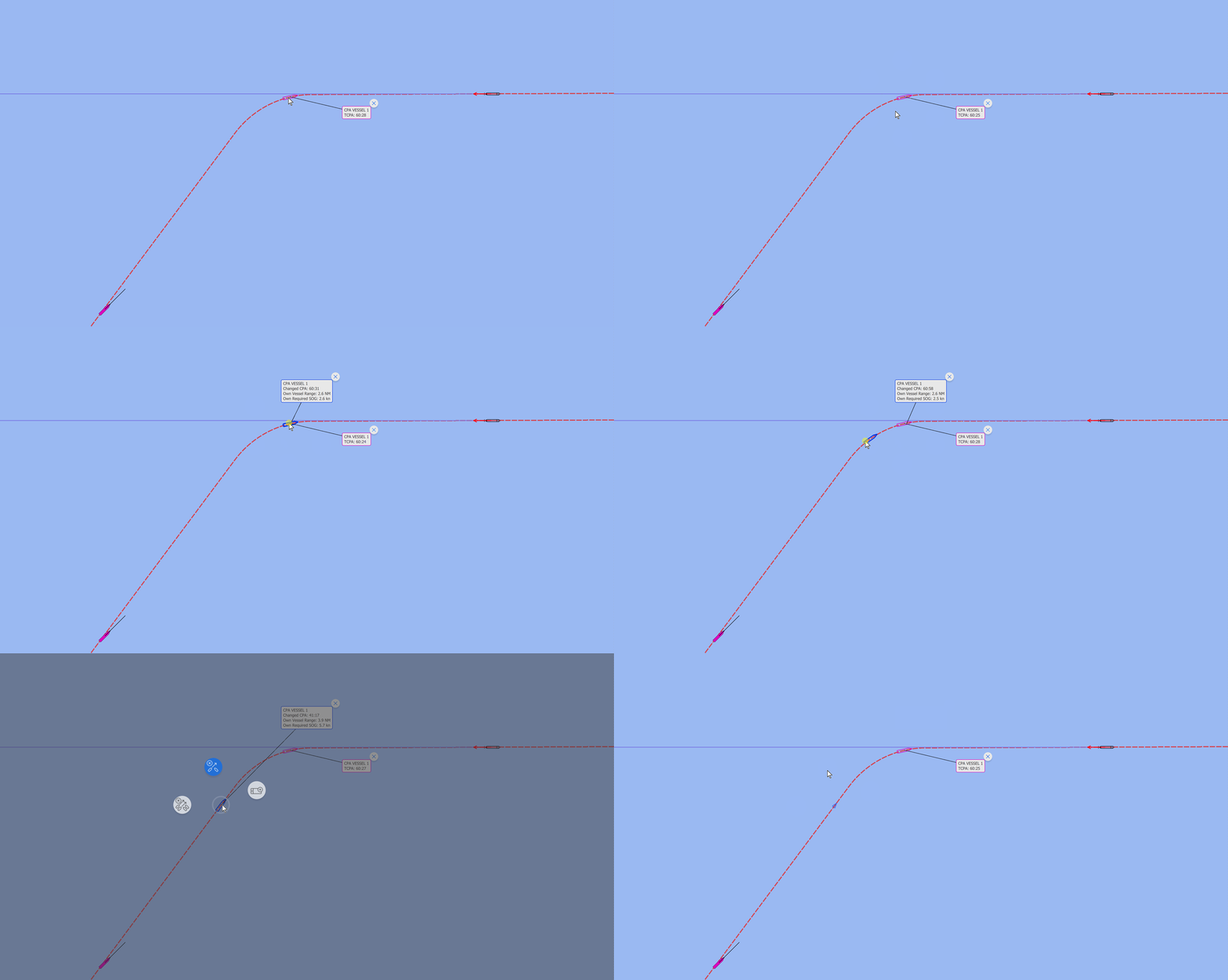
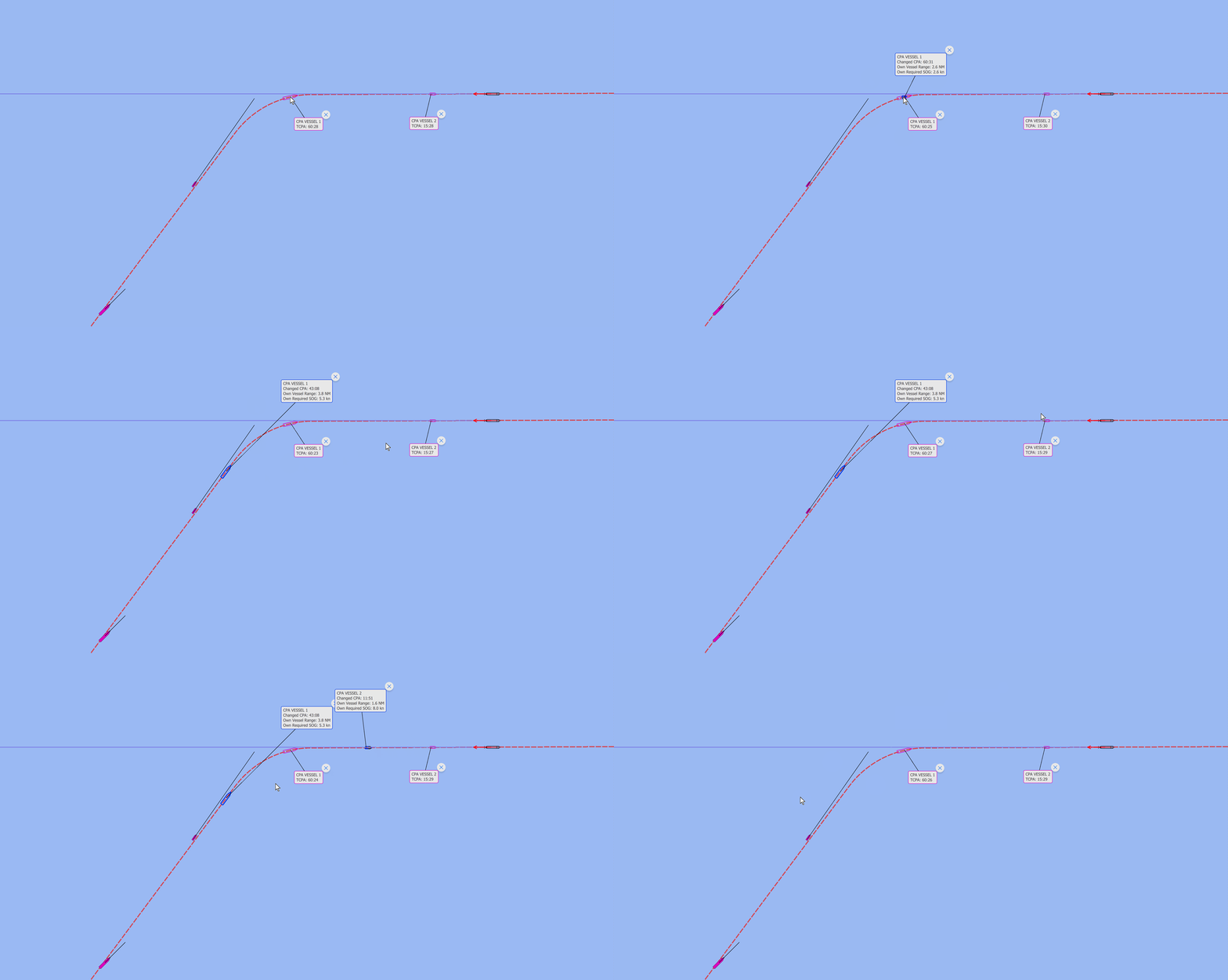
This can also be done with multiple targets along the route.
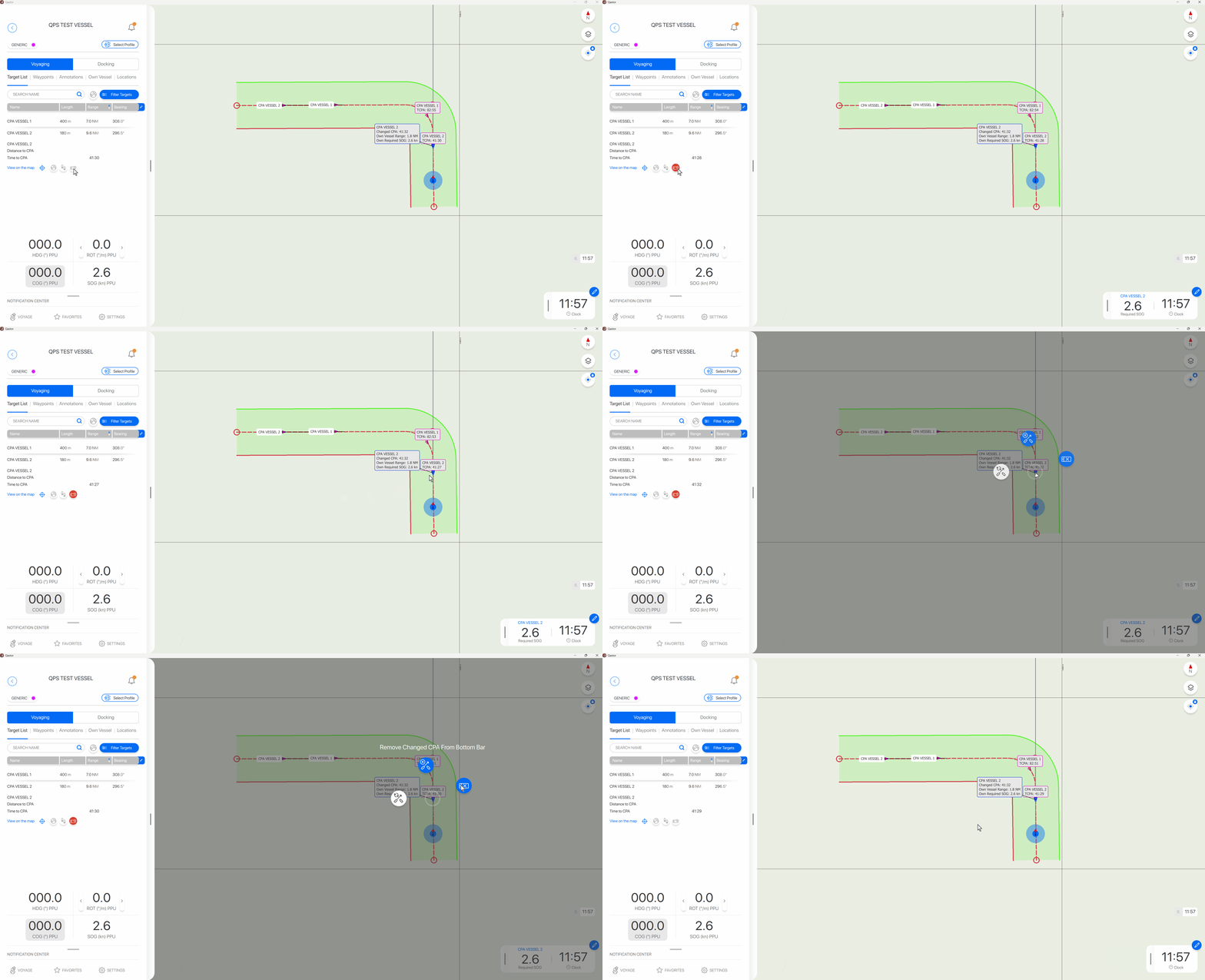
The own required speed for generated Changed CPA target meeting point can be displayed and hidden in the bottom bar. This can be done from the Target List in the side bar or directly from the radial menu selected from the blue Changed CPA target.
To prevent unrealistic values a maximum Changed CPA calculated speed of 40 Kts is used.
All speeds above will be displayed as “Cannot calculate time to changed CPA”
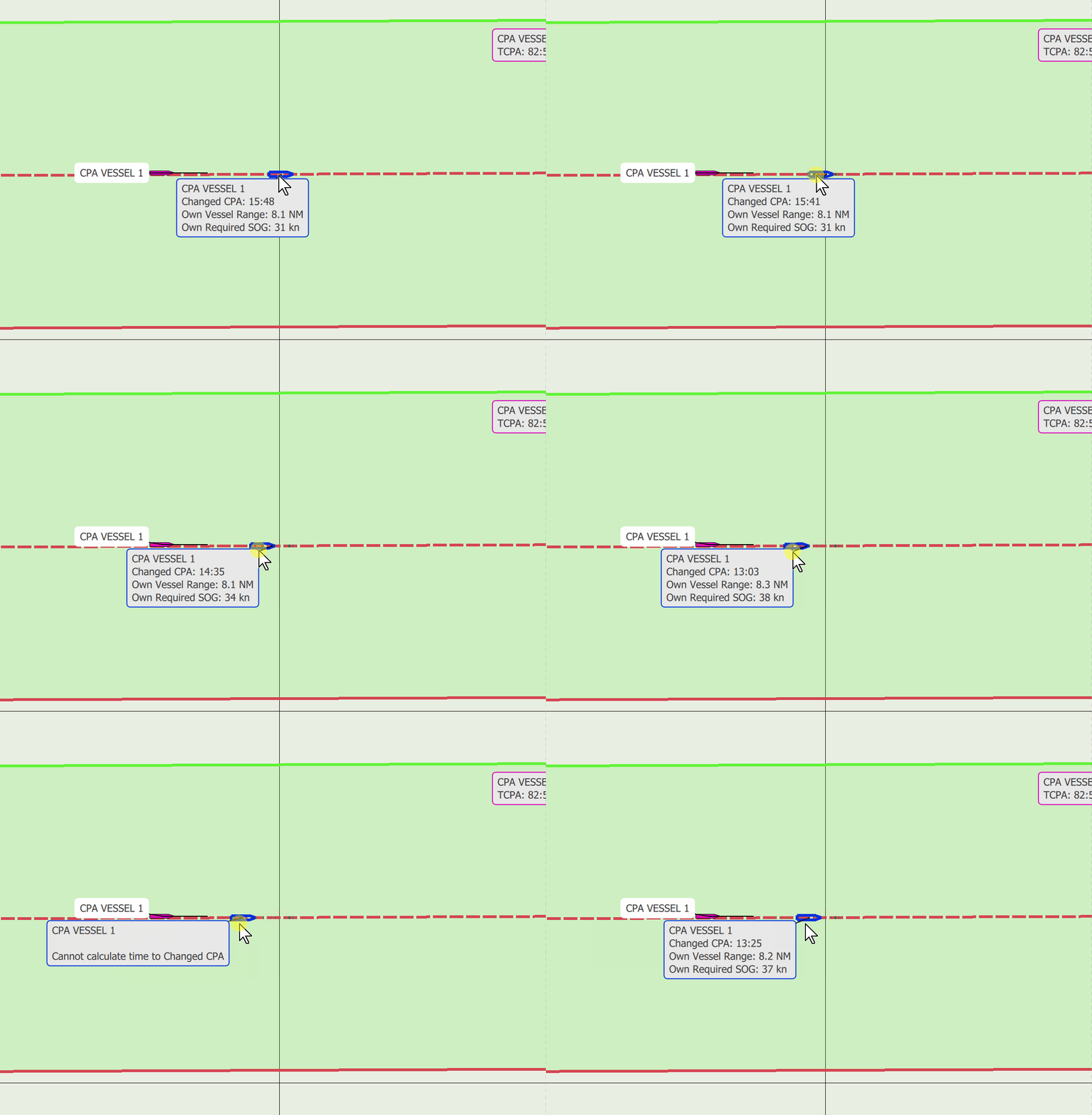
“Cannot calculate time to changed CPA” will also display when placed behind your own or the real CPA vessels position.
Visualization of old and lost targets
A contact in Qastor is considered old if it is not updated within a certain time window and displayed with a red cross through the target symbol.
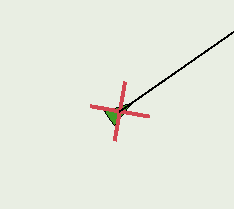
Designating a contact as old is calculated via 300/speed of contact in Kts = time out in seconds.
A contact is considered lost and not displayed if no update is available within twice the old time out.
Example: A vessel sailing at 15 Kts is displayed as old 300/15 = 20 seconds and lost at 2x 20 = 40 seconds.
If a slower updating (Internet) AIS source is used new settings can be applied to display old and lost contacts differently.
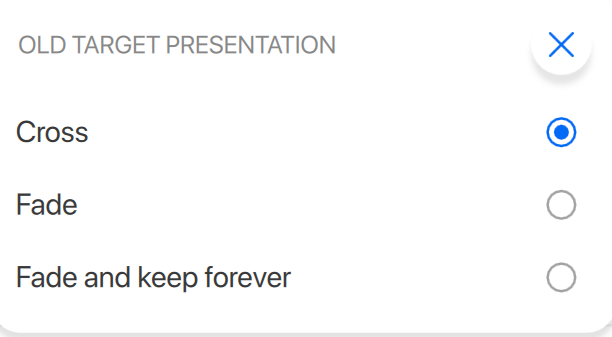
An Old Target Presentation menu has been added to the Qastor Target Menu.
-
Cross: The old target displayed with a red cross and a lost target disappears (As it was and the default setting)
-
Fade: An old contact is still displayed with 70% transparency and a lost contact disappears
Old contact in Fade setting
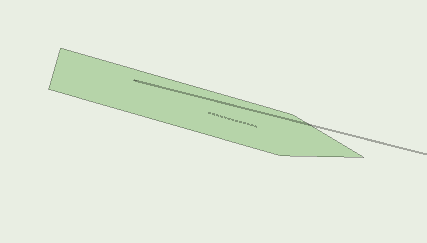
-
Fade and keep forever: An old contact is still displayed with 70% transparency and a lost contact with 85% transparency and no vectors displayed
Lost contact in Fade and keep forever setting

CPA is not calculated for targets older than this limit.
Suppress own vessel Ghost ship using Connect server Client Relay
When using Client Relay option from Connect server your own vessels position is send back which can display another vessel shape due to not having the same MMSI or track ID number.
If you are connected to a pilot plug and receive a AIS VDO (Own Ship) message this “ghost” vessel is already being suppressed by Qastor because it is known as your own vessel.
If no VDO message is available (No pilot plug connection) and only your own NMEA positioning data or only a virtual boarding is possible it was not possible to enter the MMSI of your vessel manually and no option to suppress the “ghost” vessel other than to hide this AIS target.
In this version a Allow Manual MMSI option is enabled when not receiving a VDO message from a ships AIS transponder. If a VDO is received this option will not be available.
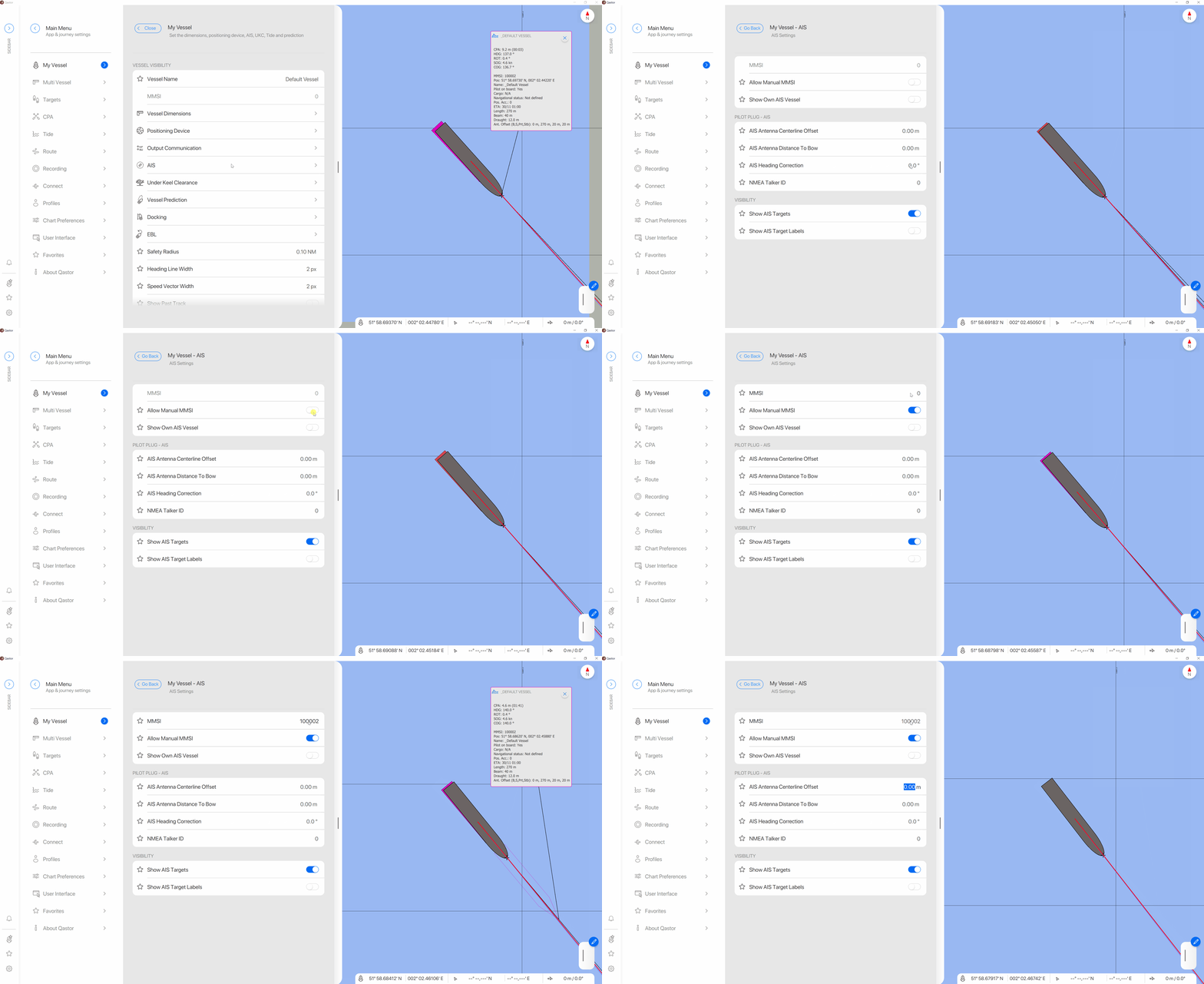
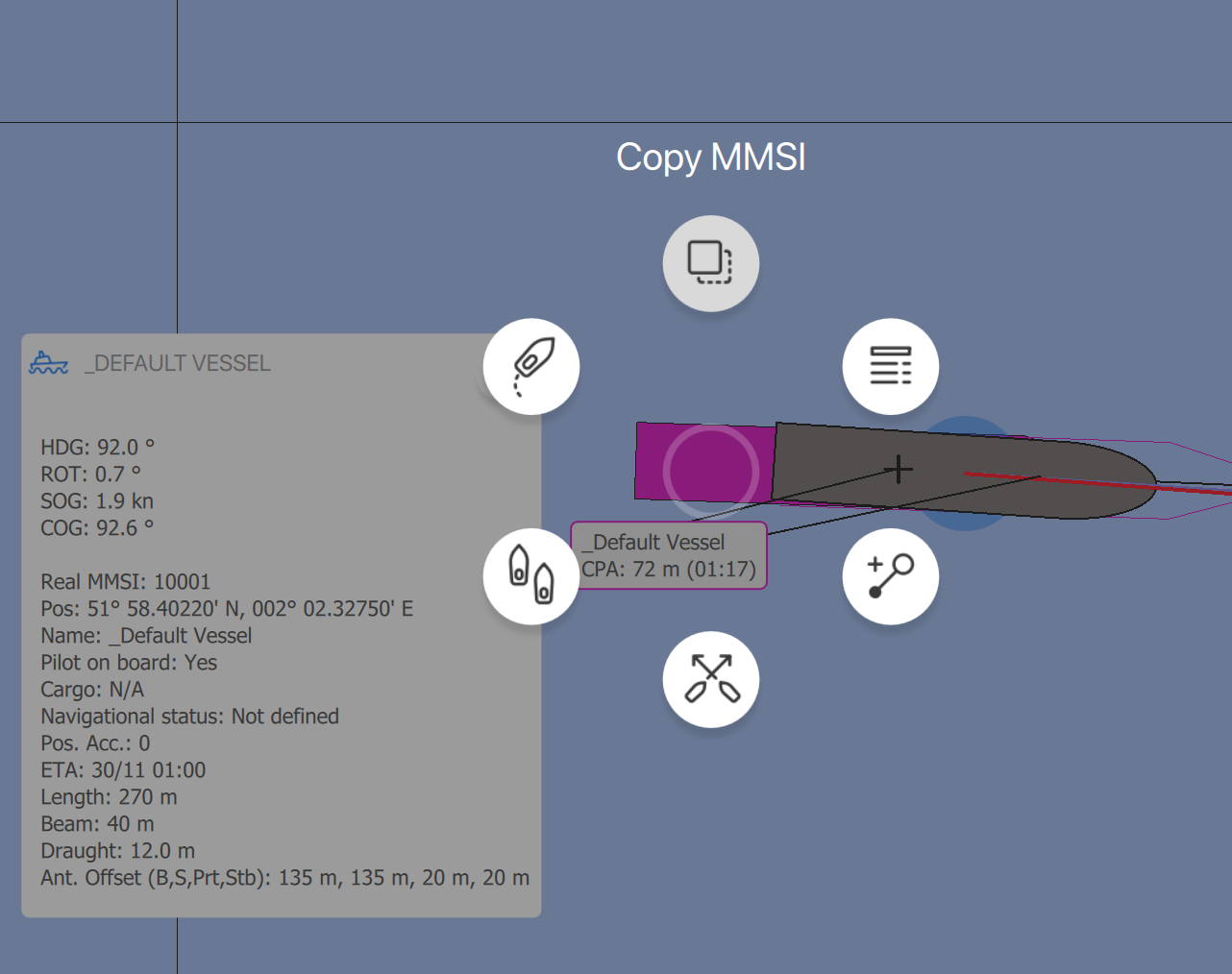
If available from a AIS VDM message a new option to copy the MMSI directly is available
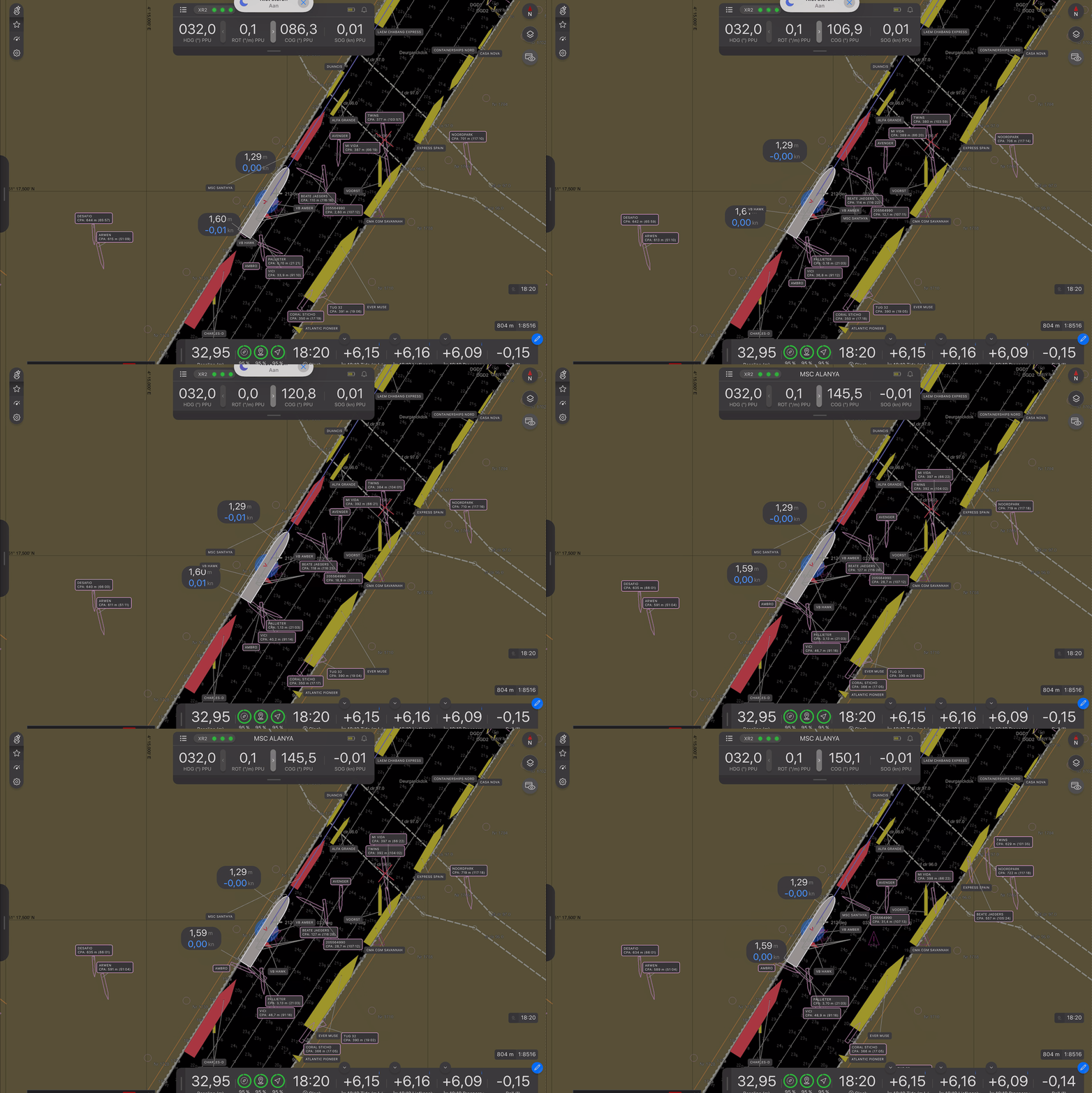
Distance labels behaviour
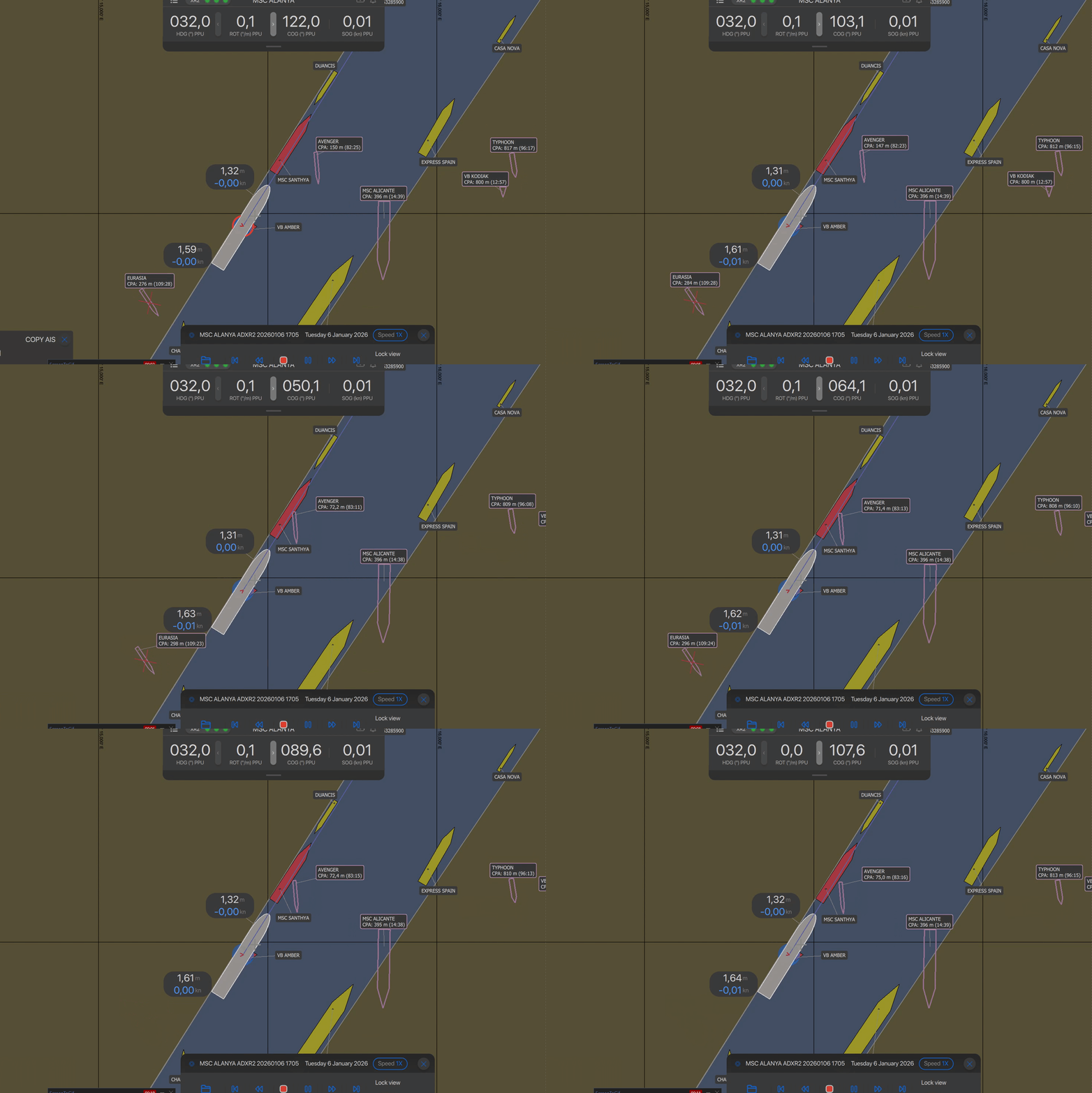
Distance labels would tend to jump position in the screen frequently which makes it more difficult to interpret the data on screen accurately.
|
Distance labels previous versions |
Distance labels new version |
|---|---|
|
|
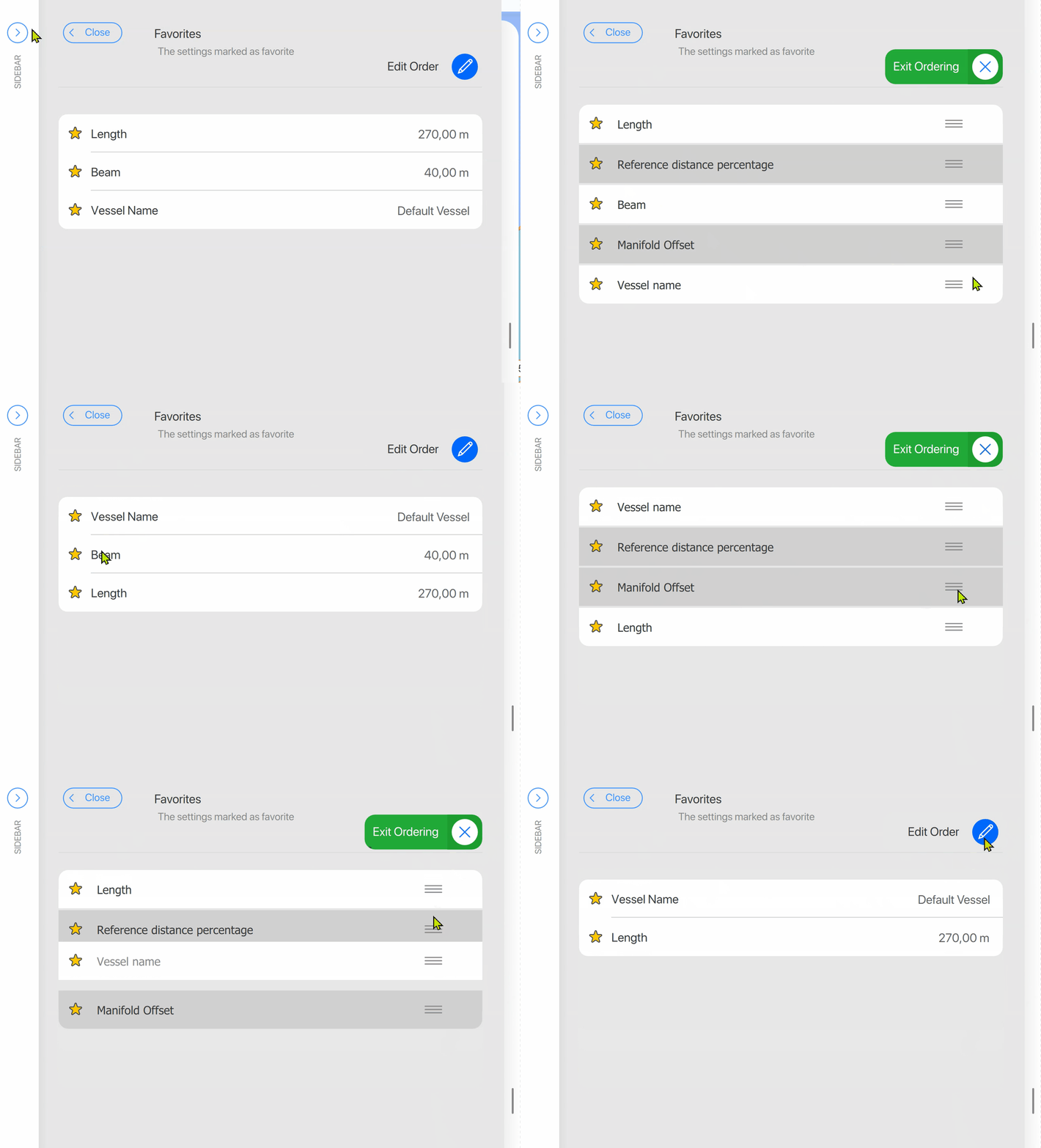
Favorites list in edit mode
Ability to remove the favorites flag while editing order
-
A grey background indicating that a favorite is not active
Copy AIS- and XR2 status window interaction
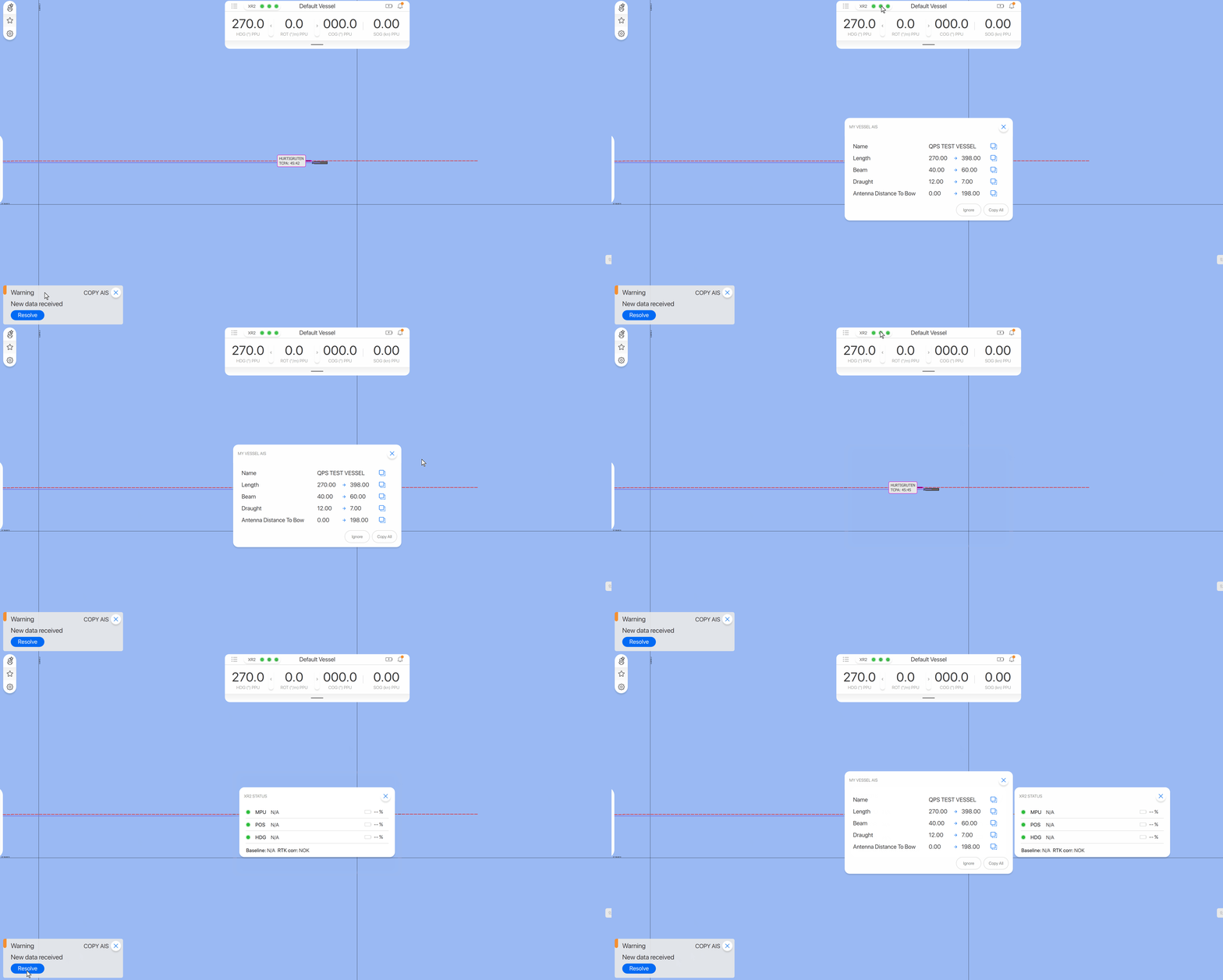
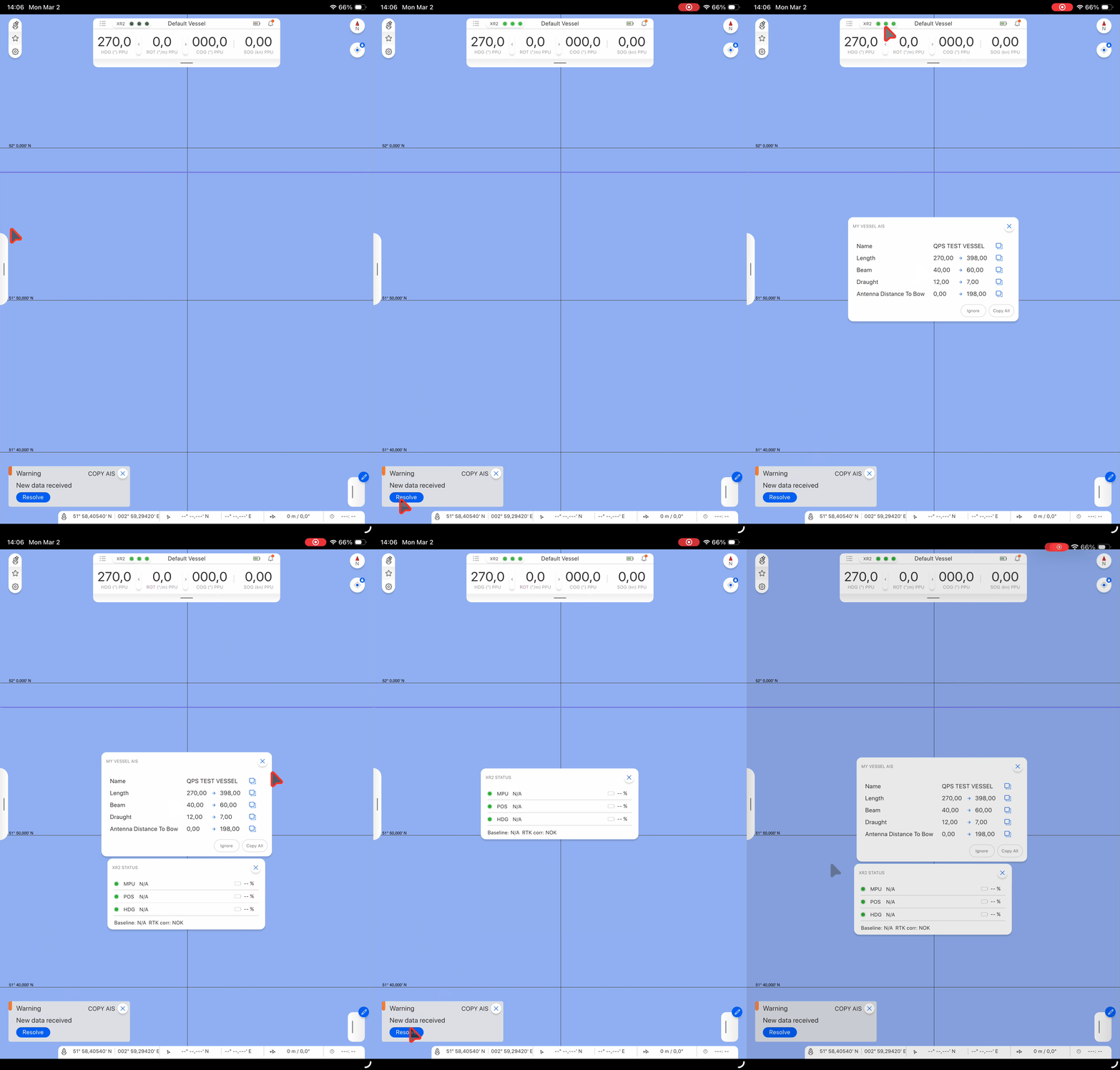
If a copy AIS window was opened the XR2 status window would close this automatically.
Now the XR2 status window opens next to the Copy AIS popup.
If a XR2 status window is opened before a Copy AIS popup, the XR2 status window will move to the right next to the Copy AIS window.
Landscape
Portrait
ADX XR2 display which RTK station it is connected too
Qastor is now reading from the received NTRIP message of an XR2 unit which RTK correction station is used and displays this in the XR2 status window.
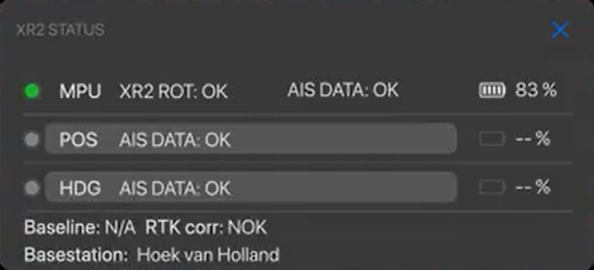
A translation table has been made for the Dutch and Belgian Pilot Organisations which can easlily be edited or have new stations added to it.
Qastor startup with No Profile setup
The previous profile would still be displayed even after Qastor was set to startup with no profile.
This is now resolved in this version of Qastor.
German translation update
Qastor German language items are now improved in this version.
Predicted Tide Graph
The predicted tide values and graph did not match with the values of the Tide Monitor program in some cases. This has now been rectified in this Qastor version.