
Description
This driver supports systems that can output the KM Binary format.
Note that this not the KMALL Binary format, for this see the KMALL driver.
Systems supporting sending the KM Binary format.
Applanix POS MV WaveMaster.
Kongsberg Seapath 38
Driver Information
Click here to expand...
Decoding Notes
Qinsy Database Setup
Click here to expand
Positioning system
Adding a Positioning System to your template setup.
First Wizard Page
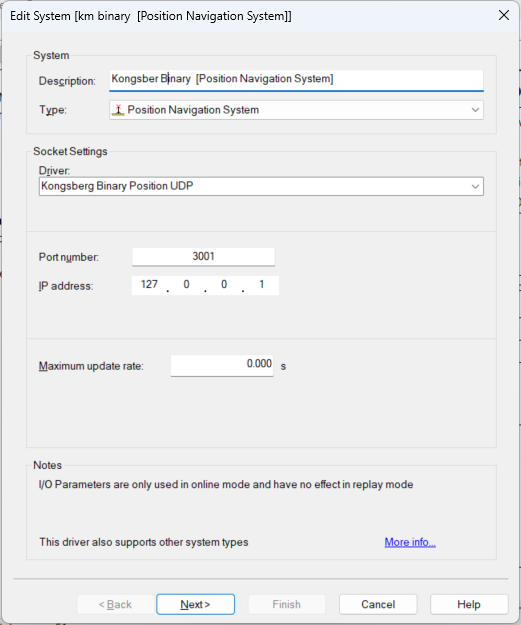
Selecting the correct driver depends on your setup configuration:
-
Available driver options are TCP, UDP, and UDP Multicast.
-
Socket settings:
Use the same interface parameters for all other ‘Kongsberg Binary’ systems in your template setup. -
Maximum update rate
Can be left at 0.000 seconds
Second Wizard Page
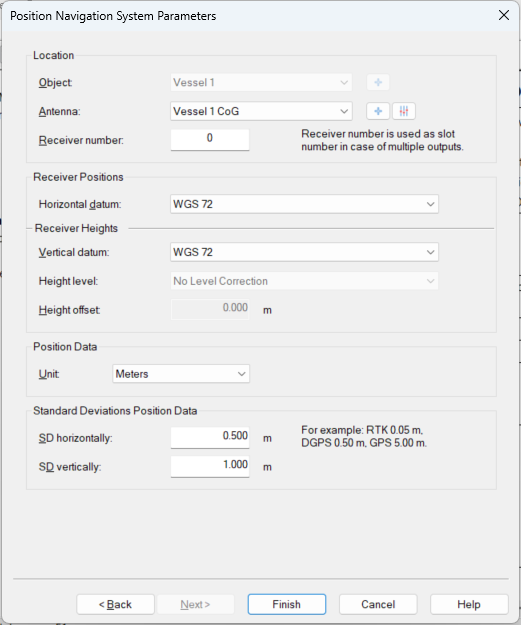
Make sure the correct node is selected for the Antenna of the positioning system.
Gyro Compass System
Add a Gyro Compass System to your template setup.
First Wizard Page
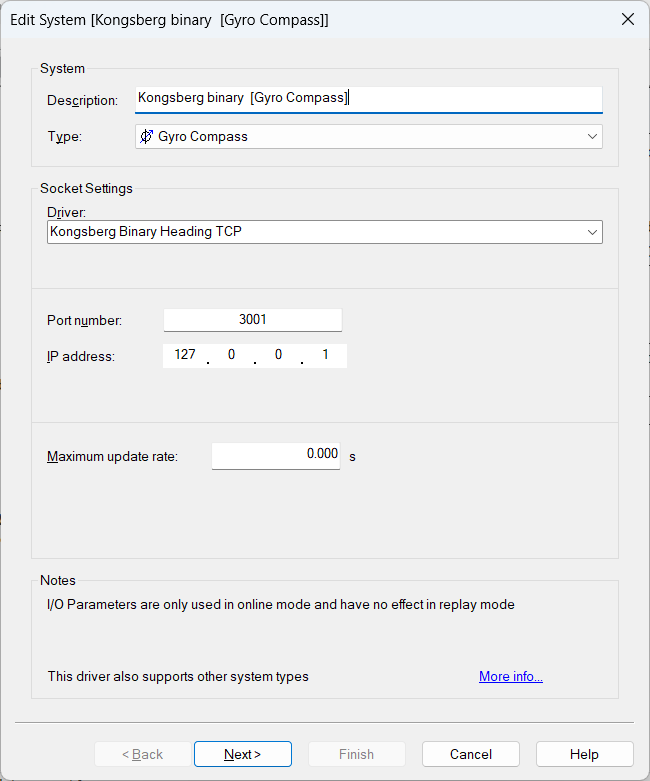
Select driver "Kongsberg Binary Heading" of the same connection type as the related systems.
-
I/O
Use the same interface parameters for all other ‘Kongsberg Binary’ systems in your template setup.
-
Maximum update rate
Can be left at 0.000 seconds
Second Wizard Page
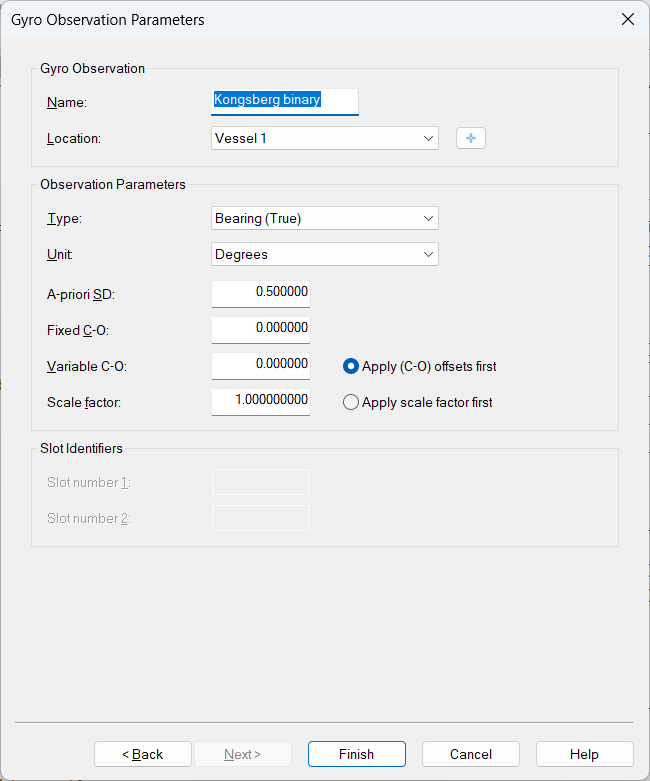
-
Bearing type should be automatically set correctly.
Pitch Roll and Heave Sensor
Add a Pitch Roll Heave Sensor to your template setup.
First Wizard Page
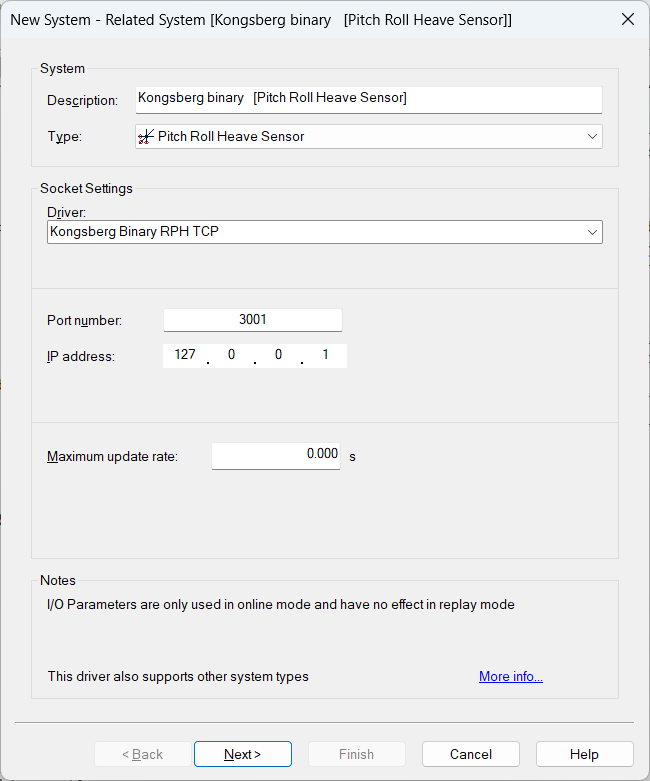
Select driver "Kongsberg Binary RPH" of the same connection type as the related systems.
-
I/O
Use the same interface parameters for all other ‘Kongsberg Binary’ systems in your template setup.
-
Maximum update rate
Just leave to 0.000 seconds
Second Wizard Page
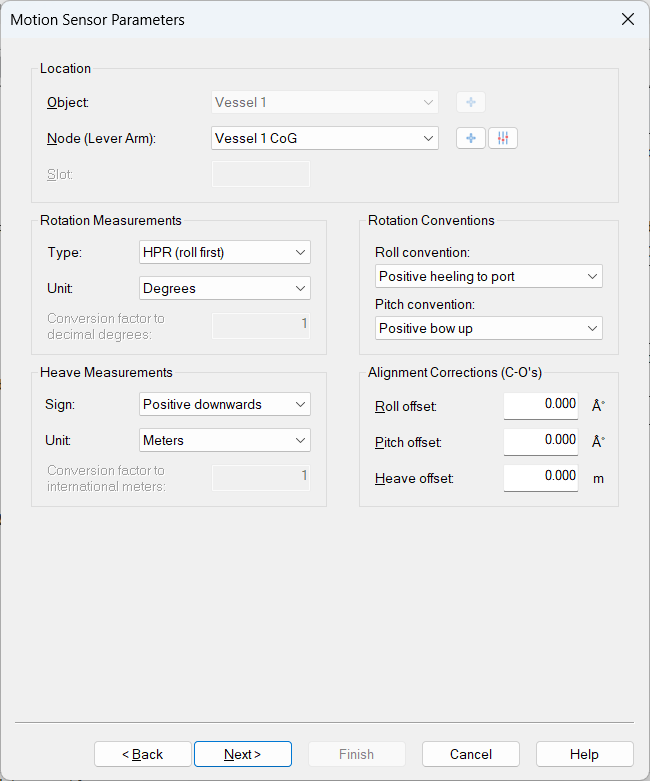
Positive roll: Port side up.
Positive pitch: Bow up.
Positive heave: Downwards, at user defined sensor reference point.
Acceleration Velocity Sensor
Add a Acceleration Velocity Sensor to your template setup.
First Wizard Page
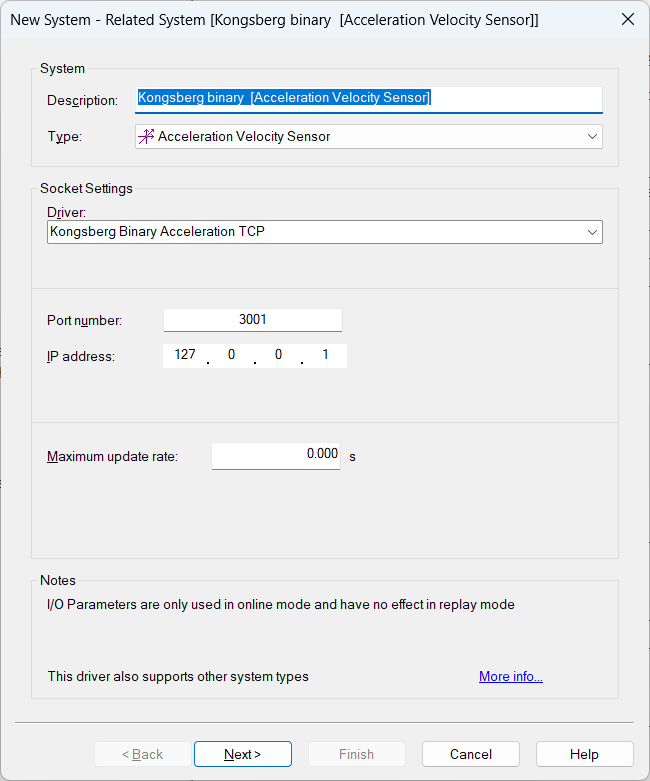
Select driver "Kongsberg Binary Acceleration" of the same connection type as the related systems.
-
I/O
Use the same interface parameters for all other ‘Kongsberg Binary’ systems in your template setup.
-
Maximum update rate
Just leave to 0.000 seconds
Second Wizard Page
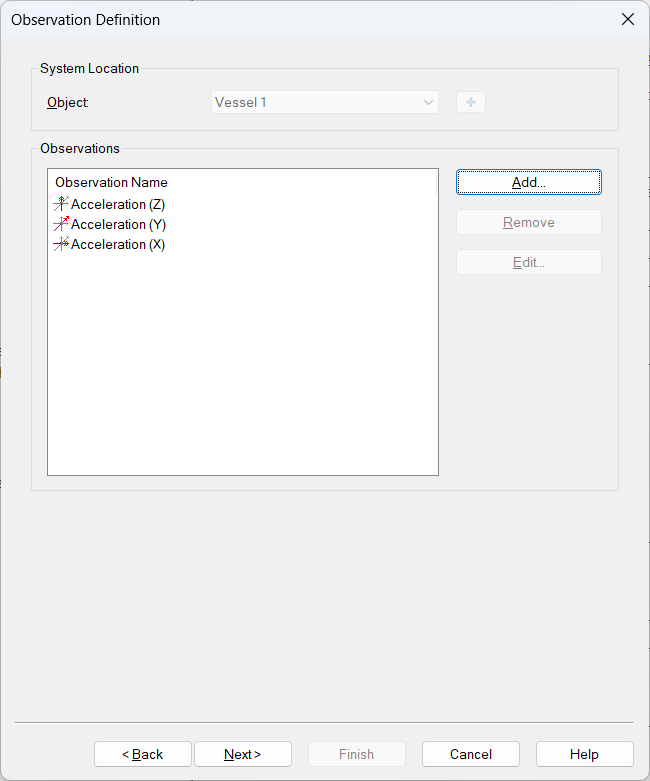
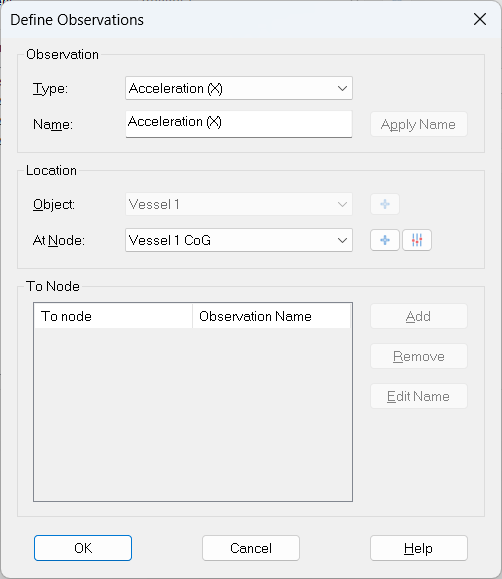
Multiple observations can be added to a single Km Binary Acceleration system.
Supported types are:
Acceleration: X,Y,Z
Velocity: X,Y,Z
Rate of turn: X,Y,Z
Speed: Easting, Northing, Vertical
All and any can be added in this dialog.
An At Node is required to select the location of the observation, however To Nodes are not required for these types.
Miscellaneous System
Add a Miscellaneous System to your template setup.
This system is used for decoding Delayed(true) Heave.
First Wizard Page
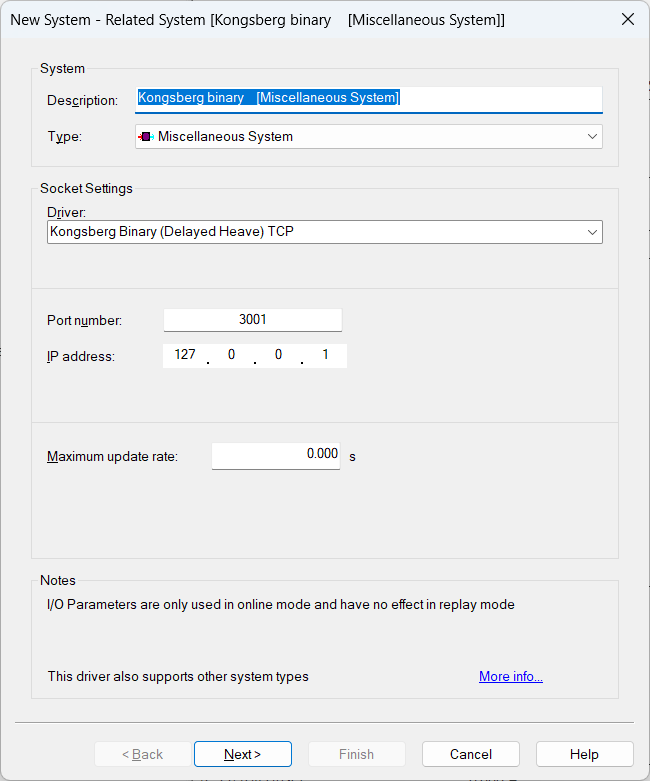
Select driver "Kongsberg Binary (Delayed Heave)" of the same connection type as the related systems.
-
I/O
Use the same interface parameters for all other ‘Kongsberg Binary’ systems in your template setup.
-
Maximum update rate
Just leave to 0.000 seconds
Second Wizard Page
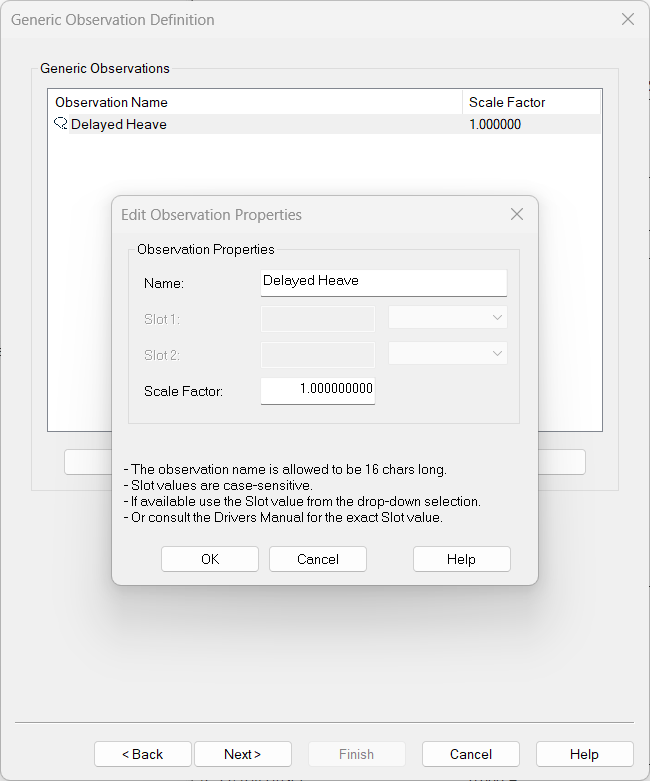
The only miscellaneous data decoded by this driver is the delayed heave. This means no slot has to be selected. Only one observation will need to be added.
You can change the default name for each observation as long as it doesn't exceed 16 characters.
Third Wizard Page
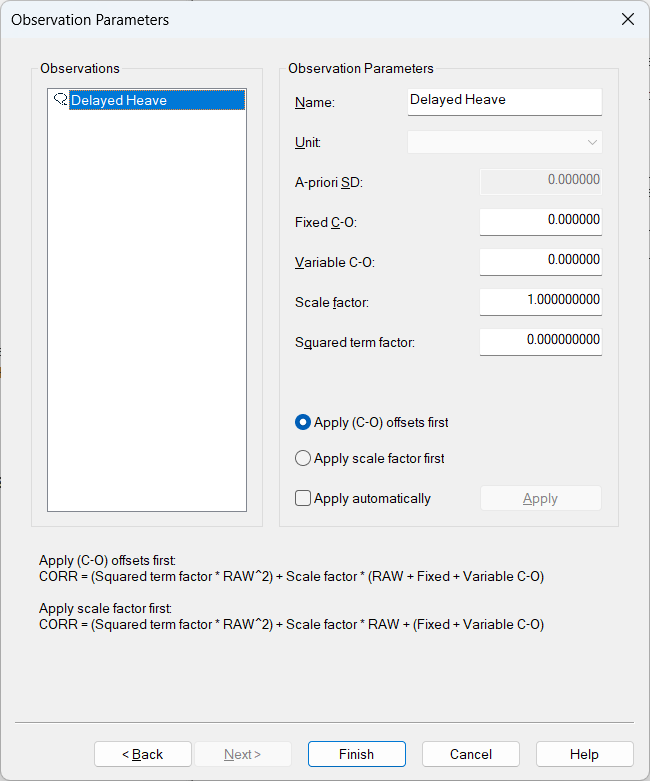
Here you can also change the default name of each observation as long as it doesn't exceed 16 characters.