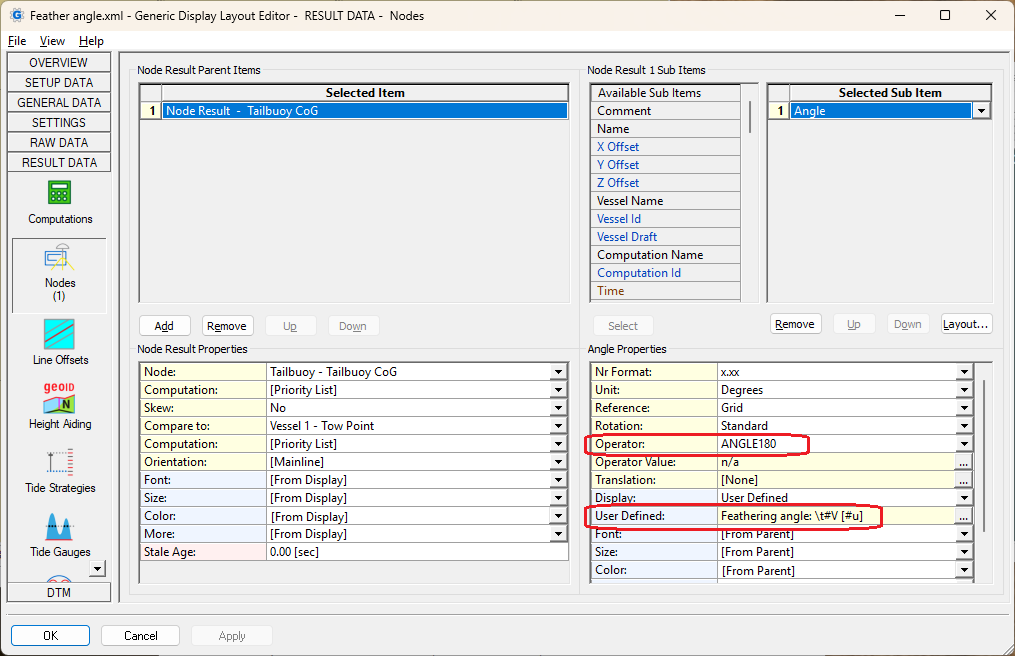
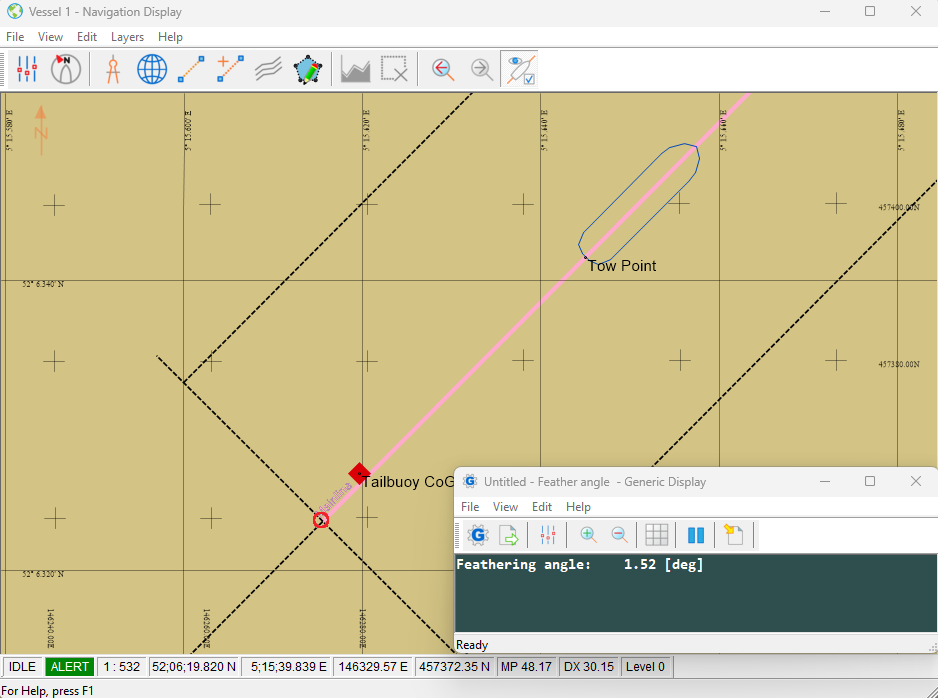
The feathering angle is the difference between the current mainline bearing and the bearing between the towpoint of the vessel (or headbuoy) and the tailbuoy.
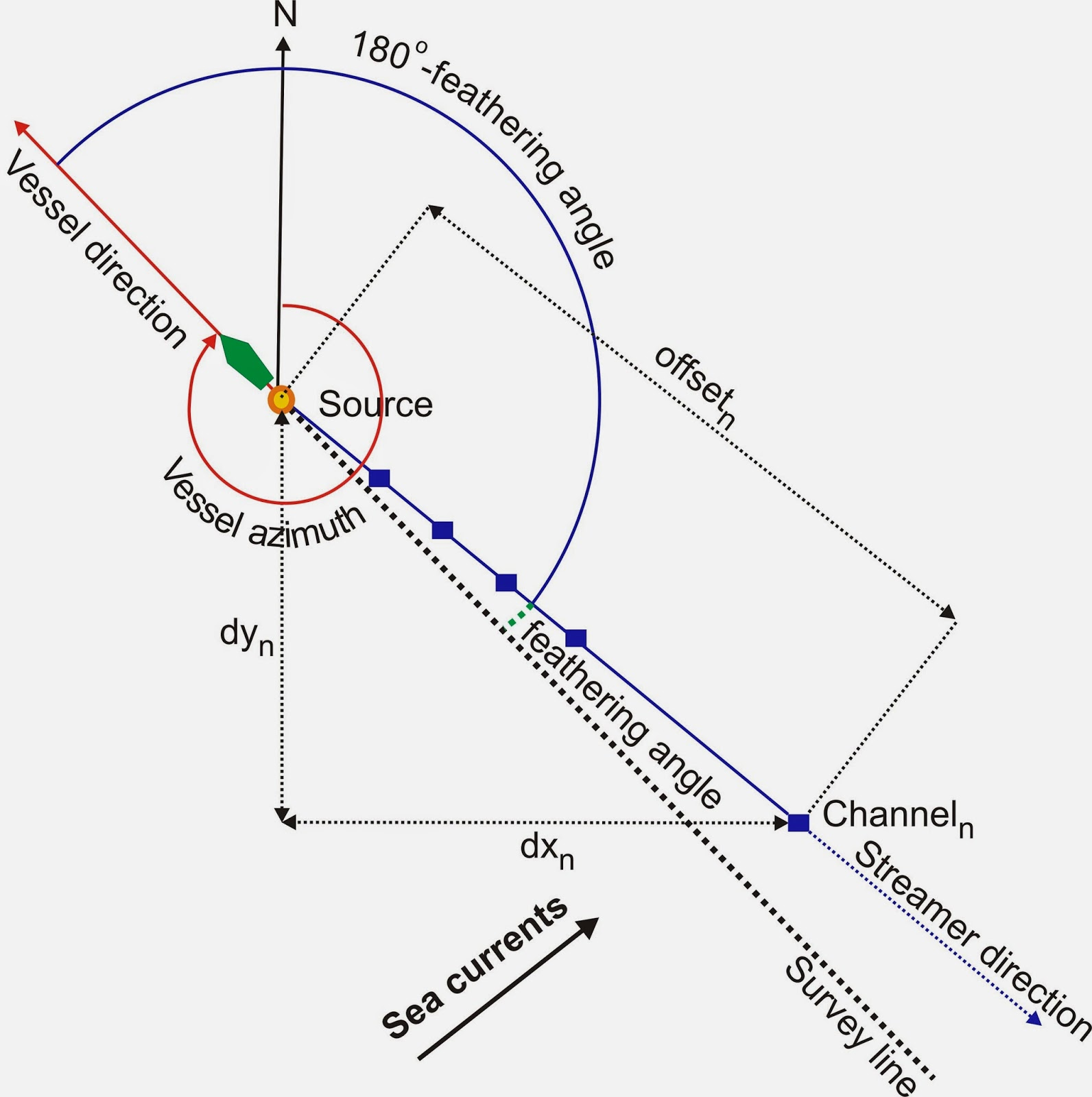
This can be selected by using the Generic Layout editor. It can be shown in a display or it can be exported to a file (online or afterwards). If you need more help using the Generic Layout editor, please use the Online help [F1] when being in the Generic Layout Editor.
Below is explained how to create a generic display with this value:
-
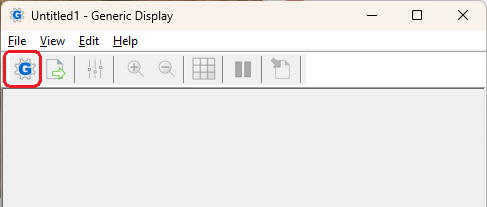
Use the display manager to create a new Generic display:
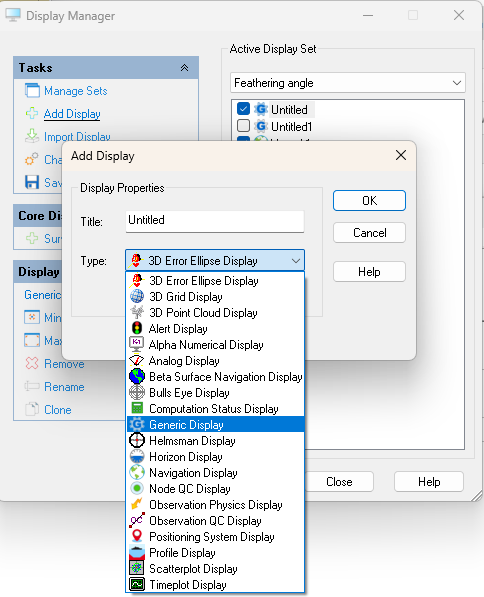
-
Select the Layout Editor Icon:
-
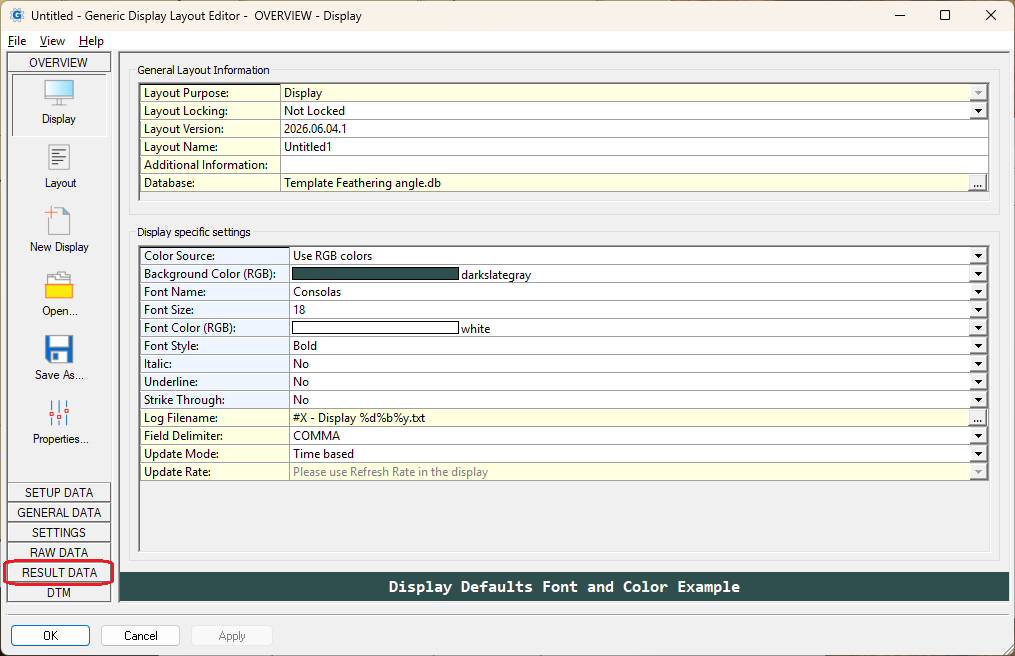
On the first page, you can change color, font, etc. of the display, then select RESULT DATA:
-
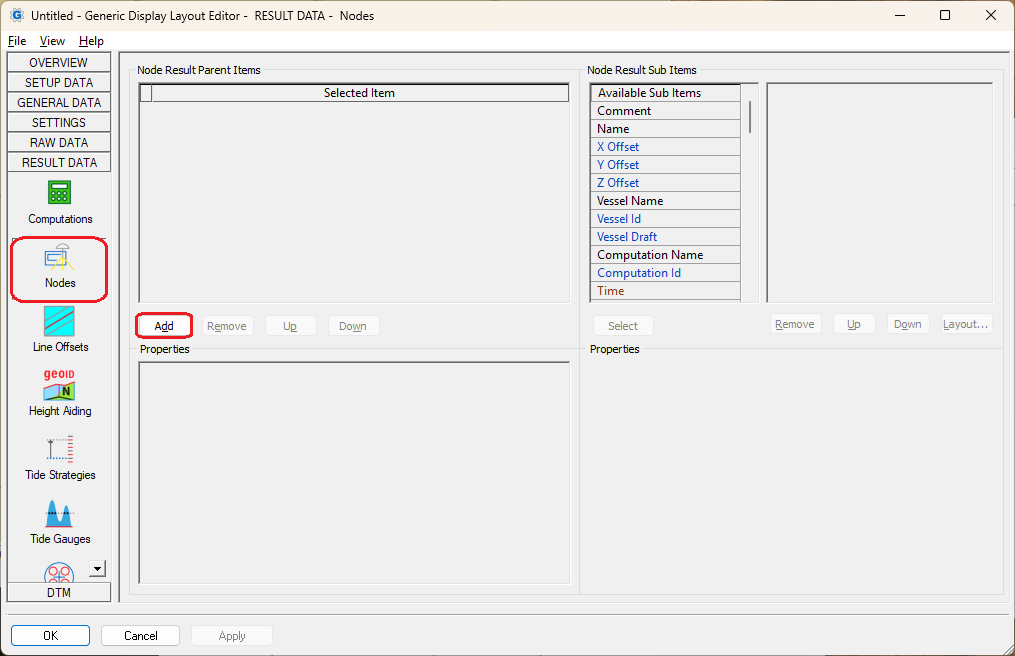
Select under RESULT DATA, Nodes and then select Add:
-
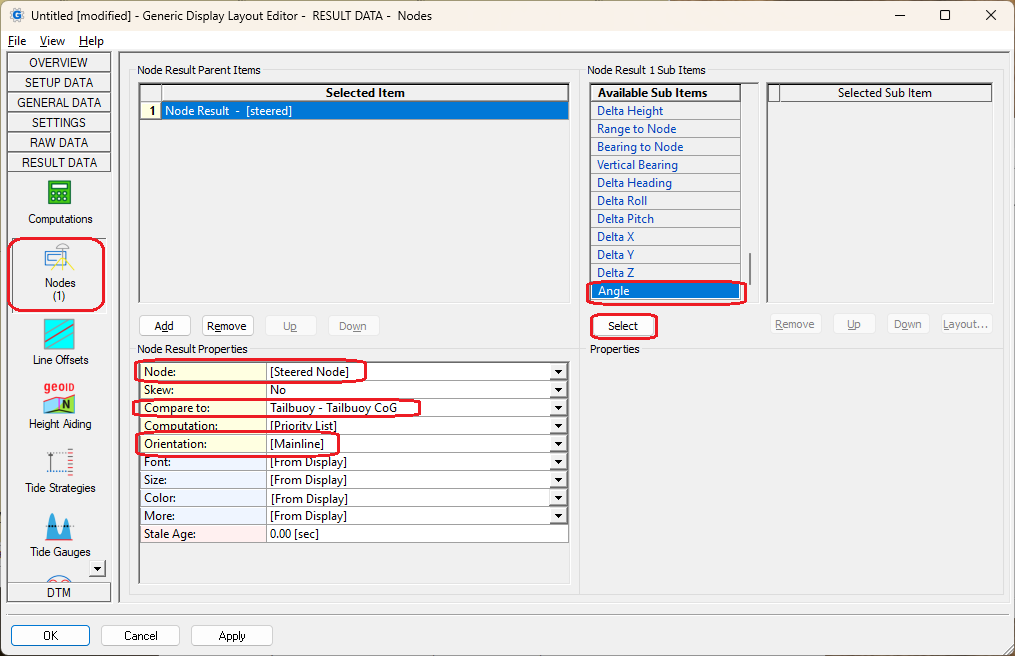
Select at first node the Tailbuoy
-
Then select Compare to and select the Tow Point of the Vessel here (or Headbuoy)
-
Make sure that the Orientation is set to [Mainline]
-
Select as Sub item : Angle
-
Add ANGLE180 as Operator for the subitem, so the result will always be between -180 and 180
-
It’s also possible to change the way the item is displayed (click on the … behind the user defined and it will give more information)