
This document outlines the steps involved in setting up a TSHD operation.
Setup and Interfacing - Database Setup Program
There is considerable variation in how a TSHD dredger is configured in terms of sensors used and whether all or some of the sensor data is read by QINSy directly from the sensors themselves as opposed to being delivered via the dredger's PLC.
Depending on your particular configuration there may not be a need to add ALL the Objects and Sensors covered in this section.
Nor do you need to adhere exactly to the order of actions laid out below. For example you can define all the sensors and variable nodes on one object before creating the next object.
The following presents one configuration which should provide sufficient guidelines to cope with alternative setups.
It is assumed that:
-
a template database with geodetics has been created, including a Mean Water Level Model, leaving the definition of objects and systems to this Quickstart.
-
geodetics have been tested using the Geodetic Parameters utility.
-
all on board offsets from the dredger Reference Point

By default the Reference Point (
Objects
Refer to Trailing Suction Hopper Dredger (TSHD) - Object Definitions for a more detailed explanation.


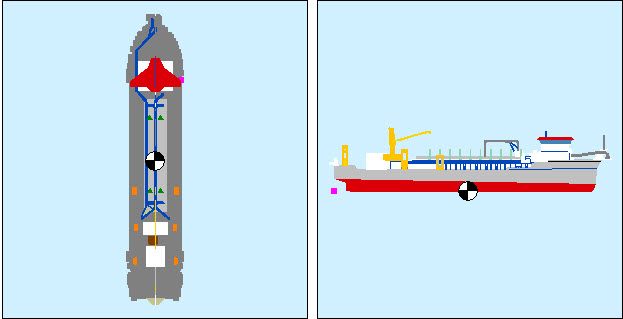
Add a TSHD Object, type Vessel, locating the object reference node (CoG) in an appropriate place.

Define a dredger shape from at least a top view perspective, and a side profile perspective.
An aft view may be useful.
How detailed the object shape is is a personal choice.
Remember the option to import a 3D DXF file.

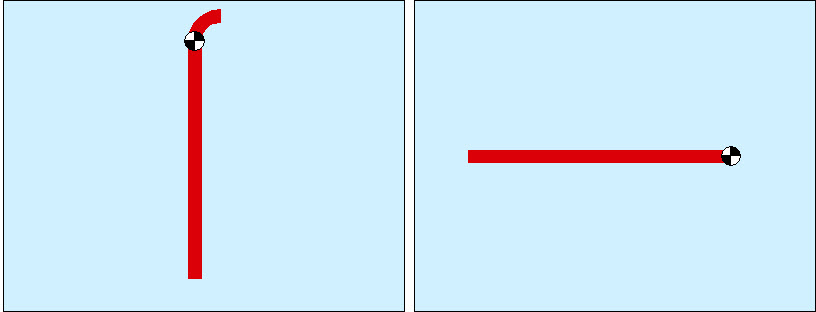

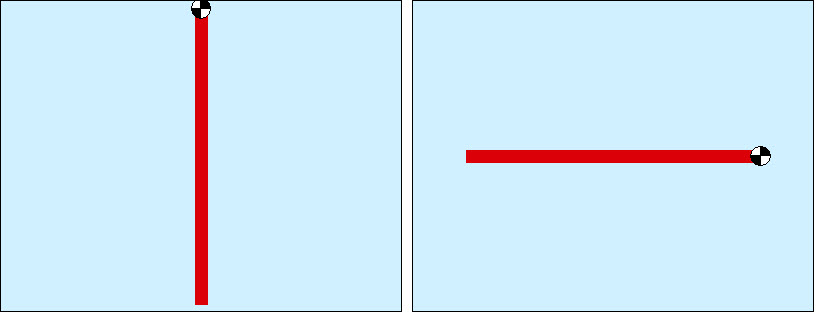

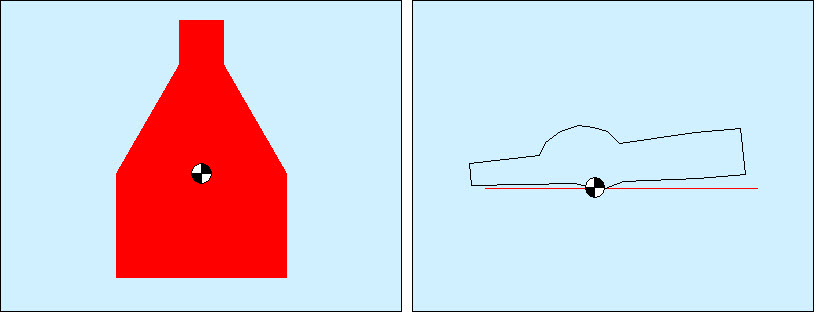
In essence the dredge head is defined as a matrix of pseudo-singlebeam echosounders, one for each cell of the matrix.
Therefore you must enter the number of rows and columns, and the actual overall width and length of the head.
Use the 
Define the maximum Z, which is the distance from the reference node of the head to the cells representing the suction plane.
A model is created in a spreadsheet type format. Each cell is then treated as a pseudo-echosounder which is used in updating the sounding grid during dredging operations.
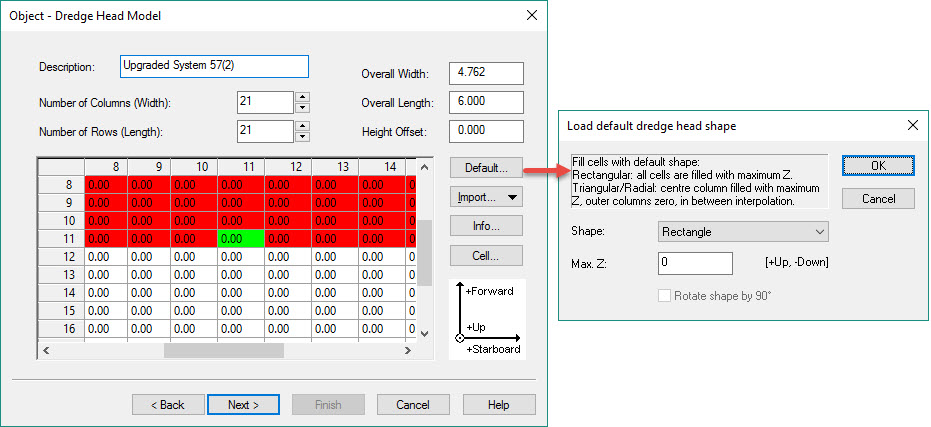
The objective is to enter a height into each cell that represents the distance above (+ve) or below (-ve) the drag head's Reference Point. In our example this is zero for all cells.
The center cell (green color) of the grid becomes the reference point that is linked elsewhere to a defined variable node, e.g. Center of Drag Head.
Not all cells need be used in the calculation. In the example below all cells representing the forward half of the dredge head are disabled and not used in updating the sounding grid.
The usefulness of defining all these objects is determined by whether the appropriate observations are available to the software in order to calculate the position and orientation of each object.
Usually all the sensors needed to position the trailing arms and dredge heads are interfaced to the dredger's PLC.
Refer to: TSHD - Positioning Dredge Heads.
Potentially sensor values can be output to the software thereby allowing computation of position for each object and hence display of the various objects for visualization purposes.
In most cases dredge head 3D position is computed by the PLC and output as dX/dY/dZ values relative to the vessel referenced point.
In other words they are pseudo-USBL measurements that the software uses to display dredge heads in their proper locations.
If observations needed to compute 3D position for upper and lower pipes are just not available, you may only be able to display the vessel itself and one or two dredge heads.
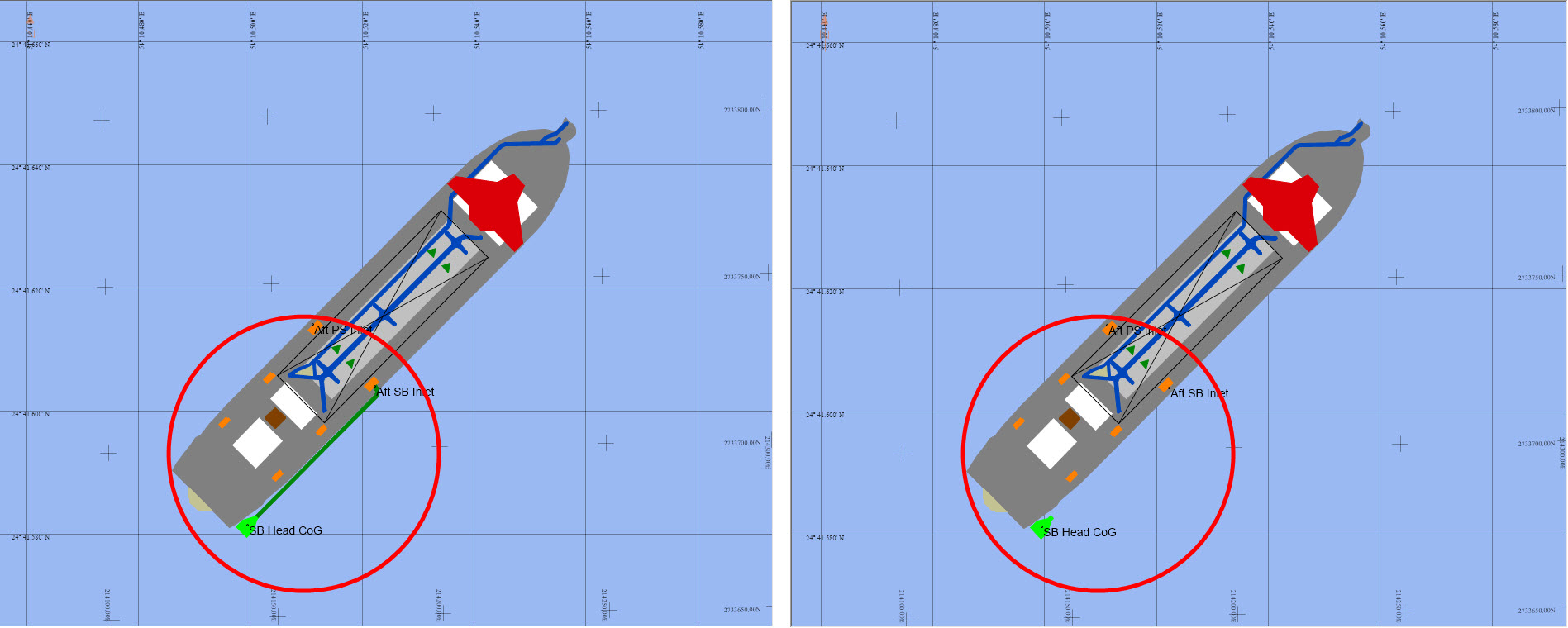
Object definition supports visualization in a 2D sense (Navigation and Profile Displays).
For 3D visualization in the 3D Grid Display, obtain, or create, a 3D Direct X file (*.x) for each object.
These files are selected directly in the 3D Grid Display, not in Database Setup.
Return to: top of page.
Object Links
In the real world the various objects are physically linked, e.g. upper pipe to inlet, lower pipe to upper pipe, dredge head to lower pipe.
The next step is to create these links in the software.
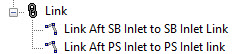
Refer to TSHD - Object Linking for a more detailed explanation.

If the pertinent variable nodes are not yet defined, you will need to define them on each object before creating the links.
This can be done via the 
For example:
-
port and starboard pipe inlets.
-
center of upper pipe that connects to the inlet.
-
link nodes at the opposite end of the pipe sections.
-
connection point on the dredge head and so on.
The link between the pipe inlet and the pipe elbow is shown below:
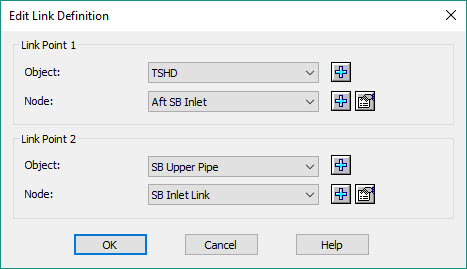
And a link at the gimbal:
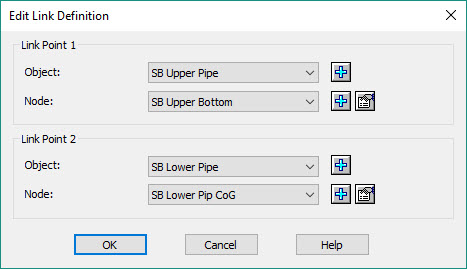
And a link at the dredge head:
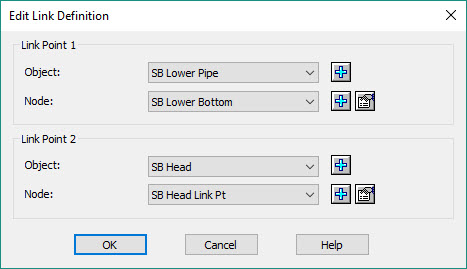
Return to: top of page.
Sensors
Dredge Vessel

Add a variable node


Choose the driver and add a variable node

For example: fore and aft draft sensors.
Add new node(s) for their locations relative to the Reference Point.

Drag head positions are usually output from the dredger's PLC in USBL format (dX/dY/dZ).
These observations are often relative to the vessel's Reference Point, i.e. the USBL Reference Point coincides with the vessel Reference Point.

Add one or more of these observations depending on the data being received from the PLC or directly from the sensors:
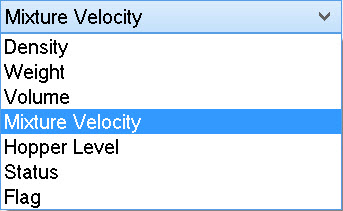
Production volume may be calculated by the dredger's PLC or can be calculated in the software.
In the former case, add volume as an observation; in the latter case add mixture density and mixture velocity.
Don't forget to add observations for both port and starboard dredge heads.
Make sure to enter the correct slot identifier values. For example:
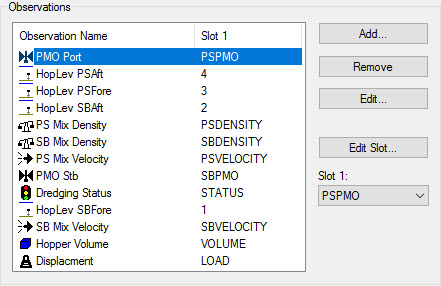
If data input includes triggers (zero or 1) for conditions such as Bay Doors Open/Closed, or Dredge Pump On/Off, add one or more Flag observations.
Typically the trigger is output by the PLC but a trigger may also be generated when connected to switches or push buttons used to trigger such items as Bay Door Open/Close. The Manual Switch Driver document describes how to set up this scenario.
Refer to the Drivers & Interfacing Manual for driver descriptions and set up information including SLOT identifiers.

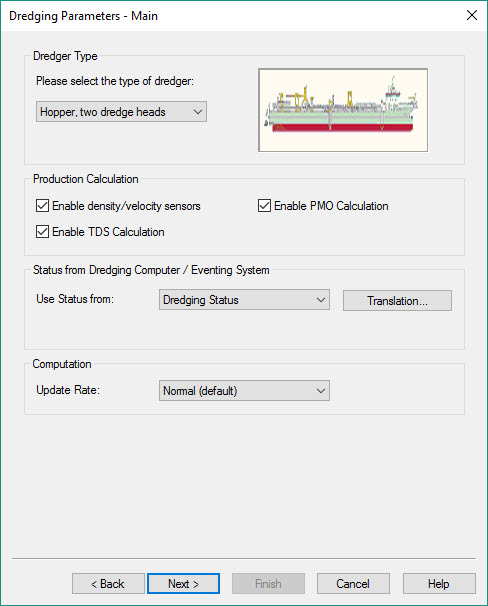
Check 
Enable 
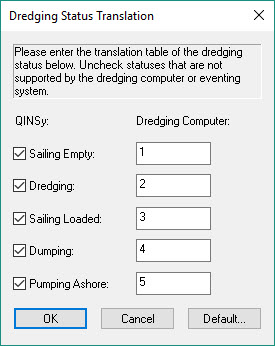
If dredging 'Status' is received from the PLC, select that option and establish the 'Translation' table to decode the correct status.
For example:
Set parameters for positioning and production.
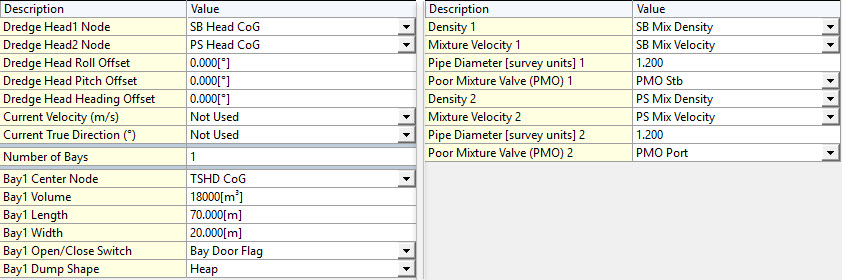
Dredge Head Node: this is the node to which the dredge head model matrix is connected.
In the dredge matrix this is the center, indicated with a green cell on the dredge head model page.
Return to: top of page.
Trailing Arm Components

This assumes that observations are available to the software, either from the PLC or interfaced directly. These could be:
Vertical Position
-
Inclinometers to measure gantry, suction pipe and dredge head pitch.
-
Pressure transmitters to measure dredge head and gimbal depths.
-
Encoders to measure paid out length of middle gantry wire and draghead wire.
-
Bubblers to measure draft/depth.
-
Ultrasonic or radar transducers to measure the distance between the transducer and the surface of the material in hopper.
The vertical position of the drag head can be checked / calibrated by attaching a pressure sensor to the heel of the drag head. The depth of the drag head is directly proportional to pressure .
Horizontal Position
-
Rotation angle sensors, designed for shaft angles or rotations and suction tube position angles, in the horizontal plane.
An angular position sensor (also referred to as a rotary sensor) measures the relation by which any position with respect to any other position is established. It calculates the orientation of an object with respect to a specified reference position as expressed by the amount of rotation necessary to change from one orientation to the other about a specified axis.
Refer to: TSHD - Positioning Dredge Heads.
In this example, rotation angle sensors, inclinometers and depth sensors are used to position upper pipe, lower pipe and drag head.
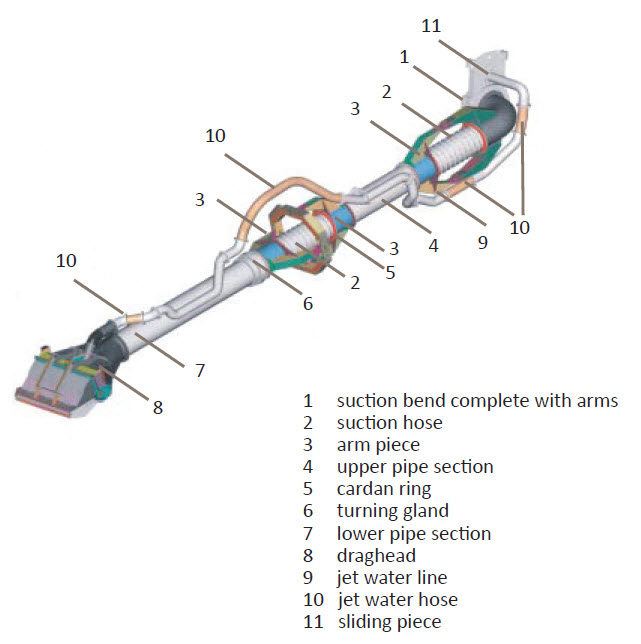

Define the node at which the sensor is located.

Define the node at which the sensor is located.

Define the nodes at which the sensors are located.

Define the node at which the sensor is located.

Define the node at which the sensor is located.
When the PLC outputs dX/dY/dZ observations that measure the offsets from the vessel Reference Point to the drag head, the alternative option for positioning the drag heads is define a USBL system.
Return to: top of page.
Output Systems
Output systems are defined in a single page dialog box, requiring only a system type, a driver and network or serial interfacing details.
Positioning, Heading and Motion
Depending on the how the hardware interfacing is configured it may be necessary to define one or more data output systems.
For example, when positioning, gyro and motion sensor systems are interfaced directly to QINSy, sending that data to the PLC may be required.
Generic Output (User-defined ASCII)
Whereas predefined output drivers send data in specific formats, there may be instances where the dredging computer (PLC) expects to receive data in a specific format not covered by existing Output Systems
In those cases the Generic Output (User-defined ASCII) driver may be used.
The template database setup is simple: System Name, System Type: Output, Driver, and network or serial interfacing details (Serial, TCP, UDP).
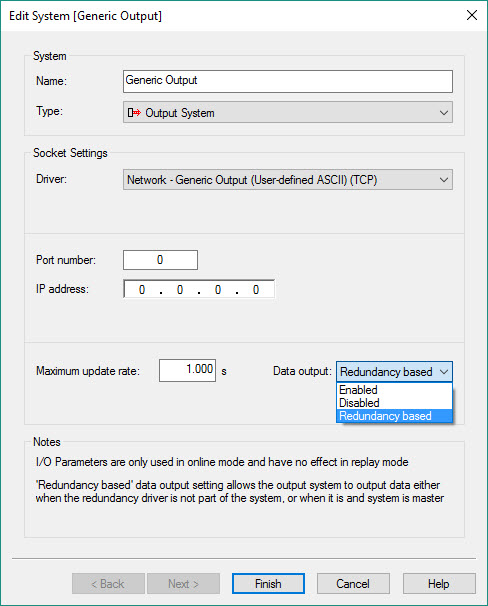
Note the option to select 'Redundancy based'. See Redundancy Monitor.
When the Controller is started, the Generic Output icon 
Please refer to the for detailed information about this utility.
Generic ASCII Data Logger (Controller)
In cases where ASCII data must be written to a log file in a specific format, the Generic ASCII Data Logger driver may be used.
The template database setup is simple: System Name, System Type: Output, Driver, and network or serial interfacing details.
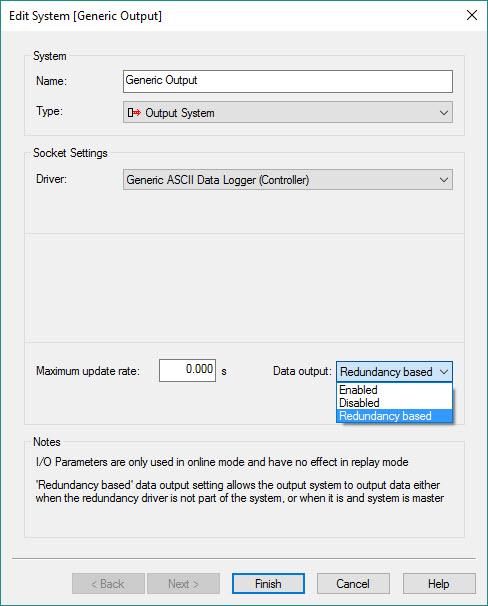
Note the option to select 'Redundancy based'. See Redundancy Monitor .
The XML file, in which the output content and format is specified, is created using the Generic Layout Editor, started from the 
Please refer to for detailed information about this utility.
IHC Dredging Triangles (TCP or UDP)
The template database setup is simple: system name, output system type, Driver, and network interfacing details.
Written specifically for an IHC PLC this driver outputs a number of TIN triangles from the currently selected dredging design surface. A request for a number of TIN triangles is made by the IHC dredging computer via a TCP/IP connection. The driver fetches the triangles from the design (manual, DTM/pro or Grid) and sends them to the IHC computer. The driver will select the triangles which are located in an area around the last node position.
-
When a Manual design is used the driver will send two triangles that represent an area of 500x500 survey units around the node position.
-
When DTM/pro file is selected the actual triangles as defined by the user in TerraModel are retrieved from the file.
-
When Grid file is used as input then the grid points are triangulated inside the driver and sent to the IHC computer.
Return to: top of page.
Auxiliary Systems
Tide


-
a name
-
the coordinates of the station
-
the horizontal datum
-
station height
-
instrument height
-
and, most importantly, the Vertical Datum.
Time Synchronization
Perhaps not as critical in dredging operations, it may still be useful to define a system.

This is a hardware device manufactured by QPS for converting a TTL or CLS pulse to an RS232 compatible signal.

Miscellaneous System
-
A number of Miscellaneous System drivers are predefined in terms of what they will decode:
For example:
IHC Dredge Monitoring
Decodes TDS, Water Density, Solid Density and Trimtank Total.
Nortek Vessel Mounted Current Profiler:
Decodes current speed and direction. Used when dumping.
-
Others allow you to add user-defined observations and slot identifiers to match those in the received data string.
For example:
Generic Serial Input
Manual Miscellaneous Input
OPC Interface
The purpose of this driver is to perform an election process which decides which QINSy system is the primary system for data output.
Typical use for this driver is on a larger vessel whereby there are multiple QINSy computers that are part of the same network and only one computer should output data to external systems. Each QINSy computer needs to have the driver running and correctly configured. The driver will make sure that there is only one Master QINSy computer and this Master can be the only system to output data.
Continue to: Create Sounding Grid and Import Design Model
Return to: top of page
Return to: Quickstart - TSHD.