
We're pleased to present Fledermaus version 8.10.1. In this release, we introduced usability improvements to vessel track visualization and improved system stability. Read below for details.
Improvements
-
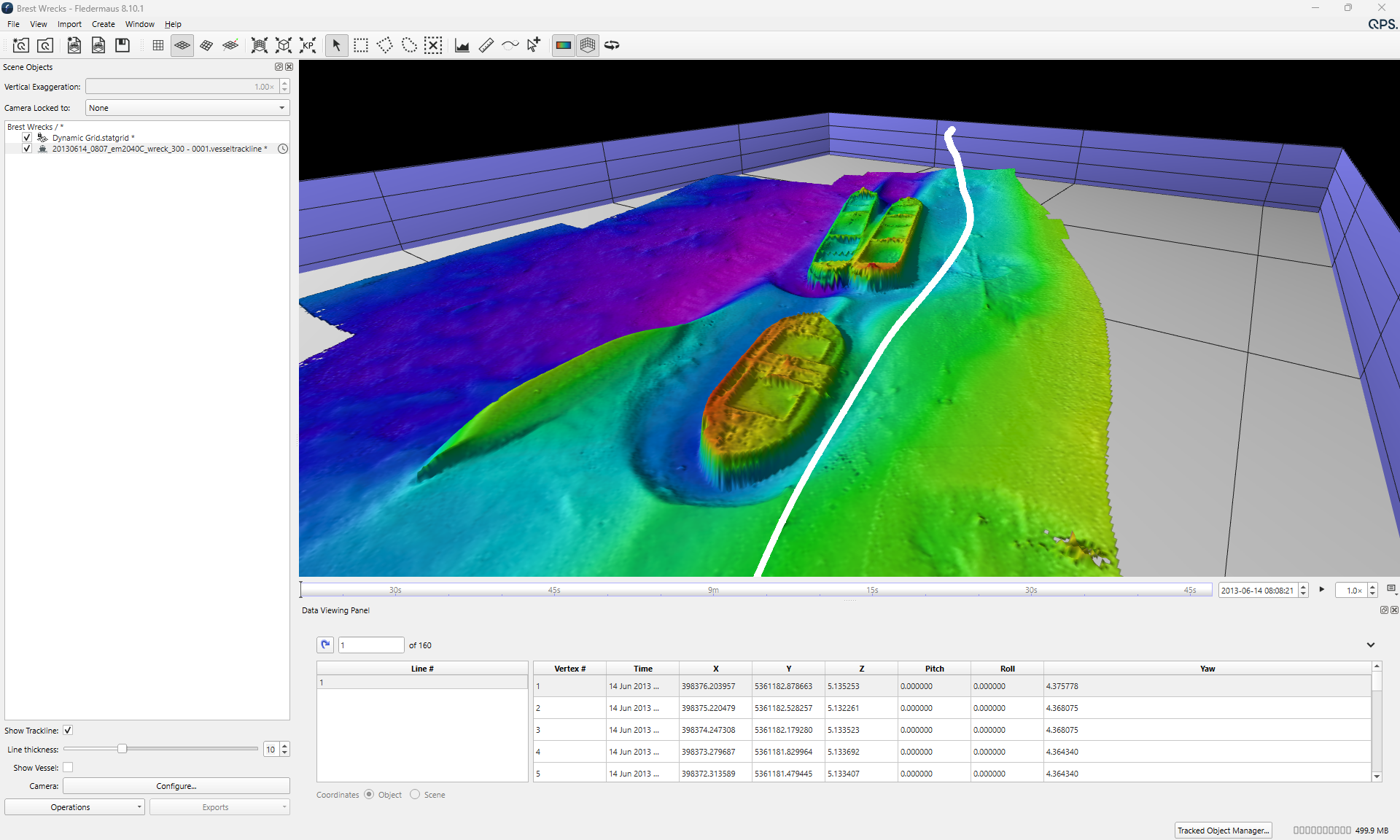
Added an option to adjust the vessel trackline thickness, like other line objects. The thickness slider sits under the “Show trackline” checkbox and is disabled when the trackline is hidden.
Bugs
-
Grids
-
Fixed a crash that occurred when gridding points at extremely high resolutions due to memory allocation failure. The system now shows an out-of-memory error dialog instead of exiting.
-
Fixed an issue where contours from geographic grids appeared offset or shifted into the surface.
-
-
Objects
-
Fixed an issue where ASCII exports of profile control points in geographic scenes omitted the depth field.
-
Fixed an issue where the latitude and longitude headers were swapped in ASCII exports from the profiler object.
-
Fixed an issue where a cable or pipe end point was invisible because of a texture-generation error.
-
Fixed an issue where points in Cluster Summary objects were invisible and the bounding box was calculated incorrectly.
-
-
Visualisation
-
Fixed a visual issue where the colormap range graph extended beyond its expected bounds.
-
Fixed an issue where SD objects exported from FMGT appeared black or failed to display unless the colormap was manually adjusted.
-
Known Issues
|
Issue |
Summary |
Affects Version/s |
Priority |
Notes |
|---|---|---|---|---|
|
Bug |
Installer - EPSG database not updated to latest version. This problem occurs if you have Fledermaus 8.7.2, Qimera 2.7.6, Qinsy 9.7.11 or an earlier version installed. You can now check your EPSG database here in the Help > About menu or in the Geodectic Configuration |
8.8.0 |
↓ Low |
You will need to manually remove the old EPSG database and copy the new version 12.025 into the Geodetic Resources folder. |
|
Bug |
Tools and Docks - Video - Fledermaus slows down and freezes after some time. Working with videos in the Video Files and Player dock may cause slowdowns or freezes. This issue results from updating our video display library to fix a security vulnerability in https://qpssoftware.scrollhelp.site/fledermaus/fledermaus-8-7-2-release. |
8.8.1, 8.8.2, 8.8.3 |
↑ High |
This is a situation with the third-party Library. We are investigating options to give the user better results. |
|
Bug |
Licensing - Opening older versions of Fledermaus may deactivate your license |
8.8.0 |
↓ Low |
The fix is to manually copy the DLLs (found in the link below) into that older version’s installation folder as noted in steps 1 and 2: |