
The geoid model appropriate for conversion must maintain a constant spacing interval. It is important to note that the geoid model may exhibit varying spacing intervals between latitude and longitude.
The file extension determines the file format. If the file format successfully reads the file, the fields below will be populated with corresponding values. For further details regarding the supported file formats, please refer to Conversion Formats.
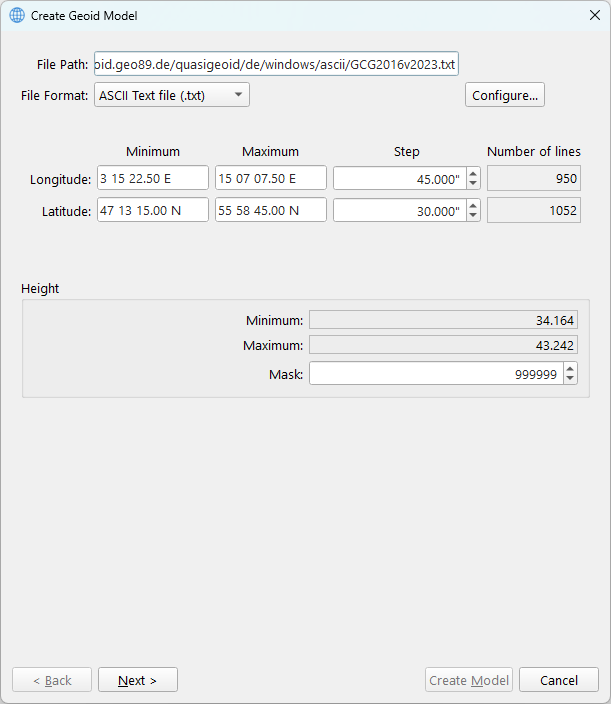
For an ASCII text file, you are required to configure the File Format layout definition.
Clicking the Configure… button opens this custom ASCII file configuration dialog.
The latitude, longitude, and step fields are editable to address situations where rounding errors occur.
The height may display an excessively large minimum or maximum value. This value can be excluded by configuring it as a mask. When defining a mask that matches the minimum or maximum value, it will show the second smallest or largest value.
After verification of the values, proceed to the Geoid Model Parameters Dialog.