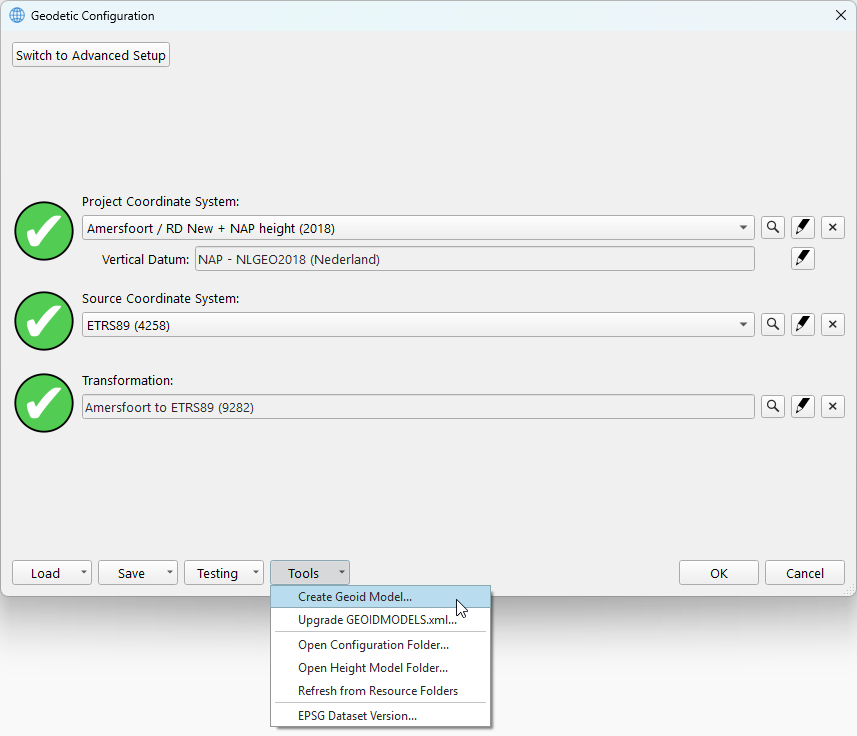
When starting the Geoid Model wizard, it opens a file dialog to select the geoid file.
Based on the file format, there are two options:
-
Add geoid models that are in a default supported file format
-
Converting geoid models into a QPS binary geoid model
Default Supported File Formats
-
QPS binary geoid (.bin)
-
NGS Geoid (.bin)
-
NGS VDatum (.gtx)
-
NRCan Geoid (.byn)
-
Binary Surfer Grid (.grd)
File Formats for Conversion
-
ASCII (.txt)
-
ARC ASCII (.asc)
-
ISG (.isg)
-
Trimble GGF (.ggf)
If you selected a file that is not a default supported format, it will open the Geoid Model Conversion Dialog. Otherwise, it will open the Geoid Model Parameters Dialog.
How to run it?
This wizard is accessed via the Tools button from the Geodetic Configuration Overview as follows: