Highlights on this page

Thanks for your feedback
60 votes satisfied!
Introduction
30 June 2017, We're pleased to present QINSy version 8.17.0
What is new in this version?
QINSy software is continuously being improved and new features are added. The following is a summary of the changes made. If you have any questions, please do not hesitate to get in contact.
From the 8.17.0 version onward, it is possible to install a new version next to previous QINSy installations. However it is highly recommended to un-install previous versions first as QINSy was always installed in:
C:\Program Files (x86)\QPS\QINSy
New QINSy versions will be installed as:
C:\Program Files (x86)\QPS\QINSy\8.17.0
Improvements
Separation of CAD files into different types - FQI-35
With the separation into different types, the files are easier to identify in dialogs as only the appropriate files will be shown.
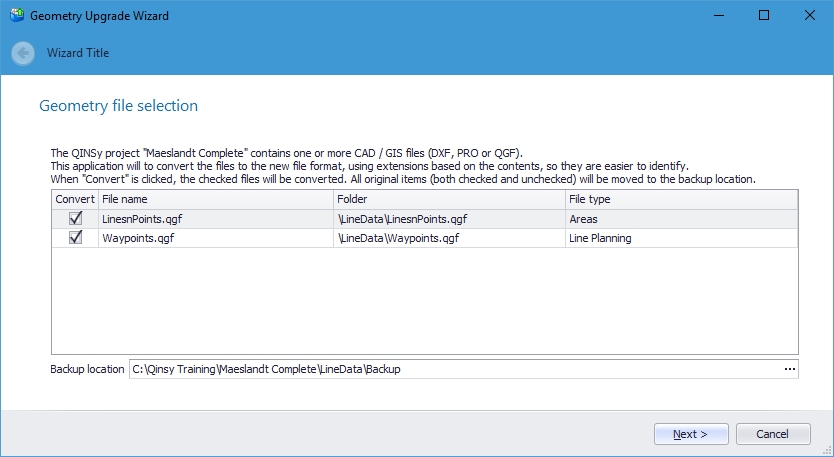
A new wizard will help in the transition from 'older' file types PRO and QGF to the new types. The Wizard is started when an older QINSy project is detected.
The new file types, extensions, icons and purpose are:
|
Type |
Extension |
Icon |
Purpose |
|---|---|---|---|
|
Line data |
*.qgfline |
|
Line data for survey lines, routes and waypoints |
|
Background |
*.qgfback |
|
Back ground data in plan views |
|
Design |
*.qgfdes |
|
design depth model |
|
Annotation |
*.qgfanno |
|
Annotation |
|
Contours |
*.qgfcont |
|
Contours and spot soundings |
|
Areas |
*.qgfarea |
|
Areas and closed polygons |
|
Vertical Offset model |
*.qgfvom |
|
Vertical Offset Model for geodetic correction |


A short Howto document has been created, explaining the use of the Upgrader tool: How-to Project Upgrader
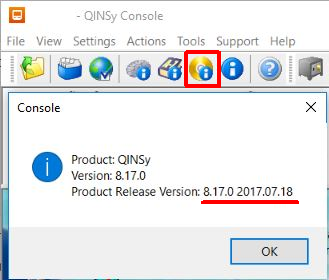
Note that problems have been reported for Windows 7 (and possibly others) with our Project Upgrader in the previously released version 8.17.0
In the new QINSy-8.17.0.3-MSI.msi (8.17.0.2017.07.18) this has been fixed.
Generic export to support QPD data - FQI-112
Added new category 'QPD' in group 'DTM'.
Several QPD file related sub-items are added (e.g. validated transducer and object co-ordinates for each ping and individual footprint (points) data).
See for detailed information about all the new items the documentation in the QINSy Knowledge Base in Confluence.
Note: DTM QPD items are not supported online (e.g. Generic Display), only for export.
This can be very useful as it allows for the export of raw data and QPD data in one file for further processing
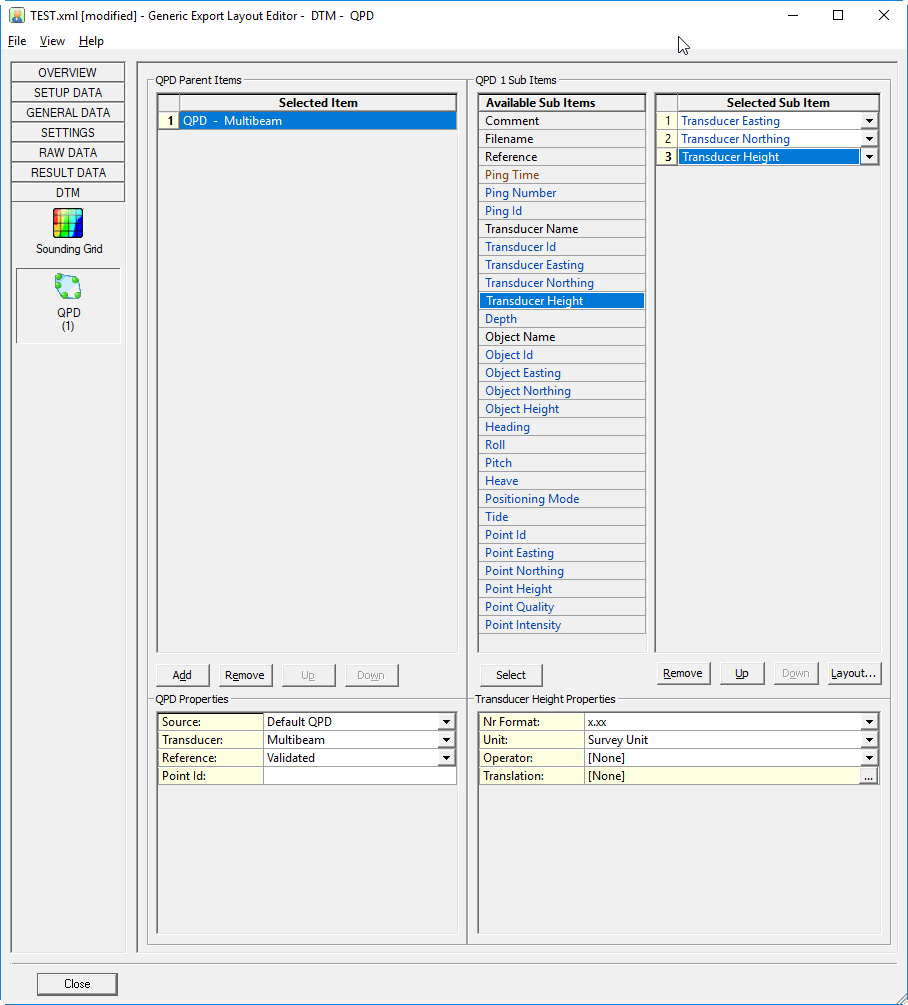
Generic export
The behavior of the Raw Data Age item during Export has been changed:
Currently: Age is the difference between the triggering time and the time of the last raw update, which often doesn't make sense during export.
Now it is: Age is the difference between the time of the current observation and the previous one.
Notice that while being online (Display/Driver) the Age value behavior remains the same: difference between the triggering time and the last raw update.
Eventing file
Session Setup, Eventing: Added option (Select button: New...) to generate a new filename for the eventing database, instead of modifying the name manually. The user may select from several format specifiers (all explained in the new dialog) in order to quickly fill in some metadata.
Processing Manager changes
-
Bathymetric group information has been extended.When the group is selected the properties dialog shows group information.
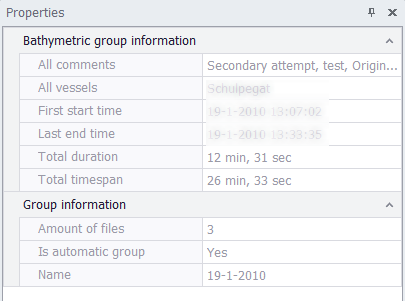
-
Properties dialog for layers has been extended
-
GEOBAS import has been improved
-
The Bathymetry option has been renamed to Contours and spot soundings
-
Shortcut keys have been added: <shift>- a selects all files see for all short cuts the following page: Project Explorer
-
The geotiff export now also creates a geodetic info file , it is stored in a so-called WKT string
-
ESRI imports have been added
Geodetics
Predefined coordinate systems
No new coordinate systems in this version
Drivers
Dual head support for the Reson T50 &T20 driver - FQI-159
The SeaBat T50-R & T20-R sonar is a dual head version of the T-50 and T-20 and is now supported: Reson Seabat 7K Head II (TCP Network) - 20
OPC output driver improvements.
Various improvements, the version has been changed to 4
Driver "Laser Scanning - LEICA PXX":
Upgraded SDK from manufacturer Leica to latest version 2.70.443 in order to address scanners with latest v2.70 firmware installed.
PicoMBES-120 driver - FQI-27
New driver for the PicoMBES-120.
See the drivers help for the description: PicoSonar - PicoMBES-120 (UDP/Network) - 20
IHC driver
This driver is capable of sending 3 types of information to an IHC DigiSys system.
See the drivers help for the description: Network - IHC Dredging Triangles (DigiSys) - 15
Documentation
Updated
-
How-to Create a Geoid or Vertical Offset Model (v8.17) - The document for Vertical Offset Models has been updated
New
-
How-to Project Upgrader - What happens when the Geometry Upgrader appears when you open a project in the Processing Manager.
-
How-to Update Geoid Models.xml - A document describing how to add a new geoid model to your setup has been added to the QINSy Knowledge Base.
Resolved Issues
Suggestions / New Features implemented
below a list of items from QINSy Feedback Project that have been resolved:
|
Votes |
Issue_nr |
Description |
Companies |
|---|---|---|---|
|
25 |
FQI-112 |
Utilities - Generic Layout Editor - QPD - Export Nodes and Footprints |
7 |
|
15 |
FQI-9 |
PM.NET - CAD - Import - ESRI shape files (.shp) |
11 |
|
4 |
FQI-159 |
Drivers - Multibeam - SeaBat - IDH T20/50-R support |
4 |
|
4 |
FQI-35 |
QPS - CAD - QGF - Differentiate between data types by using specified extensions |
4 |
|
3 |
FQI-27 |
Drivers - MBES - Add PicoMBES-120 |
3 |
|
2 |
FQI-42 |
PM.NET - Export - Geodetics info as WKT file |
2 |
|
2 |
PM.NET - CAD - Option to create Vertical Offset Model (VOM) from route |
2 |
|
|
2 |
Utilities - Generic Layout Editor - Add time between observations |
2 |
|
|
2 |
FQI-169 |
Utilities - Generic Layout Editor - Add time between observations |
2 |
|
|
|
Description_____________________________________________________ |
|
Those colored in green were part of the top 10 items
You can also look at the issues that are available for Voting here: Feedback issues for voting
More information can be found at : Using the Voting System
Bugs fixed
Below a list of important issues that have been resolved in this release. This list is not extensive.
-
Setup / Console
-
Restoring backup file not working using the Backup utility
-
German translation improvements
-
Drivers
-
IMCA string received via telemetry- Problem reading anchors
-
OPC server driver Various issues
-
iXblue Binary Nav UTC time issue with driver
-
Kongsberg MB systems - Correct default IP address for now set
-
-
Made it possible to define a hopper dredger without a dredge status observation. In this case the dredge status will always be dredging.
-
-
Online
-
Displays
-
Profile display - Freezing on Remote Display Client
-
Sub Bottom Profiler display- Crashing when changing settings
-
-
Offline - Replay
-
Export SEG-Y - some items in header were wrong
-
-
PM.NET
-
Export - User defined ASCII - Export by MP - Wrong Heading
-
PM.NET - Startup - Common Project folder causes the sessions not to show up in the sessions quick list
-
PM.NET - Sounding Grid - Extrapolation option is not working
-
User defined ASCII export from QPD does not work correct for more then 3 systems
-
PM.NET - Zoom to fit not available after importing linedata and sounding grids
-
-
Utilities
-
Utilities - ENC Administrator - Cannot use QINSy dongle as reference for User Permit.txt generation
-
Utilities - USBL Calibration - Report was missing graphs
-
Known Issues
For this release the following issues have been reported:
|
Component |
Issue description |
Solution |
|---|---|---|
|
Processing Manager/Navigation Display |
Memory problem with CAD files which contain many complex Blocks. |
Simplify the Blocks in the used source file.
|
|
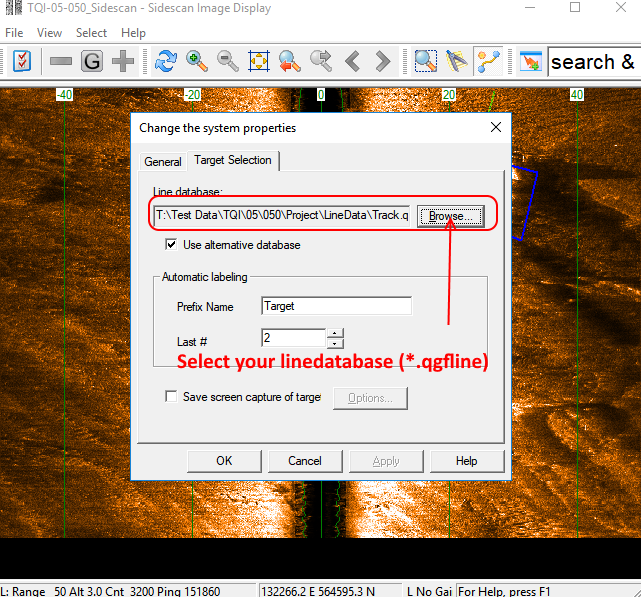
SideScan Image Display |
Save Targets dialog isn't showing when the wrong line database is still active. |
Update the linedatabase file to the new (*.qgfline) linedatabase file. |
|
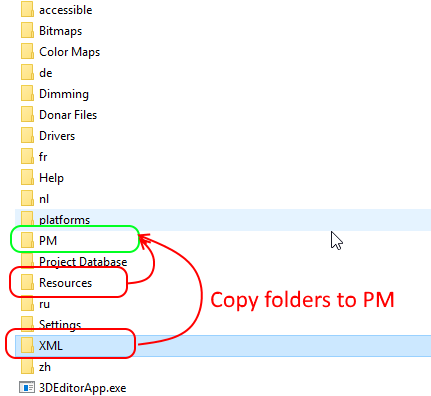
Processing Manager |
Export to BAG file isn't working due to missing files. |
Copy the XML and Resources folder that are located in the QINSy root directory to the PM folder. |
|
Processing Manager |
Create Side Scan Sonar Mosaic was not working in 8.17.0 |
Remove 8.17.0 and install 8.17.0.3 |