Qimera and Qinsy frequency support by version
Starting in Qinsy 9.7.0, sonar transmission frequency was stored in the DB records on a per-ping basis.
Starting in Qinsy 9.8.0 and Qimera 2.8.0, frequency can be stored in the QPD on a per-ping basis.
How it works in Qimera
Starting in Qimera 2.8.0, when a raw sonar file is imported into Qimera, the QPD frequency field is populated where possible. Improvements have been made in terms of which file formats support filling this field.
Having the frequency field within the QPD ensures that any frequency operations, like filtering, are just as quick as other point based operations.
When a Qinsy DB file is brought into Qimera, the frequency will be read directly from the DB ping information. If it’s not found (the DB pre-dates Qinsy 9.7.0), the raw sonar records (if stored) are used to populate the frequency. For all other data types, the frequency is read from the raw sonar records during indexing (for any file containing watercolumn data & all HSX files), or during file processing (all other files).
Where to find frequency information
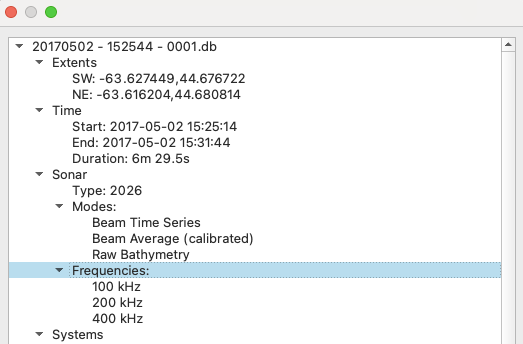
The frequencies contained within a raw sonar file can be most easily found via the Datagram Viewer:
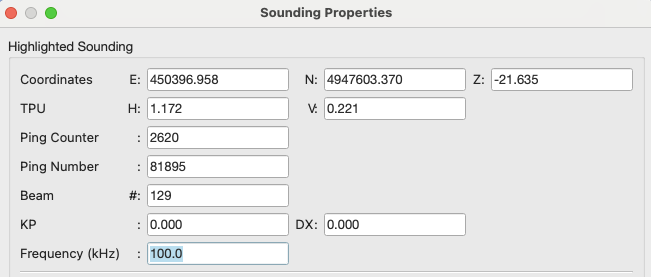
The frequency of a specific ping / beam can be seen via the Sounding Properties dialog in the Slice or Swath Editors:
Operations that support frequency
-
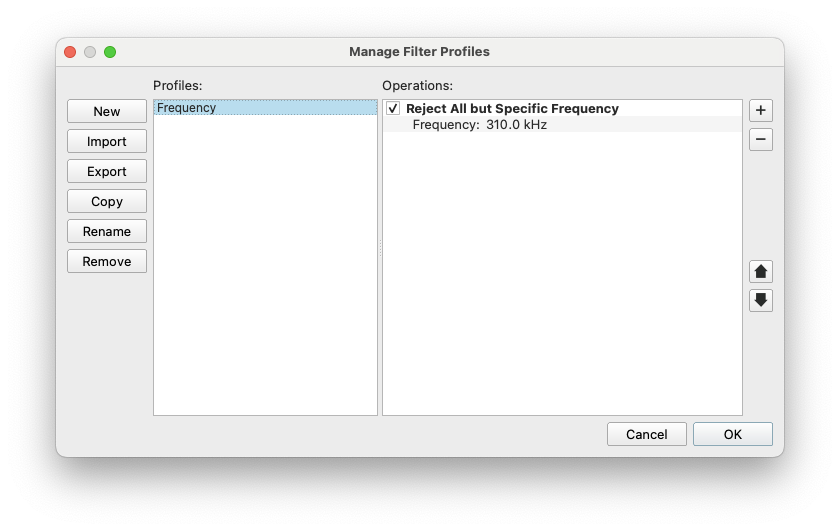
Frequency filtering profile: