Introduction
In this release, we introduce export at KP intervals for cable and pipe analysis, system definitions for SBET import in Qimera-command, and keep the RGB colors during the export to LAS/LAZ. Read on below for more details.
Please contact our Sales team if you'd like to arrange for an evaluation of Qimera.
Cable/Pipe Analysis - Export at interpolated KP values
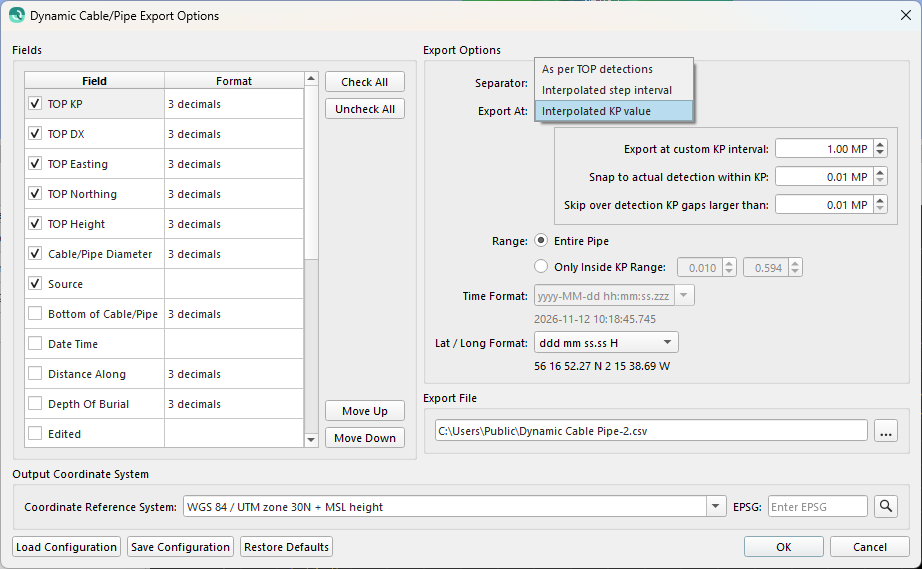
Run Cable/Pipe Analysis & Export has a new Interpolated KP value export mode. Kilometre Points (KP)from the active route are used, so you can export at a fixed KP interval (for example every 0.001 KP) that lines up with the KP values of the project route, also in tight turns and bends.
The Export option is now a drop-down list with the following options:
-
As per TOP detections
-
Interpolated step interval
-
Interpolated KP value (new)
Values are entered in Meter Points (MP) units, in other words, 1 KP is 1000MP, and the option to skip detection points is still available. The dialog remembers your settings for the next time it is opened.
Qimera-command - System definitions for SBET import
In Qimera 2.10.0, importing SBET navigation with Qimera-command (add-binary-nav-sbet) required the system to already exist in the vessel configuration. You can now supply the system as a JSON definition with the new options --position-system-def, --motion-system-def and --depth-system-def. Each option accepts either a path to a JSON file or the JSON definition inline.
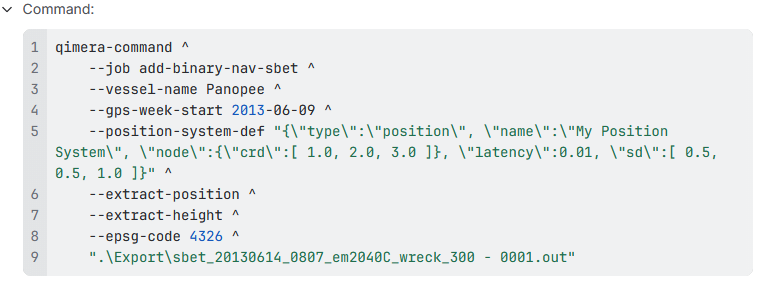
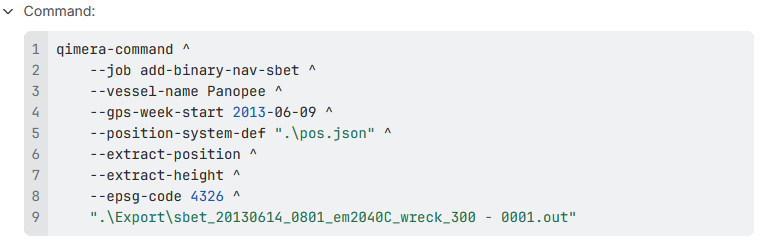
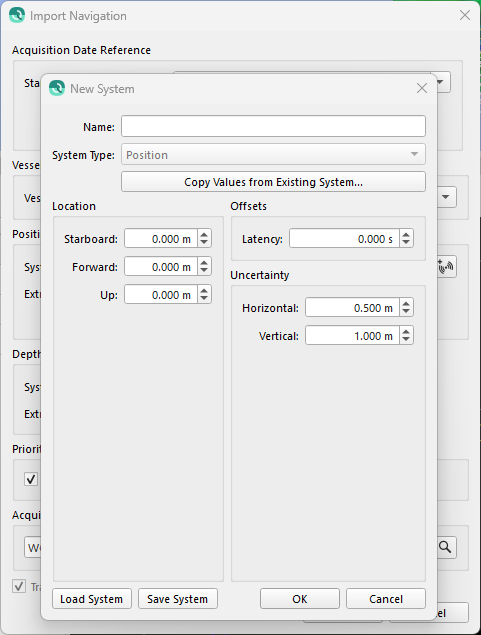
The system creation dialogs in Qimera import navigation can save and load these definitions, so you can create a definition in the interface once and reuse it in your automated workflows, or supply your own file. See the reference manual for example format.
-
A definition that matches an existing system uses that system instead of creating a duplicate.
-
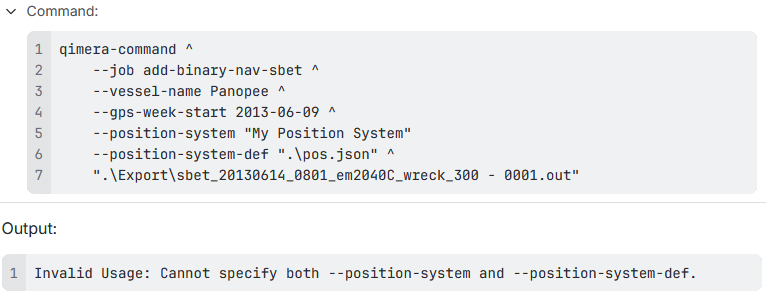
The definition options cannot be combined with their system name counterparts (
--position-system,--motion-system,--depth-system).-
This will throw an “Invalid Usage” message
-
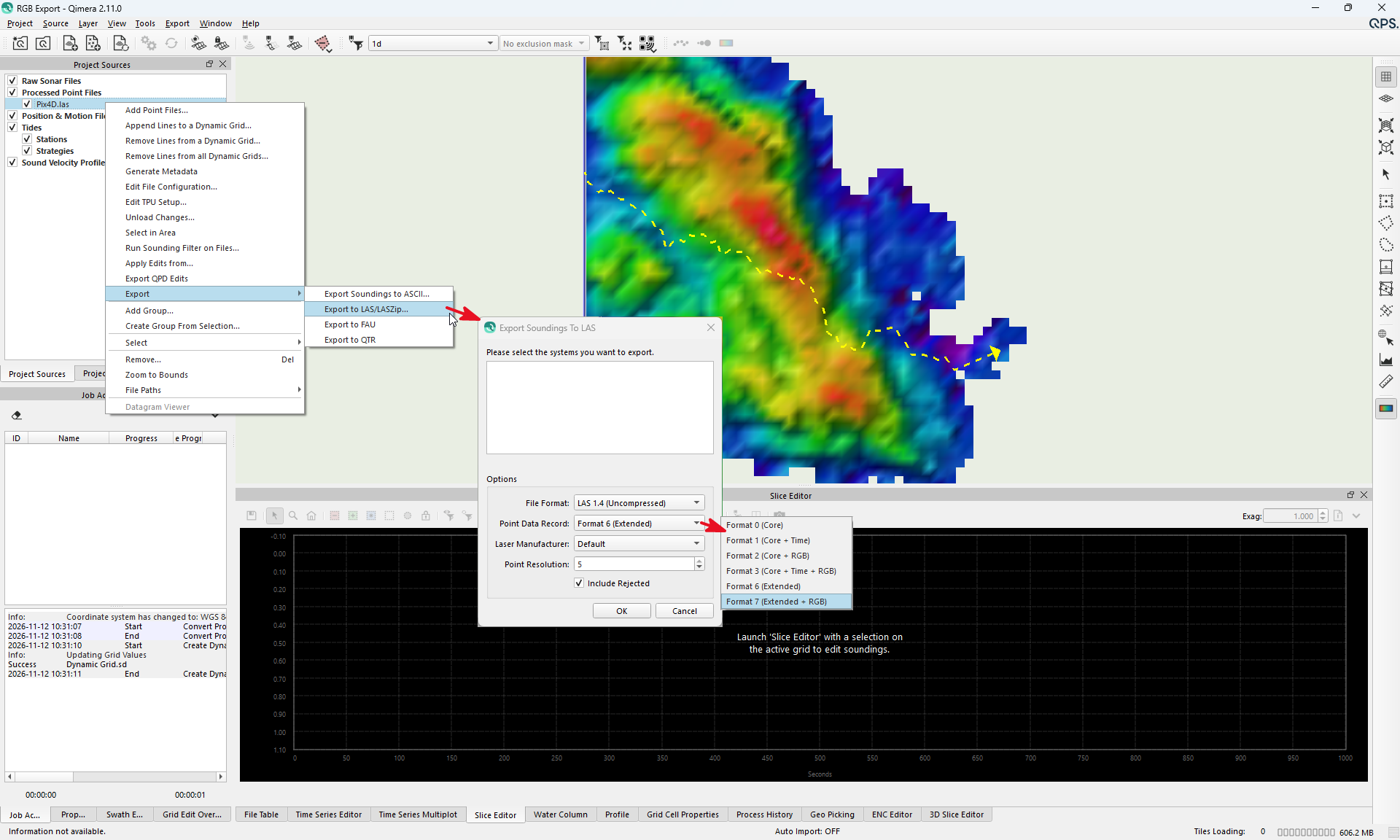
Export RGB colours to LAS/LAZ
Qimera already read RGB values from LAS/LAZ files and stored them in the processed point files (QPD). These RGB values are now also written when exporting to LAS/LAZ, so your final deliverables keep their visual context.