
Description
The QPS Fix Generator device may be used as an output device for one or two closure(s) and/or TTL pulse(s)
Driver Information
|
Driver |
QPS Trigger Device |
Interface Type |
Serial |
Driver Class Type |
Terminated |
|---|---|---|---|---|---|
|
No |
Input / Output |
Closure |
Executable |
DrvOutFix.exe |
|
|
Related Systems |
|
||||
|
Related Pages |
|
||||
Interfacing Notes
For more information on QPS Fix Generator devices see the Qinsy Knowledge Base - Hardware - MK 2, MK 3, MK 4 and MK 6. (where the MK 5 is similar to the MK 6)
Database Setup
The QPS Fix Generator device may be used as an output device for one or two closure(s) and/or TTL pulse(s).
In both cases the following communication parameters should be set in the database:
Through the Controller go to Database Setup - System.
Make sure you select the appropriate Driver (MK 1 in the example).
The Port number refers to the interface port to which the serial cable is connected (COM3 in the example).
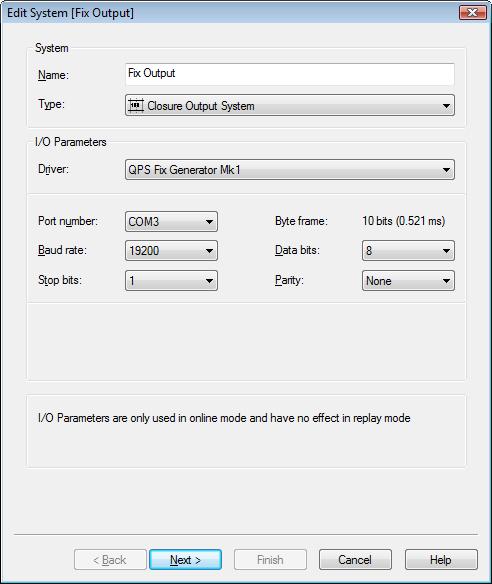
Please Note:
The baud rate was changed since the MK 6.
Make sure the correct baud rate is selected. See table below:
|
MK |
Baud rate |
|---|---|
|
prior to the MK 6 |
19200 |
|
MK 6 |
115200 |