
This page shows an overview of new functionality grouped by topic.
Console
I/O Test Utility
An option has been added to set up an MQTT broker.
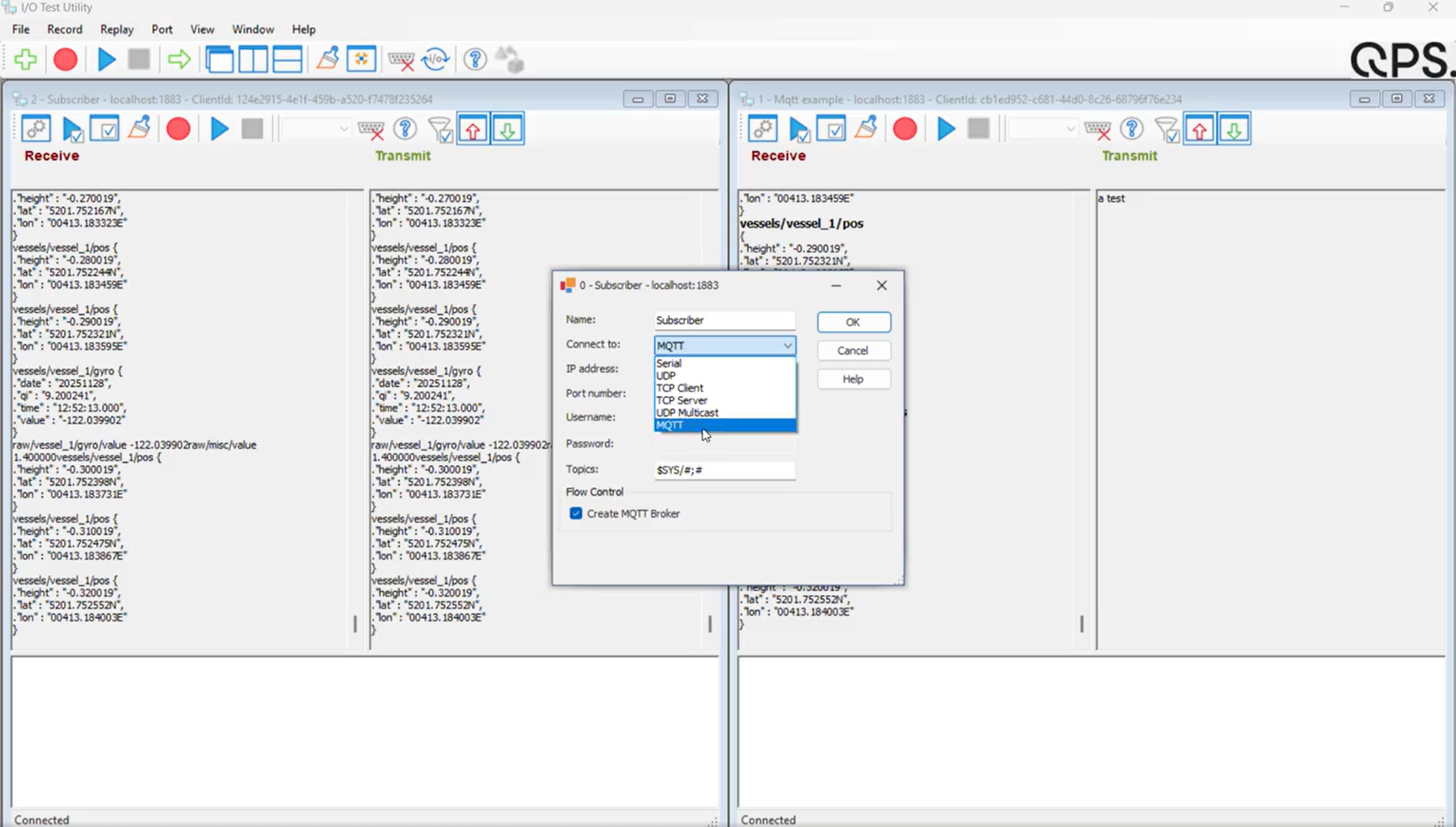
Can be used to test connections, but also to troubleshoot, as it allows you to record data as well.
This can then be shared with QPS, in case something is not working as expected.
Survey Manager
Area - Options to close on import
An area is a closed polygon that is also marked as such. In a DXF you have to specify if it is closed, even if the start and end point are on the same location.
The Survey Manager only imports areas that are marked as closed. As this was sometimes hard to figure out why some areas were not being important we wanted to clarify what was happening to the user.
While doing this, we also added additional options to close areas upon import, or if you extract data from any QGF type to a QGFArea file.
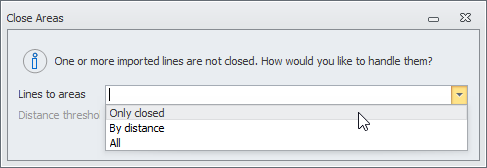
These are the 3 options:
-
Only closed
Only imports areas which are marked as closed. -
By distance
Checks if the distance between the start and end point is within the user-defined threshold.
If so → The polyline is automatically closed and imported.
If not → The polyline is ingored and not imported. -
All
All the polylines will be automatically closed and imported, regardless of the distance between start and end point.
Design - Alias
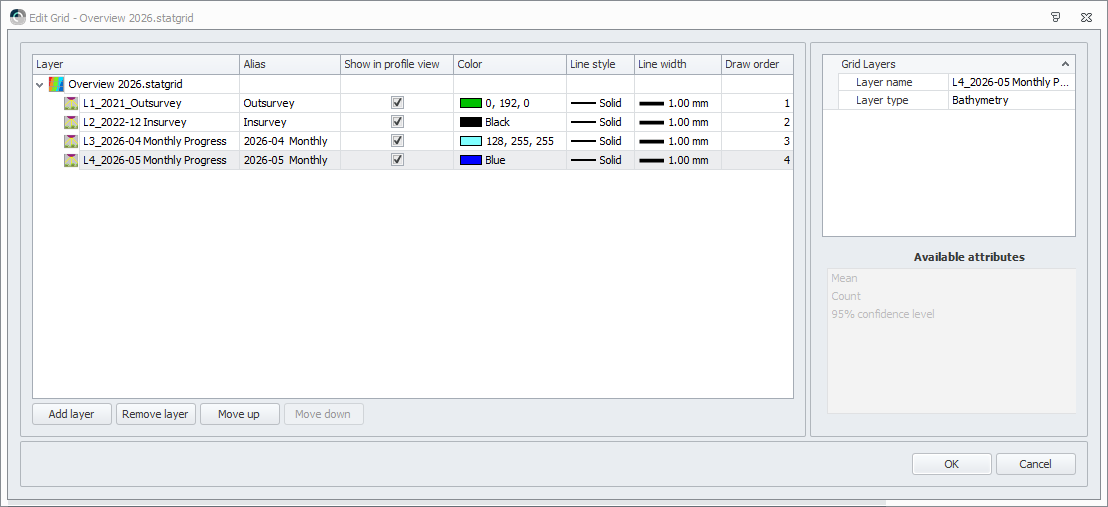
In Qinsy 9.8.0, we made it possible to set an alias for a grid layer. This functionality has now also been added for Design layers.
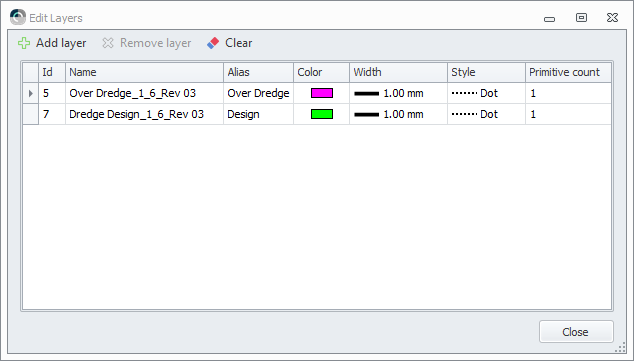
In the plotting functionality below, you can see how this is applied.
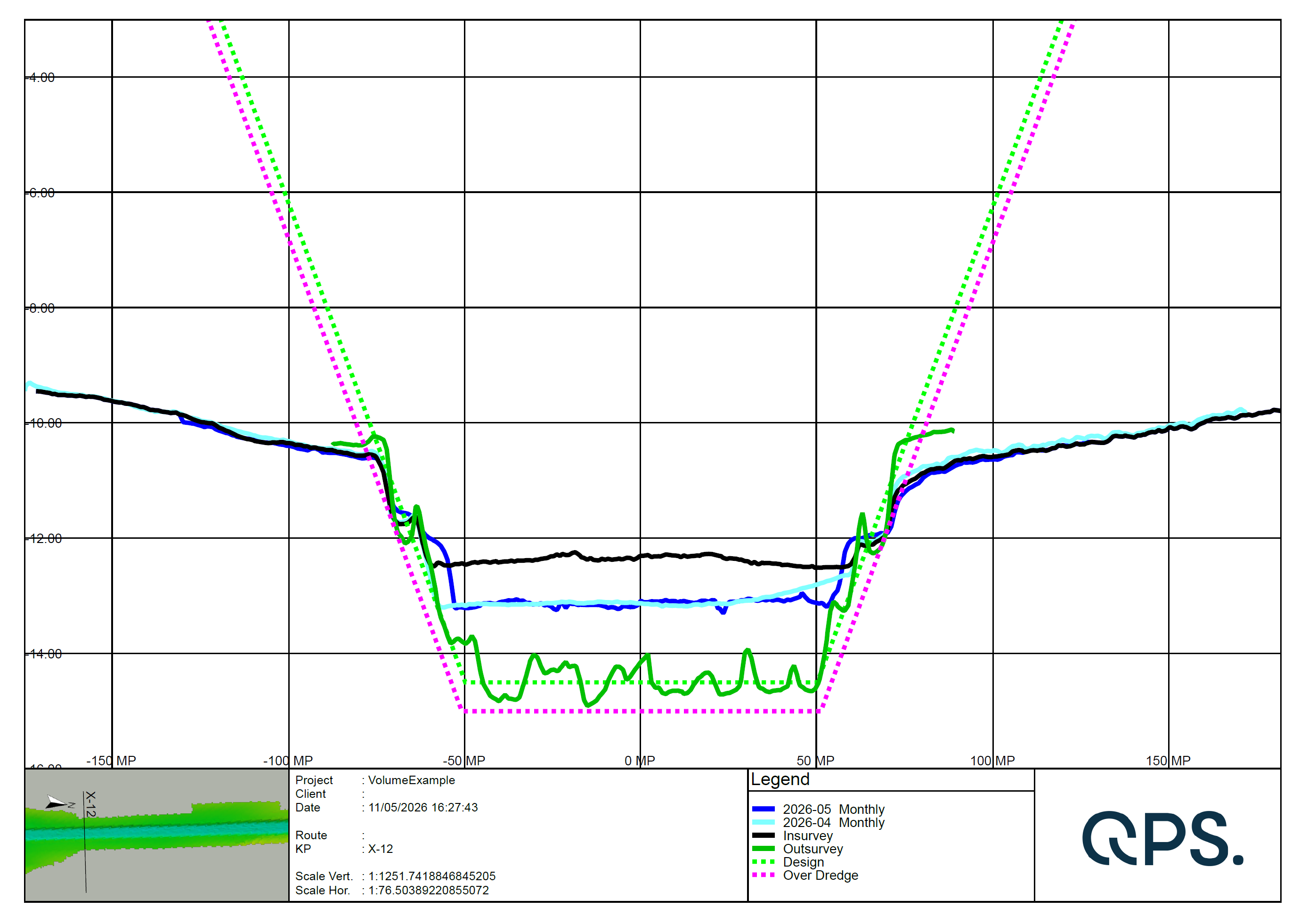
It is also applied in the Profile view in the Survey Manager.
Plotting - Profile legend
The video below shows how to add a legend and how to connect it to a Profile pane.
Below is the resulting plot. Notice how the Layer Alias, Color, Style and Width of the Grid- & Design layers are used.
|
Grid |
Design |
|---|---|
|
|
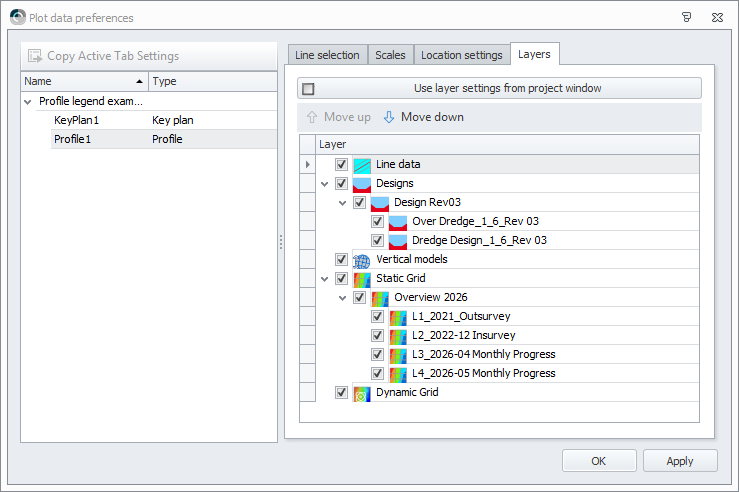
Plotting - Choose/order layers per profile
It is now possible to choose and order which data you want to show in a profile.
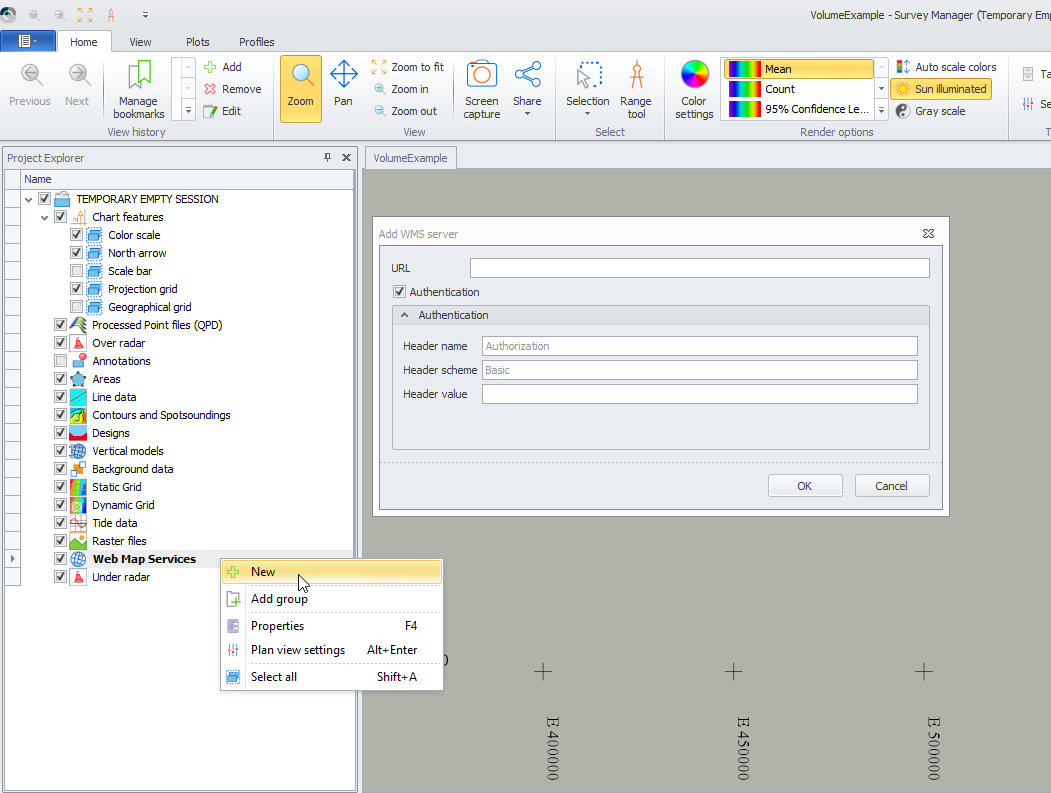
WMS - Authentication support
Authentication support has been added, as some WMS connections require this.
Systems
Kongsberg Binary (UDP)
This version includes support for the KM Binary format.
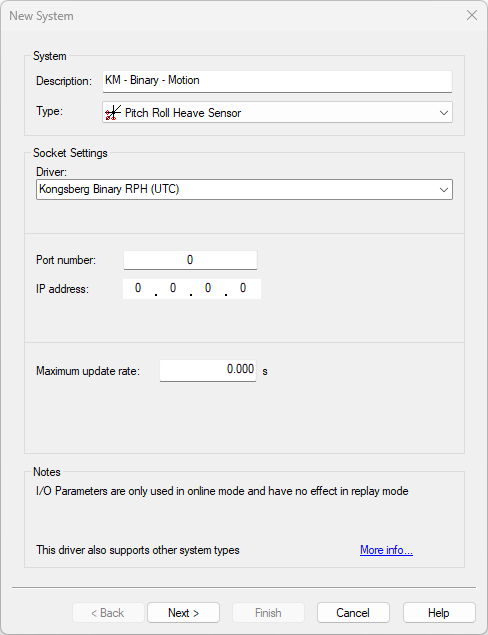
The following system types were added:
-
Position Navigation;
-
Heading;
-
Pitch/Roll/Heave;
-
Acceleration & Velocity;
-
True Heave;
-
Time Synchronisation.
To be added in 9.9.1:
-
TCP & UDP Multicast
-
Documentation for the installer.
-
The documentation is available on the website:
Kongsberg Binary Positioning (UDP Network) - 12
-