
The QPS team is continuously improving Qinsy to implement new functionality and documentation.
Unfortunately, there are a number of known issues in our software release.
These software issues will be solved in future maintenance releases.
Online/Replay - DrvResultOut.exe crash
Problem
DrvRestultOut.exe, the process responsible for creating QPD and Grid files, crashes because memory usage keeps increasing during QPD creation.
For each Transducer ping update, metadata is kept in memory. So if you have a lot of updates and have been creating a QPD for a long time, the Memory usage increases until it crashes.
-
You can monitor this in Windows Task Manager.
Workaround
-
Online & Replay
You can close Qinsy and apply the following Patch: Qinsy.9.9.0.2.Component.DrvResultOut.zip
The ZIP file includes a ReadMe.txt explaining the exact steps to apply the patch. -
Online only
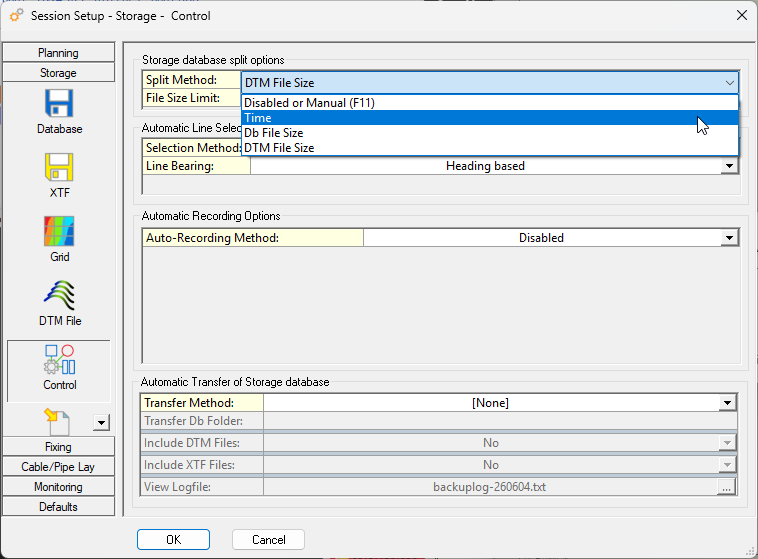
Enable file splitting in such a way that the split happens before the memory increases to much.-
Controller → Session Setup → Storage → Control:
-
-
Replay only
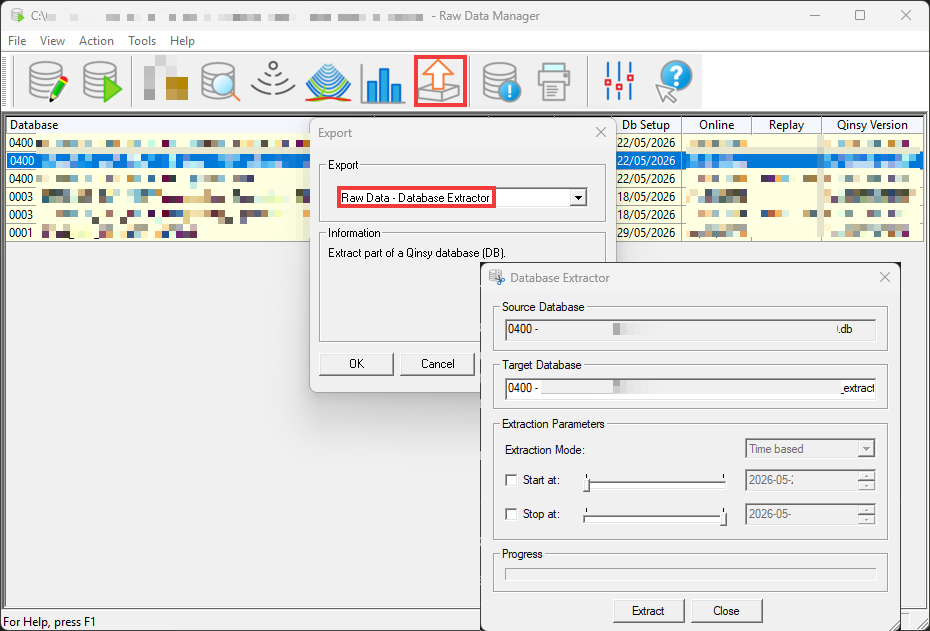
Replay might crash after a while, so splitting the recorded databases resolves this.
It can be quite some manual work.-
Replay → Export - Database Extractor
-
Planned fix
This will be addressed in Qinsy 9.9.1.
Survey Manager - Grid layer drawing order
Problem
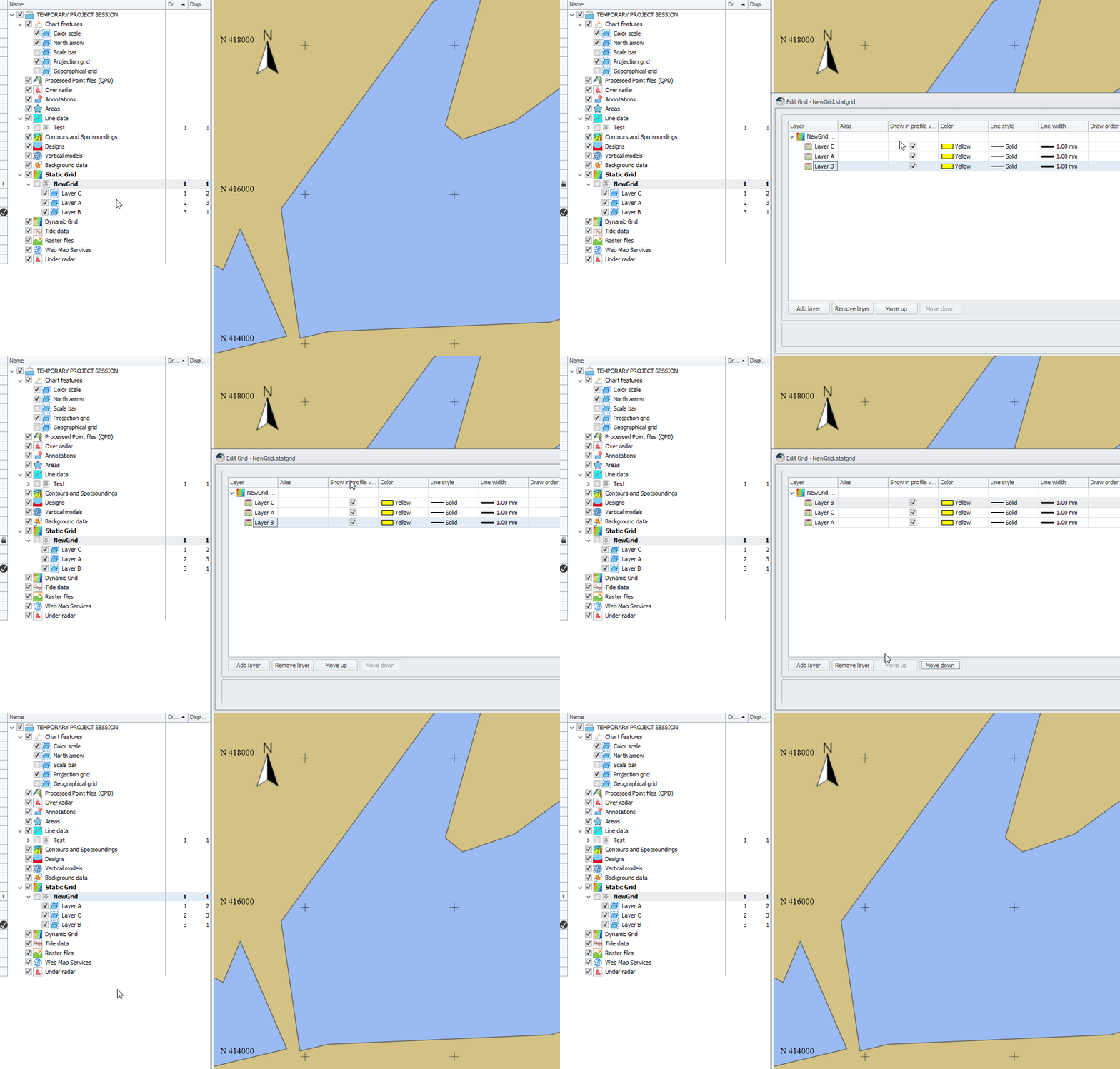
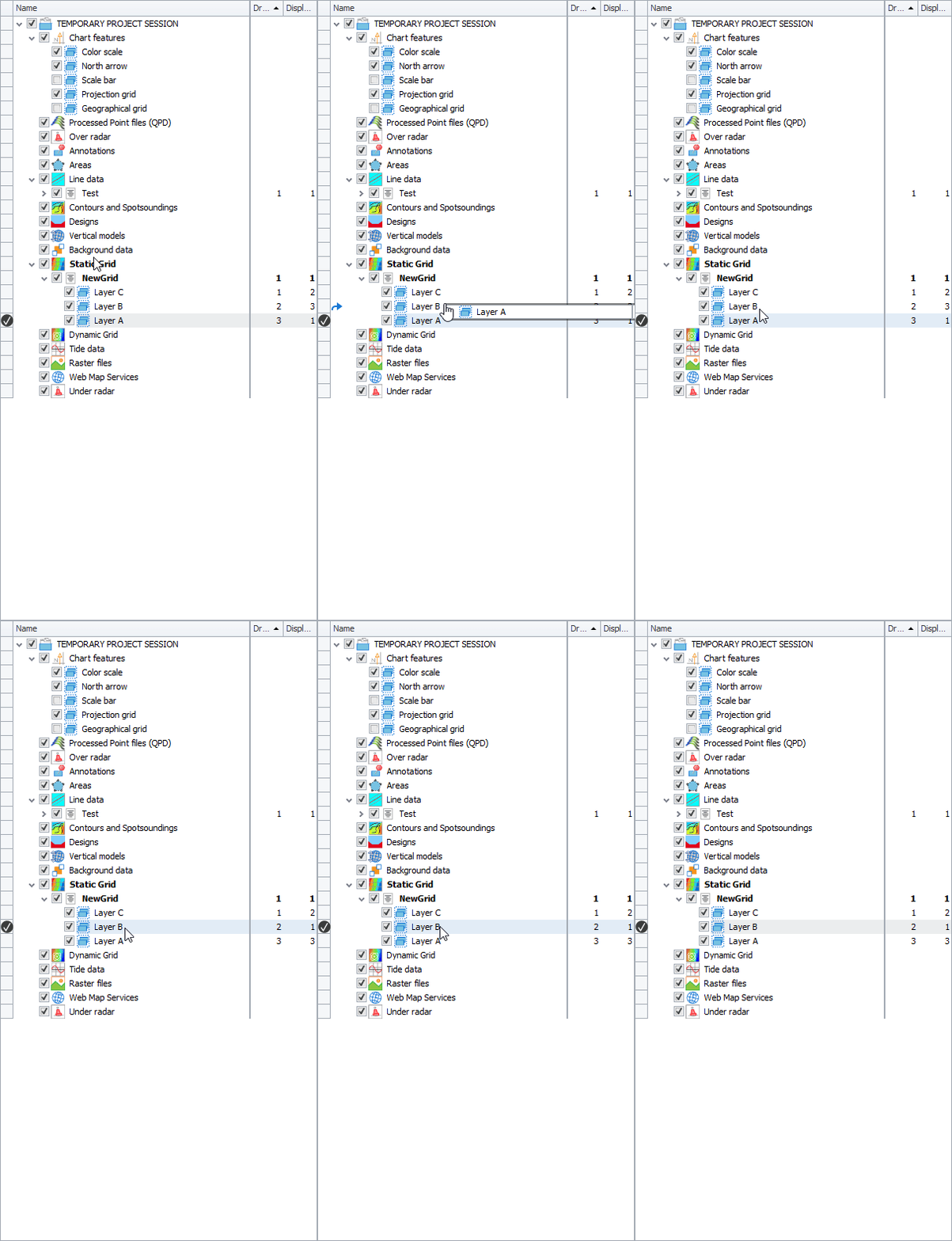
You can change the draw order by dragging and dropping, or in the Edit Grid dialog.
However, you will not see the changes in the UI of the Plan View, Project Explorer and Edit Grid dialog.
It is saved in the file.
Workaround
Since it is saved in the file, after changing the layer order, you should remove the grid from the Session and add it again.
After that, you will see the changed layer order.
Planned fix
This will be addressed in Qinsy 9.9.1.