
The QPS team is continuously improving Qinsy to implement new functionality and documentation.
Unfortunately, there are a number of known issues in our software release.
These software issues will be solved in future maintenance releases.
Documentation now accessible in 9.7.1 <-> 9.7.10
Problem
If you open the documentation in Qinsy 9.7.1 - 9.7.10, after installing Qinsy 9.7.11, it will no longer work.
In 9.7.11 it will work fine.
This is because we made a bigger change in the documentation that speeds up the installer a lot.
Workaround
The documentation in any 9.7.x version should be mostly the same.
So opening it from the 9.7.11 should be fine.
If you really want to open de documentation in an older 9.7.x version, you need to take the following steps:
-
Uninstall Qinsy 9.7.11;
-
Uninstall the HelpServer;
-
Install Qinsy 9.7.x;
Now you should be open the documentation from 9.7.1 to 9.7.10 again.
Planned fix
We are not planning to fix this.
We will keep working this way forward. So in newer versions it will work as expected again after installing or removing a version.
License Manager - Activate Softlock
Problem
Our License provider LimeLM needs to have all Network Adapters enabled when trying to activate a softlock license. In some situations, the dialog “Failed to Activate License” with the message “There are network adapters on the system that are disabled, please enable them and try again.” might appear when trying to activate the softlock license.
This will prevent you from activating the softlock license.
Workaround
Follow the steps on https://qpssoftware.scrollhelp.site/lm/network-adapter-error-troubleshooting-steps for potential solutions.
Planned fix
The fix will be part of Qinsy 9.8.0.
Windows 11 update 23H2 (or higher) fails due to Squire
Problem
It seems that a background Service, Squire (used for Survey Manager), could prevent Windows from updating in some cases.
What happens is that Windows tries to update to Windows 11 version 23H2 or newer and then crashed during the update.
Workaround
Before you download and install the Windows update:
-
Close Qinsy;
-
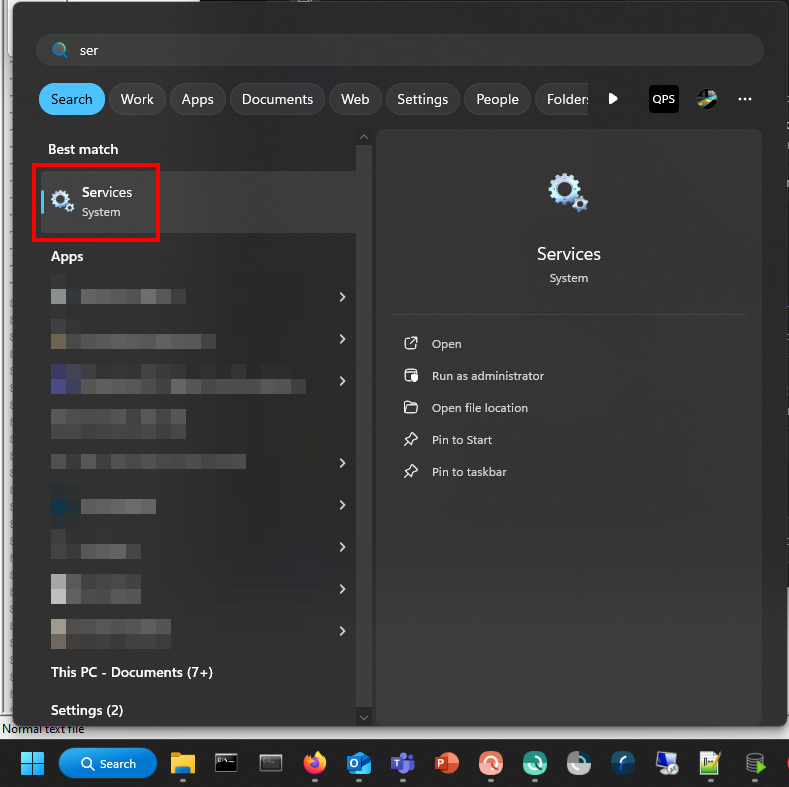
Open Services:
-
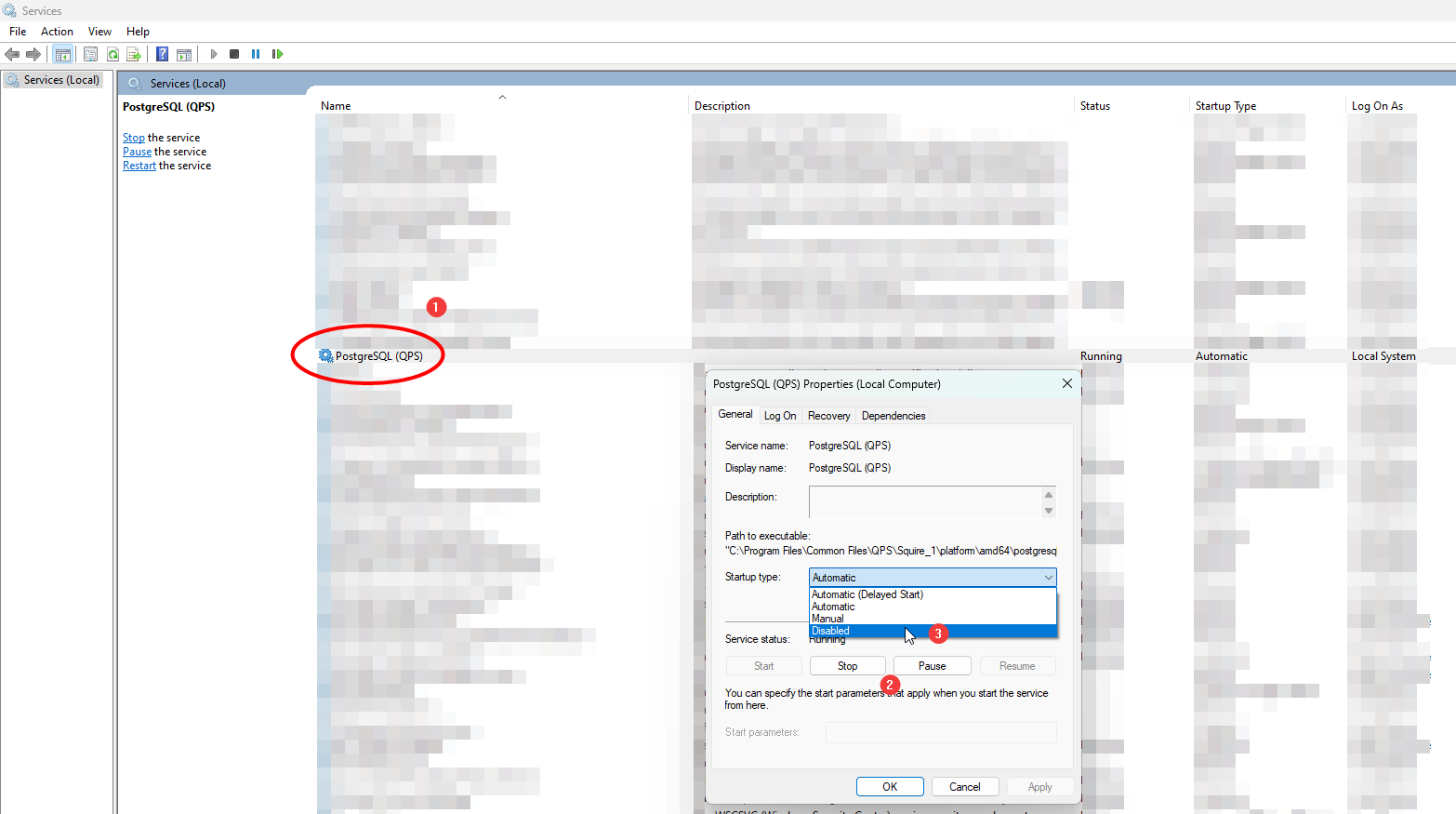
Search for PostgreSQL (QPS), set Startup type to Disabled and Stop the Service
-
Download and install Windows update;
-
You might need to restart once before you do this;
-
-
Restart and update your PC;
-
Open Services again and set the PostgreSQL (QPS) back to Enabled;
-
You can Start the service again but starting Survey manager will do this automatically already.
-
Planned fix
We have a fix which will be part of Qinsy 9.8.0.