
This page contains an overview of changes made compared to Qinsy 9.8.1.
Laser - Support added for the HESAI XT32M, XT32 and XT16
First release to support all Hesai High-Precision 360° Mid-Range Lidar (XT) models:
-
XT32M;
-
XT32;
-
XT16.
Setup - Export Object - Automatically select required objects
When exporting an object, all descendant objects are also enabled. You can disable a parent object if needed. The behaviour in the check boxes now also reflects that:
System - USBL - PSIMSSR - Add support for Transducer ID from SNS message
Similar to the PSIMSSB format, we now also support using the Transducer ID from the SNS message (next to the Beacon ID).
Navigation display - Use secondary grid as reference
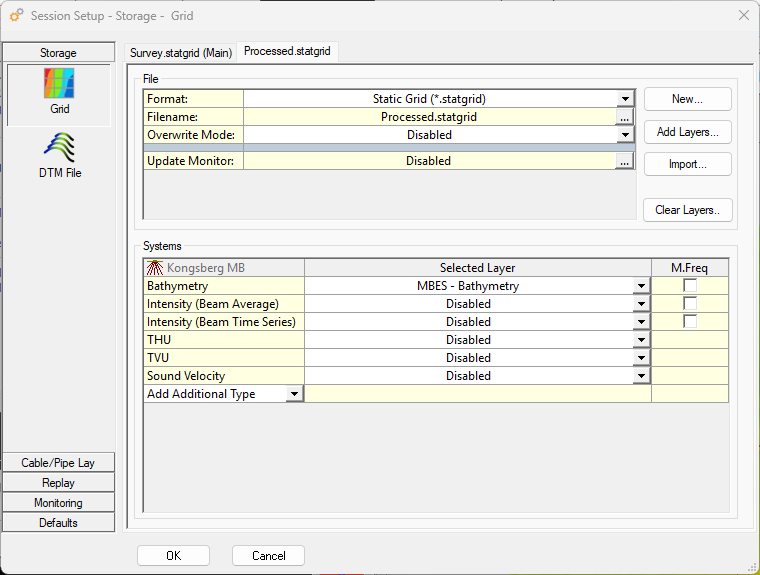
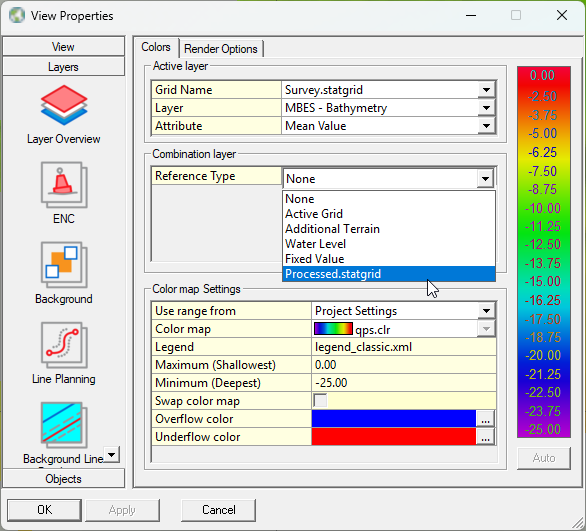
Added functionality to select the secondary grid as a combination layer in the navigation display settings.
-
The primary grid contains the live data.
-
The secondary grid contains the latest processed grid at a lower resolution.
Navigation display - Range & Bearing tool - Control text size
Online - As a user, I want each meter a TDP to be stored in the QGFLine triggered from Fix
All touchdown events based on fix events and/or mouse-click events are now stored in the touchdown qgfline file.
Autopilot - Extending the beginning and end of the track
Added an option to extend the start and stop of the calculated turning track.
-
To extend the start/stop of the turning track in the Auto Pilot driver, you should enable the advanced settings in order to enter the desired distances.
-
To extend the start/stop of the turning track in the Controller's Turning Track dialogue, you should enable the Advanced User option to enter the desired distances.
Survey Manager - KML Export - Change default to Clamped and No Icons for points
We changed two defaults for the KML export:
-
Clamped to the ground
Now, when you zoom, the polygons will no longer disappear. -
No Icon
For way-points, you no longer see a yellow drawing pin.
Survey Manager - Use QGFDes layer Color, Width and Style in Profile view & Plotting
-
Profile view:
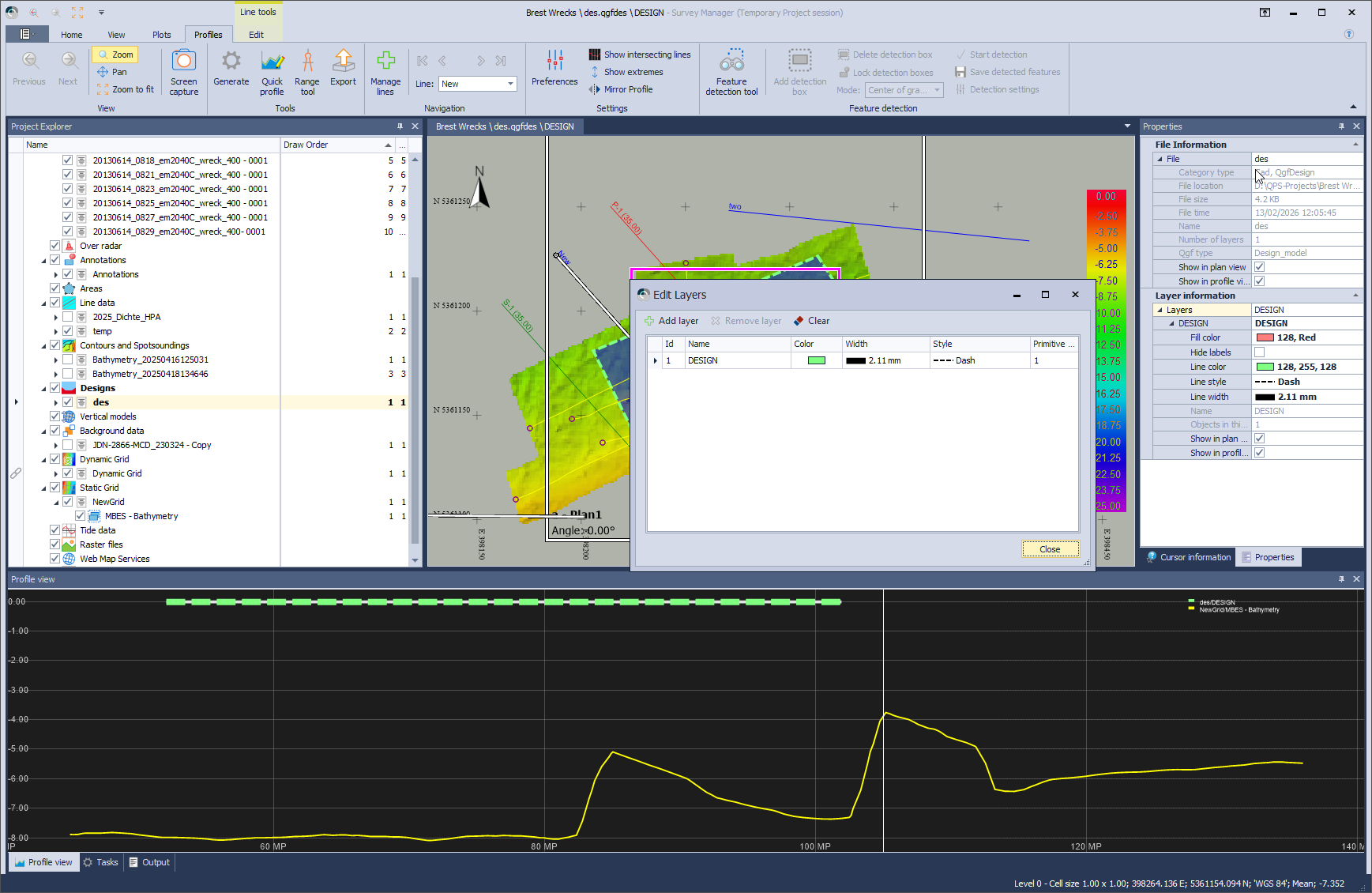
-
Plotting PDF
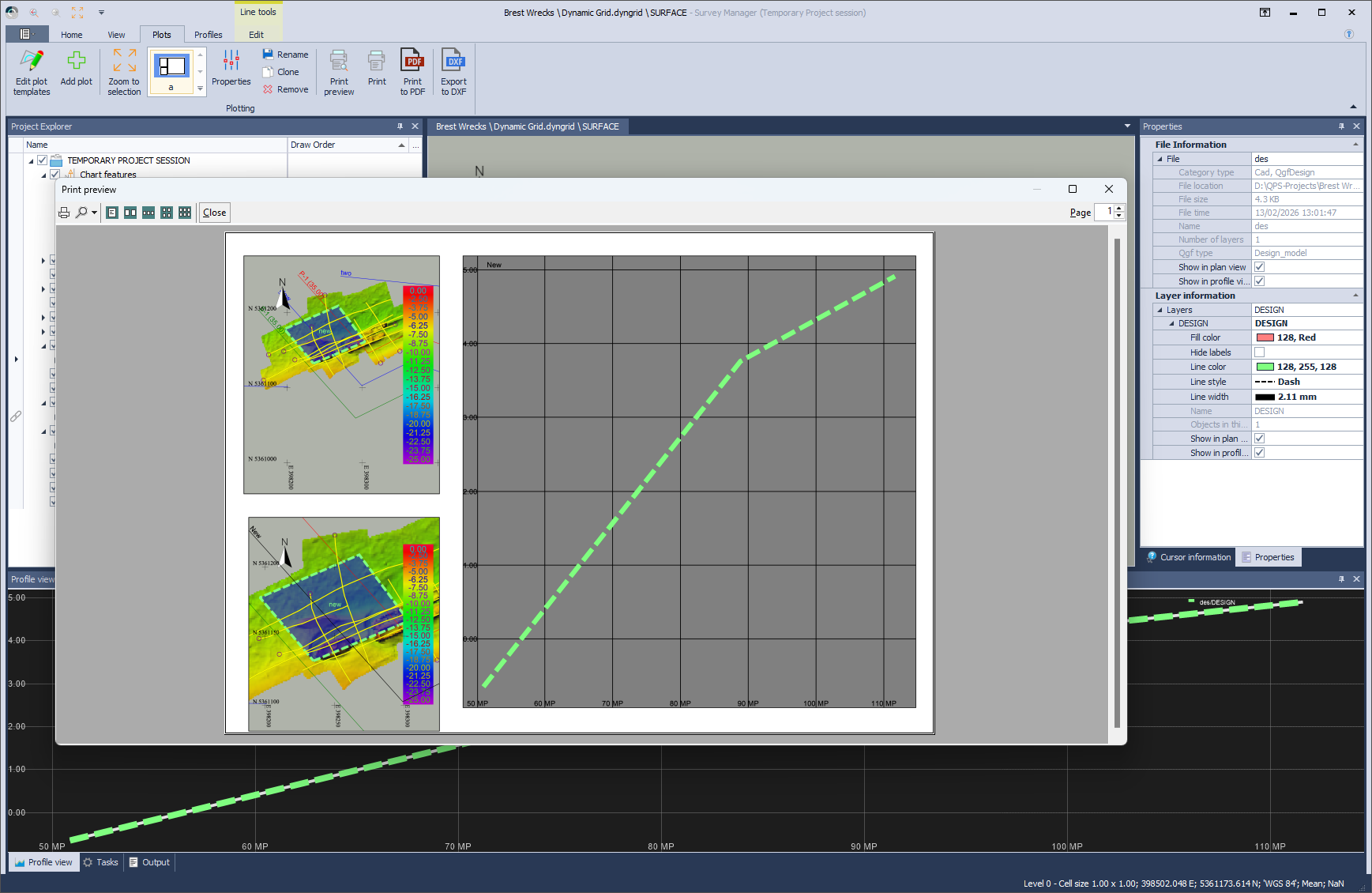
-
Plotting DXF
.png?cb=1bbe5089dbceb9d6b3bc21075854bf6c)