
The purpose of this driver is to perform an election process which decides which QINSy system is the primary system for data output.
Typical use for this driver is on a larger vessel whereby there are multiple QINSy computers that are part of the same network and only one computer should output data to external systems. Each QINSy computer needs to have the driver running and correctly configured. The driver will make sure that there is only one Master QINSy computer and this Master can be the only system to output data.

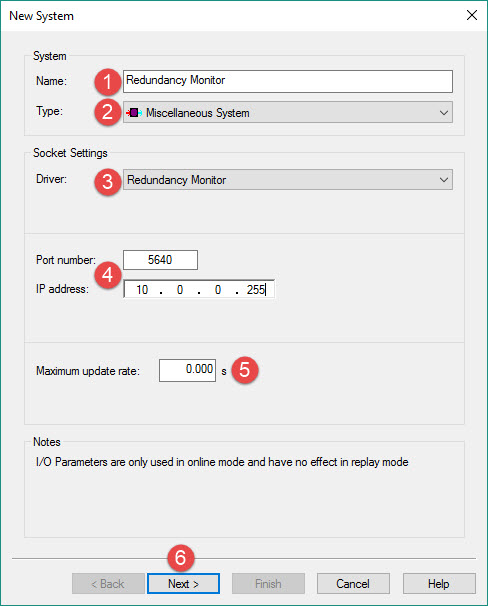


When specifically required, a specific broadcast domain (e.g. 192.168.255.128) can be entered.
In this case, the user has to make sure that the broadcast address matches the network's network mask.
Enter an (arbitrary) port number and make sure that the same port number is used on all QINSy systems.


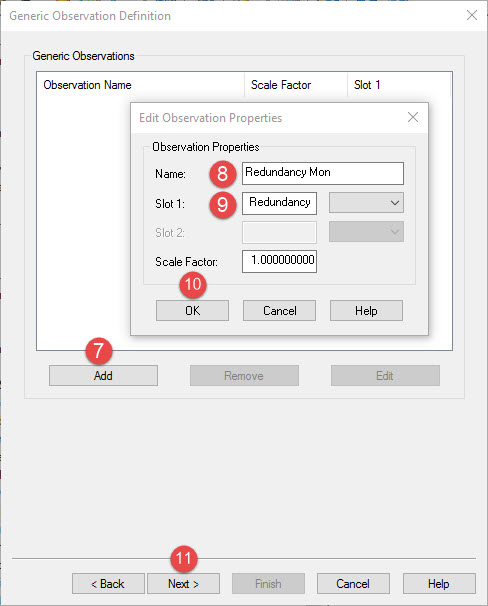


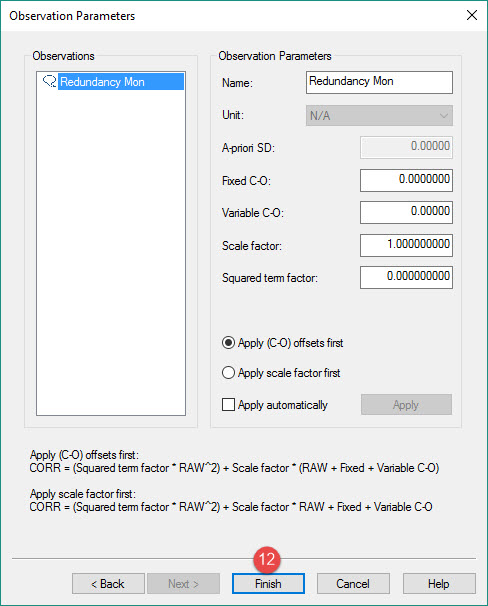

Setup of output drivers that can use Redundancy monitor functionality
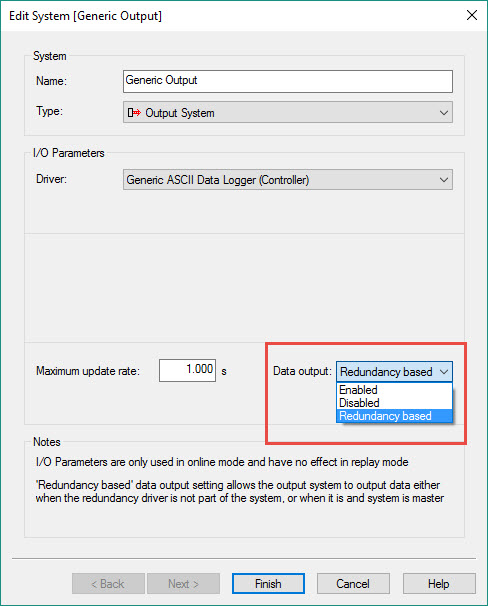
The output drivers that can make use of the Redundancy functionality show this option on the first page of the setup wizard.
The option can be Enabled/Disabled or set to Redundancy. This setting can also still be changed online.
-
Enabled: data will always be outputted on this computer
-
Disabled: data will not be outputted on this computer
-
Redundancy based: data will be outputted by the primary computer
In data acquisition mode (Online) a dialog with user interface contains a list of each detected/configured QINSy system and its status information.
Return to top of page.
Return to: Trailing Suction Hopper Dredger (THSD) - System Definitions.