
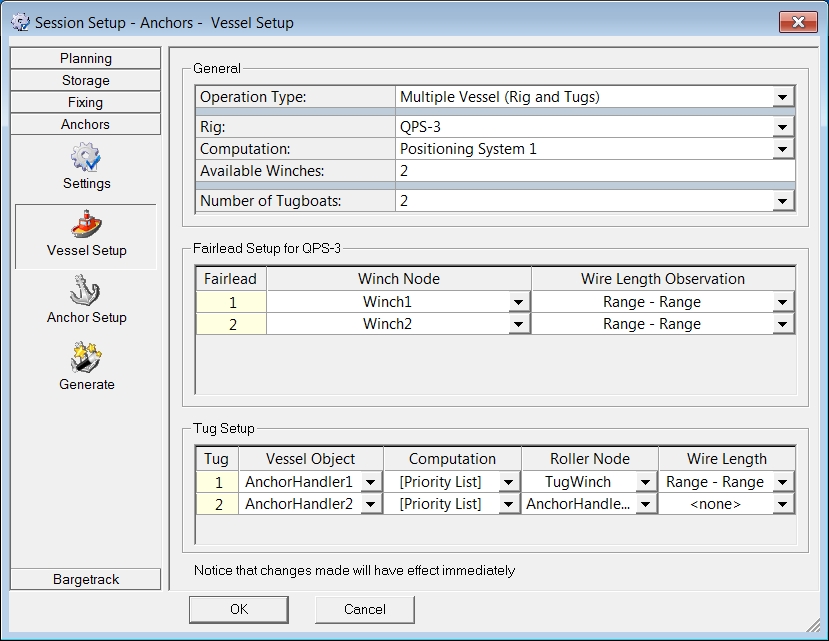
Assign rig and tugs which will be involved in the anchor procedures.
|
General |
|
|---|---|
|
Operation Type |
|
|
Rig |
Define which Object from the Database Setup will be positioned by the anchors. |
|
Computation |
Select the computation to be used to calculate the position of the Rig / Barge. |
|
Available Winches |
Enter the number of winches available on board of the Rig / Barge. |
|
Number of Tugboats |
Only available when the Multiple Vessel operation is selected as Operation Type.
|
|
Fairlead Setup for <Rig> |
|
|
Fairlead |
A fairlead node needs to be assigned to each winch position.
|
|
Winch Node |
Assign a node to each fairlead. |
|
Wire Length Observation |
Select how the length of the wire will be calculated.
|
|
Tug Setup |
Only when 'Multiple Vessel' was selected as Operation Type will the dialog below appear: |
|
Tug |
The Tug number. |
|
Vessel Object |
Select which object is a tug. The list contains all Objects available, as created in Database Setup. |
|
Computation |
Select which computation should be used to calculate the position of the Tug. |
|
Roller Node |
Select which node on the Tug is the roller location. |
|
Wire Length |
Select how the length of the wire will be calculated.
|
Return to: Anchors