
Position Navigation System
Add a Position Navigation System to your template setup and select driver:
"NovAtel SPAN (#BESTGNSSPOS Format) (With UTC)" when using the serial I/O interface, or
"Network (UDP/TCP) - NovAtel SPAN (#BESTGNSSPOS Format) (With UTC)" when using the network interface.
The latitude, longitude and height observation will be decoded automatically from the #BESTGNSSPOS message or from the legacy #BESTGPSPOS message if that is still being used from a receiver with older firmware:
First Wizard Page
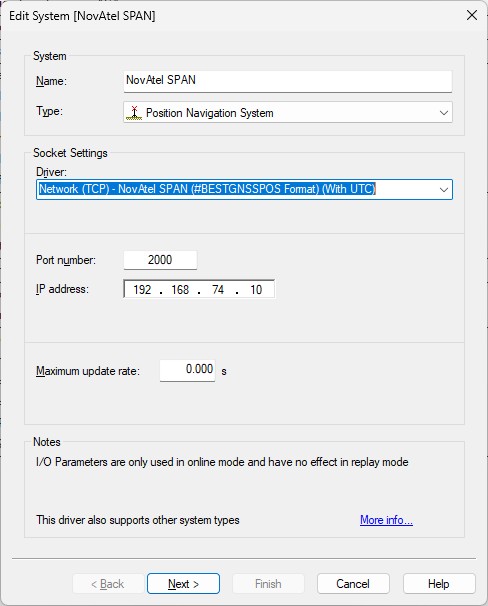
Example TCP network interface
Second Wizard Page
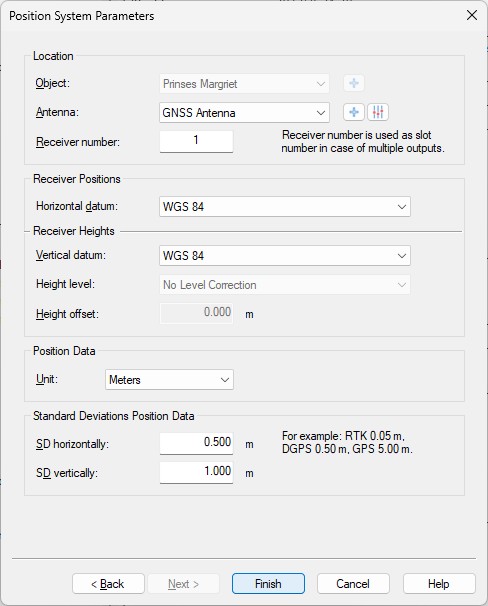
- Location
Select the correct antenna location that represents the position of the GNSS receiver. - Receiver number
Not used by this driver as Slot ID (only one position will be decoded from all the incoming messages) - Horizontal / Vertical Datum
Select the correct horizontal and vertical datum that is applicable for the latitude and longitude fields: the same datum as seen in data field #7, 'Datum ID' of the message telegram.
Normally this will be the default 'WGS84' datum.
Time Synchronization System
Add a Time Synchronization System to your template setup and select driver:
"NovAtel SPAN (#BESTGNSSPOS Format)" when using the serial I/O interface, or
"Network (UDP/TCP) - NovAtel SPAN (#BESTGNSSPOS Format)" when using the network interface.
Time will be decoded from the #TIME message so make sure to enable this message type.
First Wizard Page
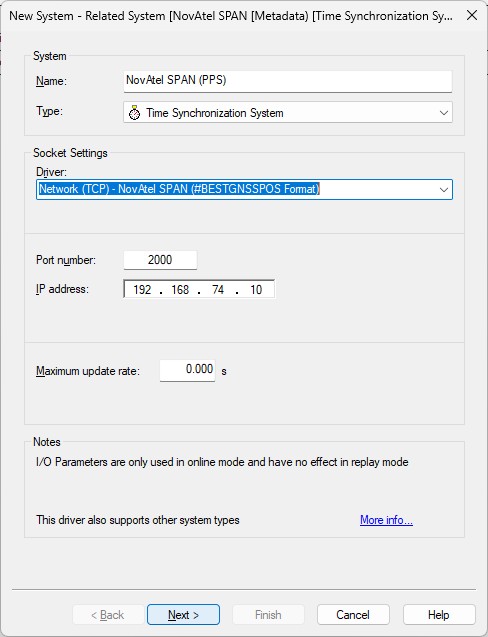
Example TCP network interface
Second Wizard Page
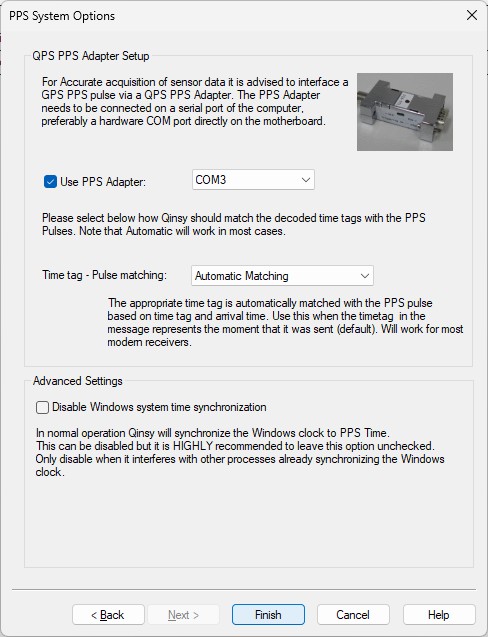
Notes
-
Use a Time Synchronization Display to monitor this system while being online.
For easy monitoring you can see the decoded values formatted as a text string in the status column of this display.
Miscellaneous System
Add a Miscellaneous System to your template setup and select driver:
"NovAtel SPAN (#BESTGNSSPOS Format) Status" when using the serial I/O interface, or
"Network (UDP/TCP) - NovAtel SPAN (#BESTGNSSPOS Format) Status" when using the network interface.
Generic observations will be decoded from several fields inside the BESTGNSSPOS message.
First Wizard Page
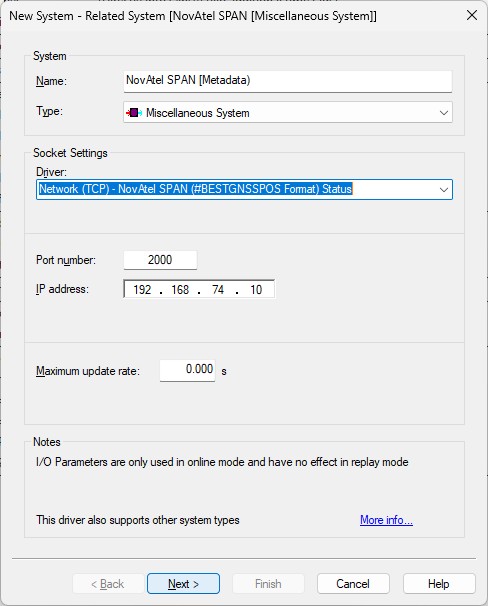
Example of TCP network interface
Second Wizard Page
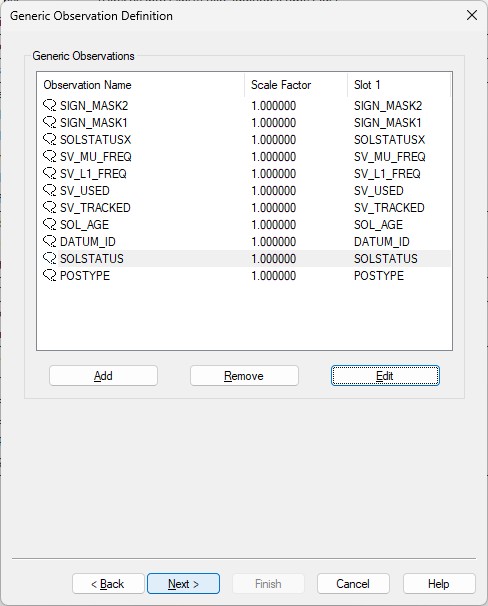
- Here you can add up to eleven generic observations that you may want to monitor.
Each generic observation needs a unique Slot Id so the driver knows which field to decode.
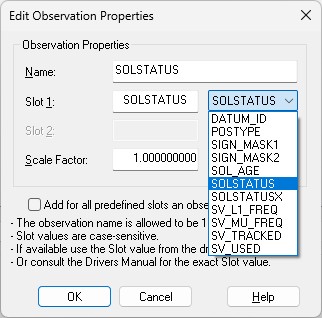
It is highly recommended to use the drop-down selection for the correct Slot Id:
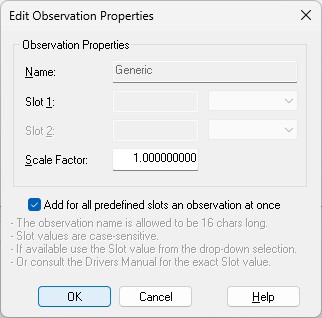
More convenient may be to use the checkbox to add all observations at once.
Of course you can change the default name for each observation as long as it doesn't exceed 16 characters.
Find below a table with all possible Slot IDs:
|
Slot 1 ID |
Observation |
Message |
|---|---|---|
|
DATUM_ID |
Datum ID (61 = WGS84, 63 = USER) |
BESTGNSSPOS, Field #8 |
|
POSTYPE |
Enumeration value. See table 'PositionType' |
BESTGNSSPOS, Field #3 |
|
SIGN_MASK1 |
Mask value. See table Galileo and BeiDou Signal-used mask |
BESTGNSSPOS, Field #21 |
|
SIGN_MASK2 |
Mask value. See table GPS and GLONASS Signal-Used mask |
BESTGNSSPOS, Field #22 |
|
SOL_AGE |
Solution age in seconds |
BESTGNSSPOS, Field #14 |
|
SOLSTATUS |
Enumeration value. See table 'Solution Status' |
BESTGNSSPOS, Field #2 |
|
SOLSTATUSX |
Mask value. See table 'Extended Solution Status' |
BESTGNSSPOS, Field #20 |
|
SV_L1_FREQ |
Number of satellites with L1/E1/B1 signals used in solution |
BESTGNSSPOS, Field #17 |
|
SV_MU_FREQ |
Number of satellites with multi-frequency signals used in solution |
BESTGNSSPOS, Field #18 |
|
SV_TRACKED |
Number of satellites tracked |
BESTGNSSPOS, Field #15 |
|
SV_USED |
Number of satellite solutions used in solution |
BESTGNSSPOS, Field #16 |
Note that the Slot ID is case-sensitive.
Third Wizard Page
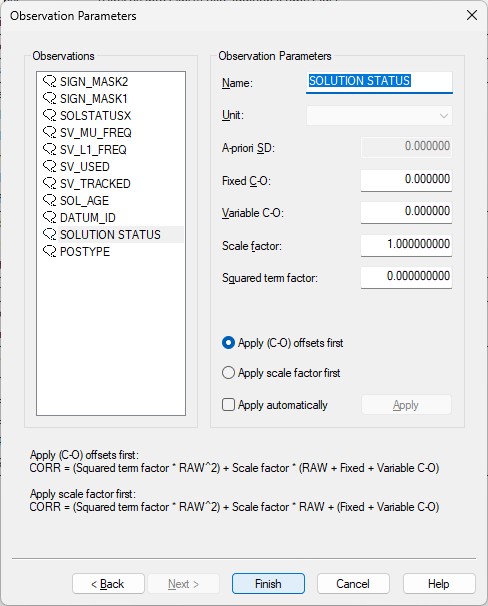
- Here you can also change the default name of each observation as long as it doesn't exceed 16 characters.
- You may leave all parameters at their defaults.